The 3-2-1 backup rule says to keep three copies of your important data, on two different types of storage, with one copy kept off-site. For a small or mid-sized business, the rule is the right starting point, but ransomware has made a fourth and fifth part necessary: one copy that an attacker cannot change or delete, and a restore you have actually tested. Done well, this is routine work that a managed IT team runs for you, so a bad day becomes a restore instead of a crisis.
This guide explains each number, shows what it looks like in a real office, covers the 3-2-1-1-0 upgrade, and lists the mistakes that most often leave businesses with backups that fail when needed.
TL;DR
- 3-2-1 means three copies of your data (the original plus two backups), on two different kinds of storage, with one copy off-site.
- Ransomware often goes after backups too, so the modern version is 3-2-1-1-0: add one offline or immutable copy and zero restore errors.
- A backup that has never been restored is a guess. Test restores on a schedule and write down how long they take.
- Cloud services such as Microsoft 365 need their own backup plan. Do not assume the vendor’s retention covers you.
- Axio Networks designs backup and disaster recovery for Phoenix-area businesses on a flat monthly rate, so protection does not depend on one person remembering to check a drive.
Table of Contents
- What the 3-2-1 backup rule means
- Is the 3-2-1 rule outdated?
- The 3-2-1-1-0 upgrade
- How to put the rule into practice
- How often should you back up?
- Cloud backup versus local backup
- Common mistakes that leave data exposed
- Where the rule fits in your wider security
- Why we build backup into managed IT
- Let us run your backups
- FAQ
- Sources
What the 3-2-1 backup rule means
The rule is simple enough to remember and precise enough to act on. The U.S. Cybersecurity and Infrastructure Security Agency (CISA) calls it a trusted guideline for small and medium businesses: keep 3 copies of important files, store them on 2 different types of storage media, and keep 1 copy off-site, away from your business location.
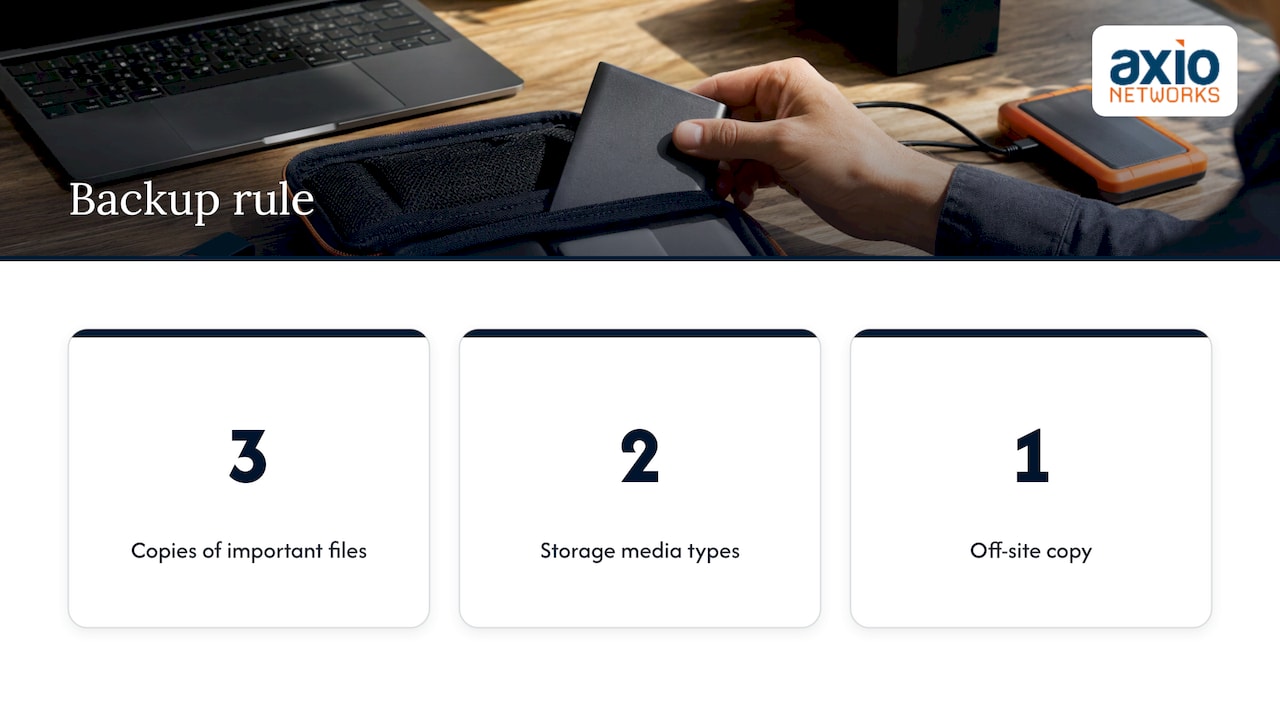
Here is what each number protects against.
Three copies. The copy your team works on every day counts as the first. You then need two backups. One backup can fail, be corrupted or be deleted by mistake, and the odds that two independent copies fail at the same moment are far lower. TechTarget describes this as removing single points of failure: if one copy is damaged or a technology fails, another remains.
Two types of storage. Different media fail in different ways. A hard drive can die from a power surge, while a cloud account can be locked by a stolen password. CISA’s older Data Backup Options paper explains that using two media types protects against different hazards. It also traces the rule to photographer Peter Krogh’s 2009 book, The DAM Book, so this is a long-tested idea, not a marketing slogan.
One copy off-site. Fire, flood, theft and a burst pipe do not care that your backup drive sat next to your server. An off-site copy, in another building or in the cloud, survives anything that destroys your office. In Arizona, where summer storms and power events are a fact of life, that matters as much as any cyber threat.
A worked example for a 20-person office
Picture an accounting firm with a file server and Microsoft 365:
- Copy 1: the live files on the server and laptops.
- Copy 2: a nightly backup to a local storage device in the server closet.
- Copy 3: an encrypted copy sent automatically to cloud storage in another region.
That is three copies, two media types (local disk and cloud) and one off-site. It meets the classic rule. The next section shows why it is not quite enough today.
Is the 3-2-1 rule outdated?
Not outdated, but incomplete on its own. The rule was written when the main threats were hardware failure and disasters. Today the threat that ends businesses is ransomware, and modern ransomware looks for your backups first.
The U.S. Chamber of Commerce warns that without an air-gapped or tamper-proof copy, ransomware can delete or encrypt everything if every backup is connected to the office network. In our example above, the local device and the cloud account are both reachable with the same stolen administrator login. One compromised credential and all three copies could be gone.
The 3-2-1-1-0 upgrade
The extended rule keeps the original three numbers and adds two:
- +1: one copy that is offline, air-gapped or immutable. Immutable means the copy cannot be edited or deleted until its retention period ends, even by an administrator. The Chamber describes this as a cloud copy with object lock or WORM (write once, read many) settings, or an offline copy that is physically disconnected. Our article on immutable backups and ransomware defense goes deeper on how this works.
- +0: zero errors on restore. A green checkmark that says the backup job succeeded is not proof you can recover. The 0 means restores are validated, within the time your business can tolerate being down.
The Chamber notes that the extension also matters for double-extortion attacks, where criminals both encrypt your data and steal a copy to threaten publication. An immutable backup lets you recover without paying for the decryption, though it does not by itself undo the theft, which is why prevention and monitoring sit alongside backup.
If your cyber insurance application asks whether you keep immutable backups, this is the question behind it. We cover the wording in what immutable backup means on an insurance form.
How to put the rule into practice
The steps below follow guidance from the U.S. Chamber of Commerce, CISA and NIST. At each step we note where businesses tend to go wrong and what we take off your plate.
1. Decide what must be protected and how fast you need it back
List the systems that stop the business if they disappear: accounting, customer records, email, shared files, line-of-business software. The Chamber recommends starting with a risk assessment and impact analysis to select critical data.
Then set two targets, which NIST’s ransomware guidance defines this way:
- Recovery time objective (RTO): how long you can afford to be without a system.
- Recovery point objective (RPO): the maximum age of the backup you can live with, in other words how much recent work you can afford to lose.
Where it goes wrong: owners skip this and back up everything the same way, or back up the wrong things. A business that can lose a day of work needs a different schedule than one processing orders every few minutes. As part of our managed IT engagements, we help you set these targets in business terms rather than technical ones.
2. Choose your two storage types
The Chamber suggests an external drive or network-attached storage (NAS) system plus a cloud backup service. CISA adds that backups should run automatically and regularly, with a combination of on-site and remote copies protecting against threats, hardware failure and physical damage.
Where it goes wrong: manual backups. A drive someone plugs in on Fridays gets skipped on the Friday that matters. Automation is non-negotiable.
3. Get one copy off-site, and make it safe
A cloud copy is the easiest off-site option for most offices. CISA’s older paper notes that if data is sensitive, you should carefully consider cloud storage risks, encrypt the data and keep storage media physically secure. Use a separate backup login with the least access needed and multi-factor authentication, so a stolen day-to-day password cannot reach the backups.
Our Backup & Disaster Recovery service covers this layer for Phoenix-area businesses, so the off-site copy is monitored by people instead of being a setting nobody revisits.
4. Add the immutable or offline copy
Turn on immutability for one cloud copy, or keep one set of backups disconnected from the network. NIST adds a practical touch for recovery: keep a go bag off-site and offline with critical data, passwords, digital certificates, encryption keys and printed cloud-provider credentials. If your network is down, you will not be able to log in to the password manager that holds them.
5. Set the retention window
CISA says teams should be able to roll data back at least seven days. The Chamber goes further and flags retention under 90 days as a common mistake, advising 90 days or more. Ransomware can sit unnoticed for a while, and a short retention window means every backup you have may already contain the infection.
6. Test restores on a schedule
This is the step most businesses skip. CISA tells businesses to test their backup procedures so the team can restore data fully and partially, including knowing how to reach critical files without an internet connection. The Chamber recommends restore drills at least quarterly, checked against your RPO and RTO.
A good drill restores a real folder, a real mailbox and, at least once a year, a whole server, and writes down how long each took. Our guide on how to test your backups lays out a simple routine. When we run backups for you, testing is part of the plan, not a favor you have to ask for.
How often should you back up?
Let your recovery point objective decide. If losing a day of work would be painful, back up daily at minimum. If you process many transactions, such as orders, payments or patient or client records, hourly or continuous protection for those systems is more fitting. A common pattern, also described in Wasabi’s and similar guides, is incremental backups through the week and a full backup weekly, but your own RPO should set the schedule, not a template.
Whatever the frequency, someone has to be alerted when a job fails. A silent failure that runs for three weeks is the most common way a good plan turns into no plan.
Cloud backup versus local backup
You do not choose one. The rule asks for both kinds of storage, because they cover different failures.
| Local backup (drive, NAS, server) | Cloud backup | |
|---|---|---|
| Restore speed for large data | Fast, over the local network | Depends on internet speed and data size |
| Survives fire, flood, theft | No, unless kept elsewhere | Yes, it is off-site by design |
| Exposed to ransomware | Yes, if connected to the network | Yes, unless immutability and separate credentials are used |
| Runs on its own | Only if automated | Typically automated by the service |
The practical answer: local copies for quick everyday restores, cloud for disaster protection, and one immutable or offline copy for the worst case.
Do not forget your cloud apps
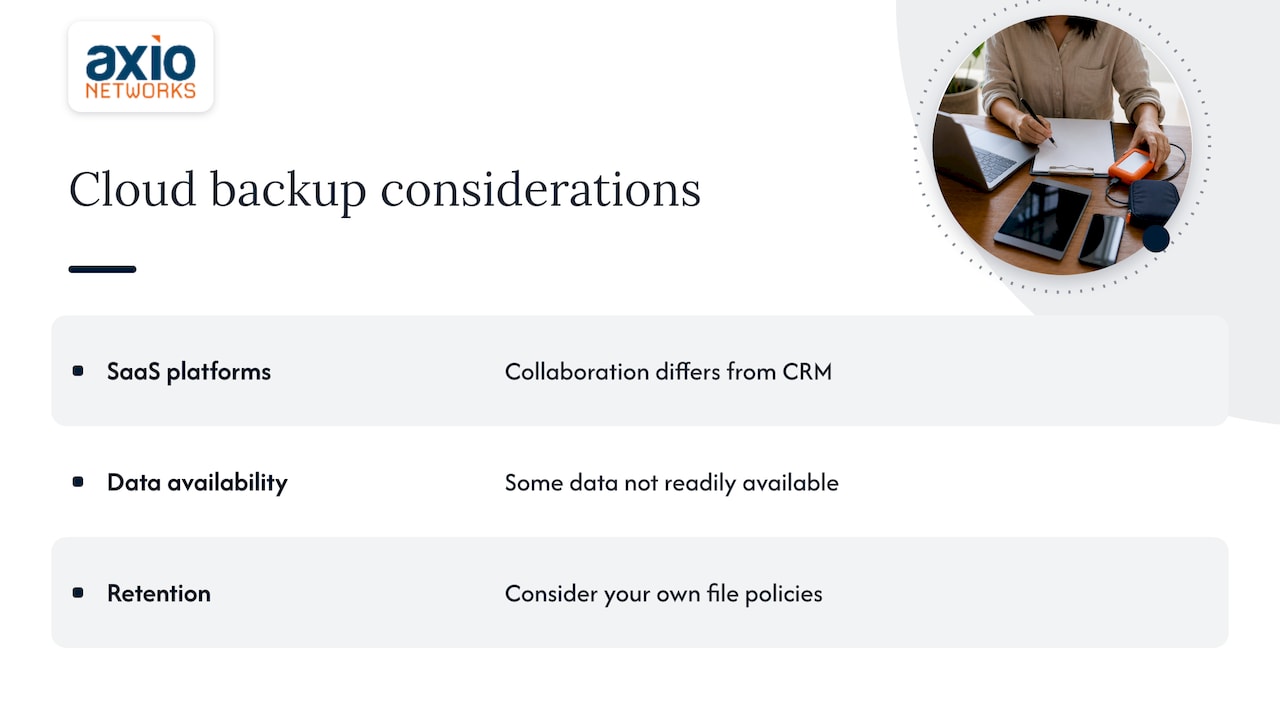
Backing up your office is only half the picture if your data lives in software-as-a-service tools. NIST points out that cloud services may need different backup techniques: an office collaboration platform differs from a CRM, and some data is not readily available to back up at all. You also have to consider your own file retention policies.
That applies to email, files and Teams in Microsoft 365 as much as to a web store. For a sense of how different platforms handle retention and recovery, see these backup options for ecommerce platforms. If Microsoft 365 is your core system, our Managed Microsoft 365 service is built around keeping that environment secure and recoverable.
Common mistakes that leave data exposed
- Never testing a restore. The Chamber lists this first. A successful backup message does not prove recovery.
- All copies on one network. If one stolen login reaches every backup, you effectively have one copy.
- Short retention. Under 90 days risks overwriting clean data with infected data.
- Off-site in name only. A second drive in the same building, or a cloud copy synced live with the original, is not a separate copy. A sync tool that mirrors deletions will mirror ransomware too.
- Backup is not disaster recovery. Having copies is one thing. Knowing the order in which to restore systems, who does it and how long it takes is another. Our explanation of the difference between backup and disaster recovery covers it, and our ransomware recovery plan shows what the first hour looks like.
- Nobody owns it. Without a named owner, backups drift. Alerts go unread and the plan ages while the business grows.
Where the rule fits in your wider security
Backups are your last line of defense, not your first. They work best next to email filtering, endpoint protection and monitoring that catches an intruder before they reach your data. Our ransomware protection plan for business shows how these layers fit together. Because we design security into every service we deliver, backup is planned alongside endpoint security and EDR and SOC monitoring rather than bolted on afterward.
Why we build backup into managed IT
At Axio Networks, we see backup as a design decision, not a product you buy and forget. The rule is easy to say and hard to keep up: schedules drift, credentials get shared, retention gets shortened to save space, and nobody restores anything until the day it counts.
That is why we fold backup into the same security-first design we apply to every managed service. The copies, the off-site location, the immutable copy and the restore tests belong to one plan with one owner, and our flat-rate model means protecting your data is not a line item you have to negotiate every time something changes.
Our local team in the Phoenix area knows the realities our clients face, from summer power events to the cyber insurance questions that arrive at renewal. Our view is simple: if you cannot say how long a full restore would take, the plan is not finished, and we would rather finish it with you before you need it.
Jim O’Connell
Let us run your backups
Axio Networks provides managed IT and cybersecurity for small and mid-sized businesses in the Phoenix metro area, with backup and disaster recovery, data recovery, and malware and ransomware recovery among our services. Our average response time is under 30 minutes, and our flat-rate pricing keeps IT costs predictable. Learn more about our Backup & Disaster Recovery service, or see how it fits into our wider managed IT services.
To talk through your own setup, start from axionetworks.com.
FAQ
Is the 3-2-1 backup rule enough on its own?
It is a strong foundation, and CISA recommends it for small and medium businesses. Ransomware that targets backups is the gap, which is why the 3-2-1-1-0 version adds an offline or immutable copy and verified restores. We recommend aiming for that version.
What is the 3-2-1-1-0 backup rule?
It means 3 copies, on 2 types of storage, with 1 off-site, plus 1 copy that is offline, air-gapped or immutable, and 0 errors when you test restores. The last two additions protect against attackers who delete backups and against backups that look fine but fail when used.
Does syncing files to the cloud count as a backup?
On its own, no. A sync service mirrors changes, including accidental deletions and encrypted files, so a damaged file can overwrite the good one. A backup keeps older versions and a retention window, so you can go back to a clean point in time.
How often should I test my backups?
The U.S. Chamber of Commerce recommends restore drills at least quarterly, checked against your recovery time and recovery point objectives. Restore a few real files each time and a full system at least once a year, and record how long it takes.
Do I need this if I only use Microsoft 365 and other cloud apps?
Yes. NIST notes that cloud services can need different backup approaches and that retention policies matter. Your data in those apps still needs a recovery plan that you control and have tested.
Sources
- Back Up Business Data | CISA
- Data Backup Options | CISA
- How to Implement the 3-2-1 Backup Rule for Cloud Data | U.S. Chamber of Commerce
- 3-2-1 backup strategy explained | TechTarget
- Protecting Data from Ransomware | NIST NCCoE