Flat rate IT support is a fixed monthly fee that covers an agreed set of help desk, monitoring, patching, and security services, and for most small and mid-sized businesses, it is the better choice over hourly billing because it rewards the provider for preventing problems instead of waiting to bill for them. It works best when you need predictable budgeting and a team that watches your systems before something breaks. The catch: scope varies enormously between providers, so you still have to read the contract.
TL;DR:
- A 2025 survey found 73% of small and midsized businesses lacked confidence in their provider’s defenses, and nearly half considered switching for stronger cybersecurity.
- Get written exclusions for projects, after hours work, specialist software, hardware markups, and data recovery, because broad service promises may still trigger separate charges.
- Compare providers against your inventory of users, devices, servers, and applications, then require written response times by ticket severity and documented backup restore tests.
- Hourly support fits small, low risk operations whose owners can troubleshoot, or businesses with capable in house IT staff that need occasional overflow help.
- Contract for automated backups stored separately, tested restores, MFA on every provider account, and clear exit terms instead of relying on verbal assurances.
Table of Contents
- What Flat Rate IT Support Typically Covers
- Typical Pricing Ranges and What Drives the Cost
- Hidden Fees and Contract Traps to Watch For
- Vendor Evaluation Checklist: What to Require Before You Sign
- Flat Rate vs. Hourly: Which Model Actually Fits Your Business
- Turning NIST and CISA Guidance Into Contract Language
- A Practical Note on What to Trust in a Flat-Rate Pitch
- How Our Flat-Rate Managed IT Service Covers This Checklist
- FAQ
- Sources
What Flat Rate IT Support Typically Covers
A flat fee rarely means “everything, unlimited.” Rather, it means a defined bundle of services delivered for a set monthly price, with the specifics spelled out (or not) in the agreement. Most managed service providers build their flat-rate plans around a core set of deliverables, then price the bundle using one of a few common formulas.
The usual inclusions are:
- Help desk support: phone, email, or ticket-based troubleshooting during business hours, sometimes extended hours.
- Remote monitoring and management: continuous oversight of servers, workstations, and network devices to catch failures early.
- Patch management: scheduled updates for operating systems and common business applications.
- Endpoint security: antivirus, malware protection, and sometimes endpoint detection and response.
- Backup and disaster recovery oversight: monitoring backup jobs, though restore testing frequency varies by provider.
- Vendor coordination: acting as the point of contact for your internet provider, software vendors, or line-of-business application support.
- vCIO or strategic planning: periodic reviews of your technology roadmap and budget.
Pricing is usually calculated per user, per device, per site, or some hybrid of the three. A 20-person office with 15 laptops and two servers will get a different quote structure than a retail chain billing by site. Delivery models differ too: some providers work remote-first with scheduled on-site visits, while others guarantee a tiered on-site response for critical outages. Knowing which model you are buying changes what “included” actually means.
Typical Pricing Ranges and What Drives the Cost
Flat-rate IT plans for small and mid-sized businesses generally fall into three loose bands: entry-level monitoring and help desk packages, standard managed plans that add proactive patching and basic security, and premium bundles that layer in advanced cybersecurity, compliance support, and co-managed services for businesses with in-house IT staff. Exact figures depend heavily on scope, so treat any published range as a starting point for comparison rather than a quote.
A 2025 industry brief found that nearly three-quarters, or 73%, of surveyed SMBs were not confident their managed service provider could fully defend their organization, and nearly half said they would consider switching providers for stronger cybersecurity. That gap matters more than the sticker price: a cheaper flat fee that skips tested backups or real security monitoring can cost far more after an incident than a pricier plan that includes them.
Several variables push a quote up or down:
- User and device counts: more endpoints mean more monitoring, patching, and license overhead.
- Infrastructure complexity: multiple servers, legacy applications, or hybrid cloud setups increase management work.
- Backup and disaster recovery requirements: tighter recovery time objectives cost more to deliver.
- Licensing: software license fees are sometimes bundled, sometimes billed separately.
- Compliance obligations: HIPAA, PCI DSS, or similar requirements add documentation and audit work.
- On-site response commitments: guaranteed on-site visits cost more than remote-only support.
- Vendor expertise and market: specialized industries often pay a premium for providers who know their software stack.
First-year costs also tend to run higher than steady-state pricing because onboarding, including network documentation, security baseline work, and sometimes new licensing, is often billed as a setup fee separate from the recurring monthly charge. Our guide to IT expense planning walks through how to budget for that first-year bump.
Hidden Fees and Contract Traps to Watch For
The phrase “flat rate” does a lot of marketing work, and it rarely means unlimited. Most agreements carve out categories of work that get billed separately, and the fine print is where disputes start.
- Major projects are usually excluded: office moves, server replacements, or network redesigns typically fall outside the monthly fee and get quoted separately.
- Vendor premium support often costs extra: if a line-of-business application needs escalated vendor support, that may not be covered.
- Specialized SaaS administration can be out of scope: managing a complex CRM or ERP platform sometimes requires a separate add-on.
- Hardware procurement may carry a markup: ask whether equipment purchases include a margin on top of the vendor’s price.
- Emergency or after-hours work frequently triggers overage charges: a call at midnight might cost more than the same ticket at 10 AM.
- Out-of-scope restores or data recovery can be billed hourly: confirm whether a full server restore is included or treated as a project.
Marketing language like “unlimited support” or “all-inclusive IT” can mask these carve-outs. Push for a written exhibit listing exactly what is included and what triggers an additional charge, and have the provider initial it.
Pro Tip: Ask for the exclusions list before you ask about the price. A provider that cannot produce one in writing is telling you something.
Vendor Evaluation Checklist: What to Require Before You Sign
Comparing proposals side by side only works when you start from your own inventory, not the vendor’s pitch. List your users, devices, servers, and critical applications first, then ask each provider to map their flat-rate plan against that list, marking what is included and what is not.
From there, insist on these contract elements:
- Defined SLA response and resolution times, broken out by ticket severity.
- Documented backup cadence and restore testing frequency, not just “we back up your data.”
- MFA and least-privilege access on MSP accounts that touch your systems.
- A written incident notification procedure, including timelines for alerting you to a security event.
- A clear termination and data-exit plan, so you are not locked in if the relationship sours.
Before signing, request the following evidence:
- A recent restore test log showing date, scope, and outcome.
- A sample patch compliance report from an existing client engagement (anonymized is fine).
- A live or recorded look at the monitoring dashboard you would actually see.
- At least two references you can call directly.
- Proof of cyber liability insurance and coverage limits.
Treat these as red flags: a provider that cannot show a restore test, resists granting you admin visibility into your own environment, or will not put response times in writing. Our IT help desk page outlines the kind of response benchmarks worth asking for.
Flat Rate vs. Hourly: Which Model Actually Fits Your Business
Flat-rate managed support and hourly break-fix solve different problems, and the right answer depends on how much risk you are willing to carry.
- Predictable budgeting: a flat fee means no surprise invoices after a bad month.
- Proactive risk reduction: continuous monitoring catches failing hardware and suspicious activity before they become outages.
- Consolidated accountability: one provider owns the whole environment instead of billing piecemeal for each fire.
The pitfalls show up when scope is vague or the price is too low to cover real security work, leaving you with a cheap plan that skips the monitoring and backup testing that justified paying flat rate in the first place. Break-fix still makes sense for a very small operation with simple, low-risk systems and an owner comfortable troubleshooting minor issues, or for a business that already has capable in-house staff and only needs occasional overflow help.
Turning NIST and CISA Guidance Into Contract Language
Government cybersecurity guidance is written for IT teams, but SMB owners can translate it directly into contract clauses. CISA’s guidance for MSPs and their customers recommends automated, continuously running backups stored separately from production systems, with restore tests and MFA enforced on every account an MSP uses to access your network.
Customers should require automated and continuously running backups, air-gapped or separately stored copies, review of backup logs, and tested restores, along with multi-factor authentication and strict access controls on MSP accounts.
NIST’s Cybersecurity Framework 2.0 treats the service contract itself as a control point, recommending that responsibilities, expected outcomes, and recovery priorities be documented in the agreement rather than assumed. Ask for restore test logs, written MFA policy, and a sample monitoring report, then tie each to a specific clause before you sign.
A Practical Note on What to Trust in a Flat-Rate Pitch
Flat-rate pricing only delivers on its promise when it comes with documented SLAs and backups that have actually been tested, not just described. A vendor’s confidence in their own security posture means little next to a dated restore log or a written response-time commitment you can hold them to.
My advice is blunt: take the checklist in this article into your next vendor interview and ask for each item by name. If a provider hesitates to produce evidence rather than reassurance, that hesitation is the answer.
— Jim O’Connell
How Our Flat-Rate Managed IT Service Covers This Checklist
We built our managed IT services around the exact gaps this guide warns about: fixed monthly pricing with documented exclusions, so you never open an invoice and find a charge you did not expect. Security is integrated into the service itself rather than sold as an upsell, which means monitoring, patching, and endpoint protection are part of the same fee as the service.
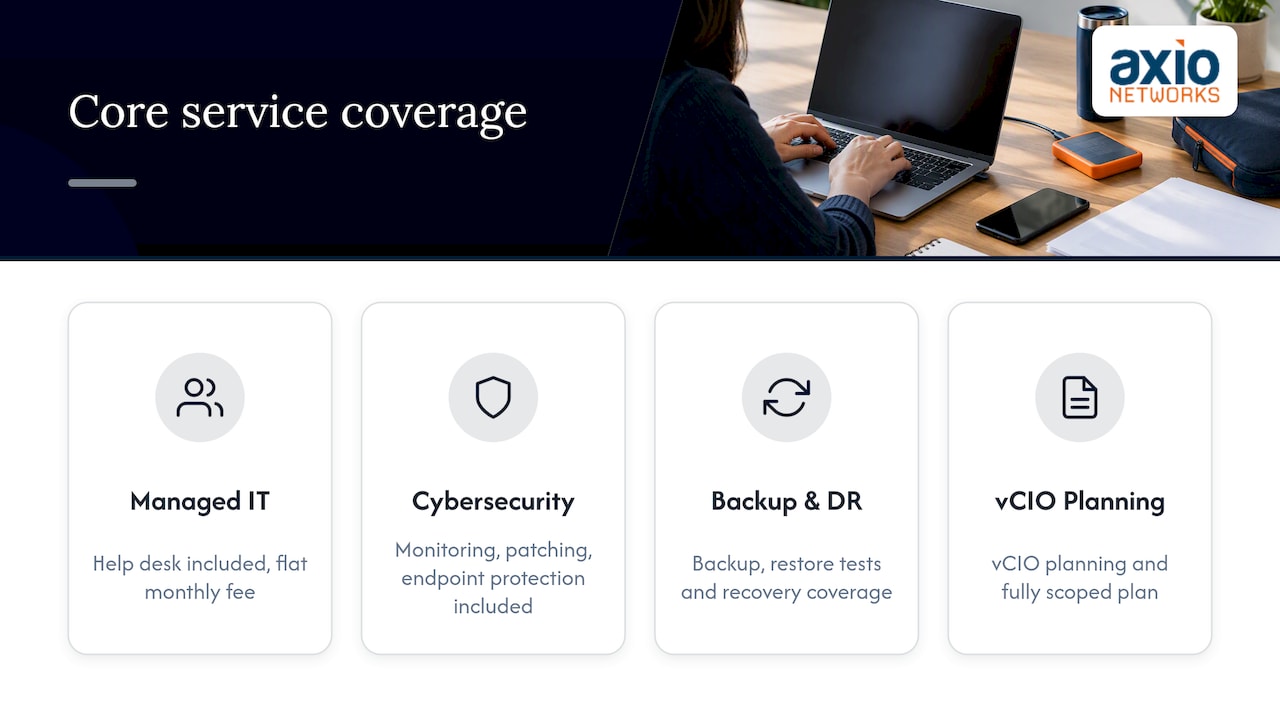
Our core coverage includes managed IT and help desk support, cybersecurity services, backup and disaster recovery, and vCIO planning.
Ask us for a sample SLA, restore-test documentation, or a reference from a business like yours. Get a quote for flat-rate managed IT support and find out what a fully scoped plan actually includes.
FAQ
What is the going rate for IT support per hour?
Hourly break-fix rates vary widely by region and provider expertise, and no single published figure applies to every market, so get a direct quote for your area and compare it against a flat-rate proposal covering the same scope of work.
How much do IT services typically cost?
Cost depends on user count, device count, infrastructure complexity, and the services included, which is why entry-level monitoring plans, standard managed plans, and premium security bundles land in different price bands. A 2025 industry report found many SMBs are already reconsidering their provider over security gaps, which is a useful reminder that the cheapest quote is not always the better deal.
How much does it cost to hire tech support?
Hiring an in-house technician means salary, benefits, and training costs on top of wages, while contracting a flat-rate managed service provider replaces that overhead with one predictable monthly fee covering a defined scope of work. Our managed IT services page outlines what a flat-rate plan typically replaces in an in-house budget.
How much do you pay an IT guy?
What you pay a dedicated in-house IT person depends on experience, local labor market, and job scope, and that figure is separate from what a flat-rate managed service provider charges for a team covering the same responsibilities. Compare both options against your actual inventory of users, devices, and risk tolerance before deciding.
What is flat rate IT support?
Flat rate IT support is a fixed monthly fee covering an agreed bundle of help desk, monitoring, patching, and security services, calculated per user, device, or site. It is a pricing structure, not a guarantee that every task is included, so the written scope matters as much as the price.
Sources
- CISA: Guidance for MSPs and small- and mid-sized businesses
- NIST: Small business cybersecurity — CSF 2.0 reference