Proactive IT maintenance means your systems are monitored, patched, backed up and reviewed on a schedule, so problems are found and fixed before your staff notice them. It replaces the break/fix cycle, where nothing happens until something stops working. This guide explains what it covers, how it differs from preventive, reactive and corrective maintenance, the checklist to follow, and how to tell whether it is working.
TL;DR
- Proactive IT maintenance is continuous monitoring plus scheduled patching, backup testing, access reviews and planning, aimed at stopping incidents before they start.
- Most people use “preventive” and “proactive” interchangeably. The practical difference is that proactive work also looks ahead: trends, capacity, and risks you have not yet seen fail.
- A workable small-business rhythm is weekly backup checks, monthly patch and security log reviews, and quarterly access and health reviews.
- Measure it with fewer emergency tickets, patch compliance, restore-test results and downtime hours, not with how busy your IT provider looks.
- If you have no in-house IT team, a managed provider with a flat monthly fee makes the whole routine predictable.
Table of Contents
- What proactive IT maintenance actually is
- Proactive vs. preventive vs. reactive vs. corrective
- How proactive monitoring and support work in a small business
- A proactive IT maintenance checklist
- Why the proactive approach pays off
- How to tell whether it is working
- Common obstacles, and how to handle them
- Our perspective: security belongs inside maintenance
- Let us run the routine for you
- Where to start this month
- FAQ
- Sources
What proactive IT maintenance actually is
Think of the way you service a company vehicle. You change the oil on a schedule and watch the dashboard for warning lights, rather than waiting for the engine to seize on the highway. Proactive IT maintenance applies the same logic to servers, laptops, networks, cloud accounts and backups.
NIST, the US standards agency, describes the mindset plainly in its patch management guidance: being proactive means doing more work now to reduce the likelihood of incidents in the future. That trade, a little steady effort now for fewer emergencies later, is the whole idea.
In practice it has three layers:
- Monitoring. Software watches devices, servers, network gear and security tools around the clock and raises an alert when disk space shrinks, a backup fails or a login looks wrong.
- Scheduled maintenance. Patches, updates, backup test restores, account reviews and hardware checks happen on a calendar, not when someone remembers.
- Planning. Someone looks at the trends, such as aging laptops, a server running out of capacity or a license about to lapse, and budgets for them before they fail.
Proactive vs. preventive vs. reactive vs. corrective
These terms overlap, and search results use them loosely. Here is how they sort out for a business owner.
| Approach | When work happens | Typical example | What it costs you |
|---|---|---|---|
| Reactive (break/fix) | After something fails | Calling for help when the server is down | Downtime plus an unplanned bill |
| Corrective | After an error is found, to fix it | Repairing a corrupted database | Lost time, rework |
| Preventive | On a fixed schedule, to avoid known failures | Monthly patching, quarterly hardware checks | Planned, small, predictable effort |
| Proactive | Continuously, based on monitoring and forward-looking review | Alert on a failing drive, then replacement before it dies | Steady monthly effort, few surprises |
Corrective maintenance is the oldest of these ideas. A long-standing federal standard defines it as changes necessitated by actual errors in a system, usually reactive, to keep the system operational. That is the work you want to need less of.
Preventive maintenance is the scheduled part. Proactive maintenance includes it and adds live monitoring and trend-watching, so it also catches the problem that no calendar anticipated. Many providers, including us, treat the two as one routine, which is why people searching for one often mean the other.
How proactive monitoring and support work in a small business
A business with 10 to 150 employees usually has no one whose full-time job is watching the network. Proactive support fills that gap in a few concrete ways.
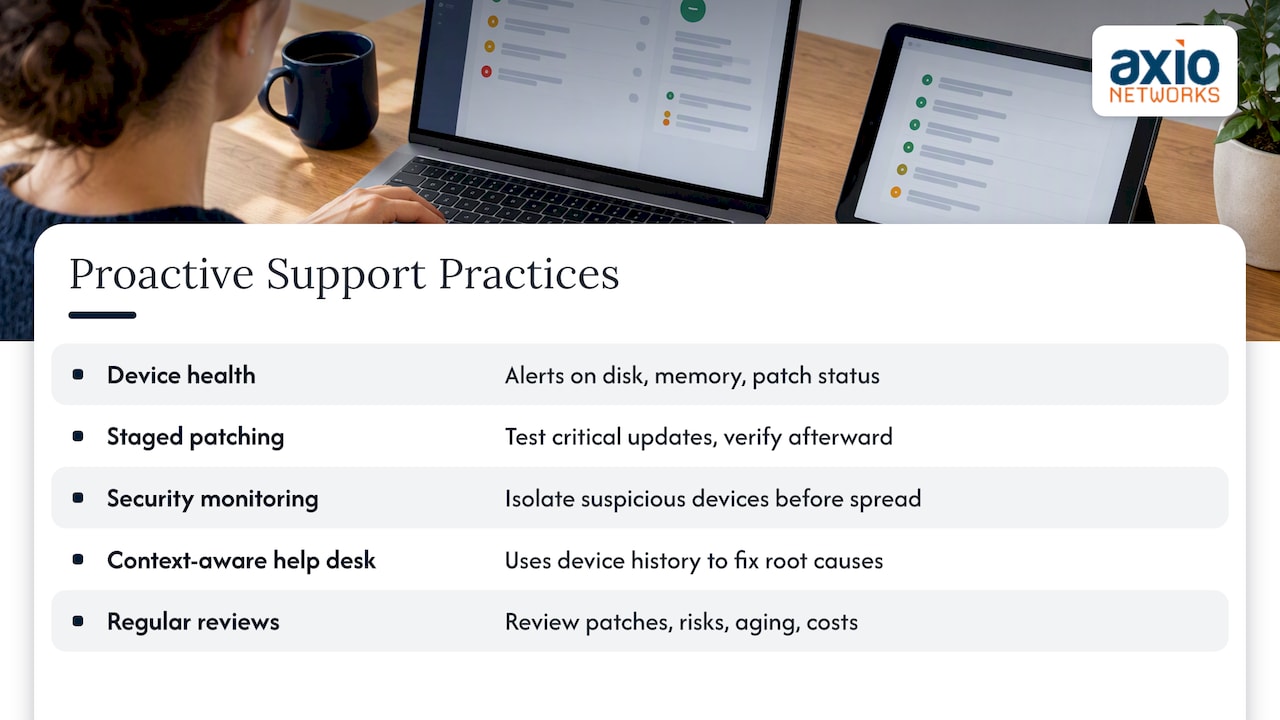
A monitoring agent on every device. A small program reports health data (disk space, memory, patch status, security tool status) to a central dashboard. Thresholds trigger alerts. A technician sees “backup job failed twice” and acts the same morning, instead of discovering it during a ransomware incident.
Automated patching with human oversight. Updates are scheduled outside working hours, tested on a small group first when the software is critical, and verified afterward. The FTC advises small businesses to automate software updates whenever possible, because updates carry security fixes for known vulnerabilities. NIST goes further and calls patching a necessary cost of doing business and a critical part of preventive maintenance. We cover the details in our guide to patch management for business.
Security monitoring. Endpoint detection and a security operations center watch for suspicious behavior, such as a login from an unexpected country or a laptop encrypting files at high speed, and isolate the device before the problem spreads.
A help desk that sees the whole picture. When a user reports that their laptop is slow, a proactive provider already has the device’s history: low disk space, an overdue update, a failing battery. The fix takes minutes, and the root cause gets handled once, not ticket after ticket.
Regular review. Monthly or quarterly, someone walks you through what was patched, what was flagged, what is aging out and what it will cost to replace. This is where a virtual CIO earns the fee: turning technical data into a budget you can plan around.
A proactive IT maintenance checklist
Here is a schedule built from federal small-business guidance. Adjust the frequency to how much your business depends on each system.
Weekly
- Confirm backups completed. NIST’s small-business guide recommends a full backup at least monthly and incremental backups at least weekly. Many businesses run them daily or continuously, which is better. Check the job reports every week regardless.
- Review critical alerts. Failed jobs, security tool warnings and devices that have not checked in for days.
- Spot-check one restore. Restore a few files from backup to a test location.
Monthly
- Check patch status. Operating systems, Microsoft 365 apps, browsers, firewalls, switches and line-of-business software. Chase the devices that missed the window.
- Review antivirus and EDR logs. Look for repeated detections on the same machine, disabled agents and unmanaged devices.
- Review new accounts and departures. Disable accounts for people who have left, and confirm that new hires have only the access they need.
- Verify multifactor authentication coverage. CISA’s phishing guidance treats multifactor authentication as a key defense for internet-facing accounts. See why it matters in our piece on MFA for business security.
Quarterly
- Run a full test restore. Not a file or two: restore a whole server or critical dataset and time it. A backup you have never restored is an assumption.
- Review system health trends. Storage growth, CPU and memory pressure, battery health, warranty dates, firewall firmware.
- Audit remote access and privileges. Who has admin rights? Which vendors still have VPN access? Are shared accounts still in use?
- Check encryption. NIST recommends encrypting sensitive data at rest and in transit, with keys stored securely and separately from backups.
Annually
- Run a risk assessment. The SBA notes that a cybersecurity risk assessment can show where your business is vulnerable and help you build an action plan.
- Drill your incident response plan. CISA says response plans should be reviewed and drilled at least once a year.
- Build the technology budget. List devices past their useful life, licenses coming up for renewal and projects such as a cloud migration.
For a security-focused version of this timeline, our 30/90/180 day cybersecurity checklist is aligned to NIST.
Why the proactive approach pays off
Less downtime
Most downtime is not dramatic. It is a full disk, an expired certificate, a failed update, a backup that quietly stopped. Monitoring catches those while they are still small. Where an incident does happen, recovery speed depends on the backup you tested. In a 2020 survey, Datto reported that 91% of managed service providers said clients with business continuity and disaster recovery in place were less likely to suffer significant downtime during a ransomware attack. It is a provider survey, so treat it as an indicator, but it matches what we see: tested backups shorten bad days.
Stronger security
Attackers lean on known, unpatched flaws and stolen passwords. Patching, MFA, endpoint protection and account reviews close the common doors. The NIST Cybersecurity Framework groups the work into five areas: Identify, Protect, Detect, Respond and Recover. Proactive maintenance touches every one. For a plain-English walk-through, read our guide to the updated NIST 2.0 framework. For more on organizing prevention, detection, response and recovery, this piece on cyber risk and prevention planning is worth a look, even if you do not sell online.
Predictable costs
Emergency calls arrive at the worst moment and are billed that way. Replacing a laptop on your own schedule is cheaper than replacing it the week your accountant needs it for tax season. Planned work lets you spread spending across the year and negotiate on timing.
Better productivity
Staff stop losing ten minutes here and there to slow machines, failed logins and printers that refuse to connect. That is hard to see on an invoice, but people feel it.
How to tell whether it is working
Ask your IT provider, or your own team, for numbers on a monthly or quarterly basis. Useful measures include:
- Patch compliance. The percentage of devices fully patched within your target window, such as 14 days for routine updates.
- Emergency vs. planned tickets. The share of work that is scheduled should rise over time.
- Restore test results. Date of the last full restore, how long it took, and whether it succeeded.
- Downtime hours. Unplanned outages per quarter, with causes.
- Time to respond. How quickly a human acts on a high-priority alert. Our own average response time is under 30 minutes.
- MFA and EDR coverage. Share of accounts and devices protected, ideally 100%.
A good provider shows these without being asked. If you get a monthly invoice and no reporting, the “proactive” label is only marketing.
Common obstacles, and how to handle them
Nobody owns it. In small companies, IT falls to the office manager or the one person who is good with computers. Give it a named owner and a calendar, or hand it to a provider.
Alert fatigue. Monitoring that fires on everything gets ignored. Tune thresholds, and make sure a person triages alerts, not just a dashboard.
Fear of patches breaking things. Reasonable concern. Stage updates, keep rollback options and never patch the line-of-business server at 2 p.m. on a Friday.
Unknown assets. You cannot maintain what you do not know exists. Start with an inventory of devices, software, cloud accounts and vendors with access. A risk and vulnerability assessment is the fastest way to build one.
Budget. Proactive work costs a steady amount every month, which feels harder to approve than a one-off repair. Compare it to the cost of a day when nobody can work, and the answer usually becomes clear.
Our perspective: security belongs inside maintenance
Most IT maintenance programs treat security as a separate product. Patching sits in one bucket, antivirus in another, backups in a third, and nobody owns the gaps between them. We build it the other way around: security-first design in every service, so that the same routine that keeps your laptops fast also keeps your accounts locked down.
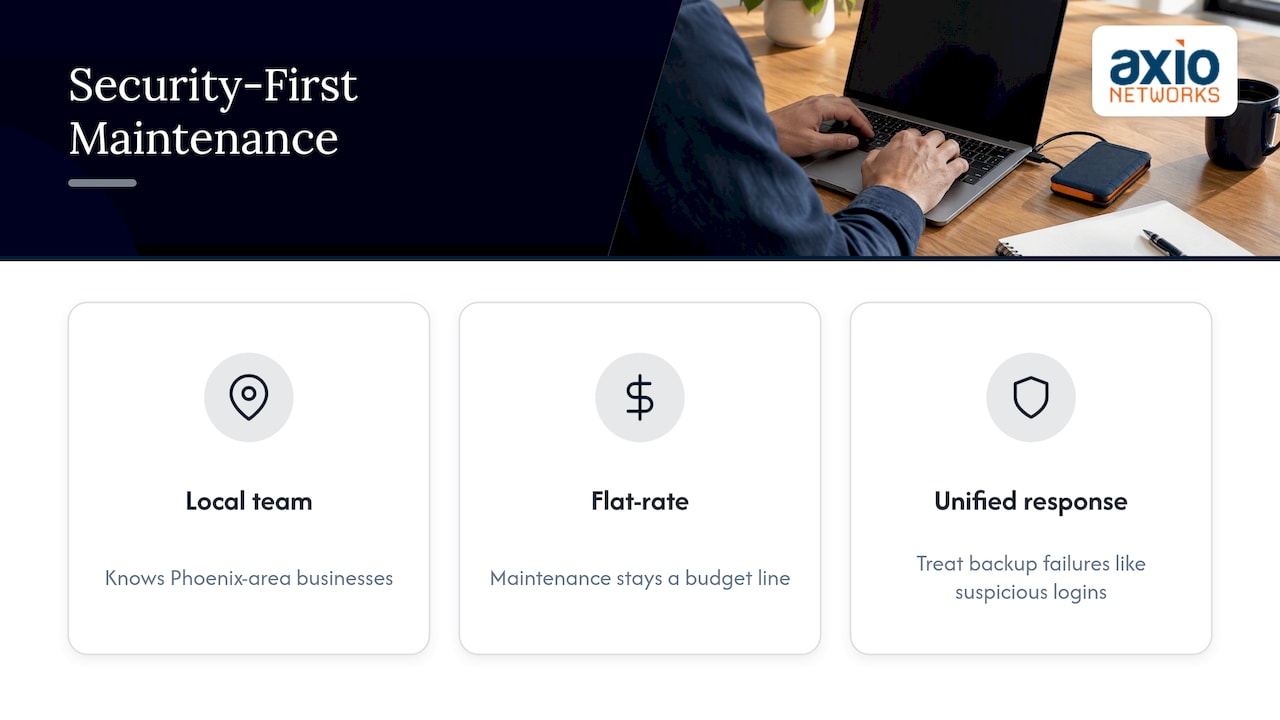
For the Phoenix-area businesses we serve, this means three things. A dedicated local team that knows the region and the businesses in it. Flat-rate pricing, so maintenance is a line in your budget and not a surprise on an invoice. And monitoring and response that treat a failing backup with the same urgency as a suspicious login, because to a ransomware attacker they are the same opportunity.
Our view after years of this work: the businesses that suffer least are not the ones with the most expensive tools. They are the ones that do the boring things on schedule, and can prove it.
— Jim O’Connell
Let us run the routine for you
If you have no in-house IT staff, or one person stretched across too many jobs, our managed IT services cover monitoring, patching, help desk, backup and security under one flat monthly fee. We can start with an assessment to show where you stand and build the schedule from there.
Want to see how it fits your business? Talk to our Phoenix-area team, and we will map the checklist above to your systems.
Where to start this month
You do not need a big project to begin. In order:
- List every device, server, cloud account and vendor with access.
- Confirm your last successful backup, then restore a few files.
- Turn on automatic updates and check which devices have missed them.
- Enforce MFA on email and any remote access.
- Put the weekly, monthly and quarterly tasks on a shared calendar with a named owner, or hand them to a provider.
And consider the layers behind them: backup and disaster recovery, endpoint security and SOC monitoring are the ones that most often turn a bad day into a manageable one. If ransomware is your biggest worry, our five-step proactive defense plan and ransomware recovery plan go deeper.
FAQ
What is the difference between proactive and preventive IT maintenance?
Preventive maintenance is scheduled work to avoid known failures, such as monthly patching or quarterly hardware checks. Proactive maintenance includes that and adds continuous monitoring and forward-looking review, so it also catches problems no schedule predicted. In daily use, many providers treat them as one routine.
How often should small businesses do IT maintenance?
Backups and alerts deserve weekly attention, patching and security log reviews monthly, and full restore tests, access reviews and health checks quarterly. NIST’s small-business guidance suggests at least monthly full backups and weekly incremental ones. Critical systems often need daily backups and continuous monitoring.
Is proactive IT support more expensive than break/fix?
It costs a steady amount each month, where break/fix costs nothing until something fails and then costs a lot at once. Proactive support usually reduces the number and length of emergencies, and flat-rate pricing makes the spend predictable. Ask any provider exactly what the fee includes before you sign.
Can a business without IT staff do proactive maintenance?
Yes, most of our clients do exactly that. A managed provider installs the monitoring, runs the schedule, answers the help desk and reports on the results. You keep an owner internally, usually the business owner or office manager, to approve changes and budgets.
What should proactive IT monitoring cover?
At minimum: servers, workstations, network devices, backup jobs, patch status, endpoint security and cloud accounts such as Microsoft 365. Alerts should reach a person who acts on them quickly, not just a dashboard that nobody reads.
Sources
- NIST SP 800-40 Rev. 4, Guide to Enterprise Patch Management Planning
- FIPS Publication 106, software maintenance guideline
- NIST IR 7621 Rev. 1, Small Business Information Security: The Fundamentals
- FTC, Cybersecurity for Small Business
- CISA, Phishing Guidance: Stopping the Attack Cycle at Phase One
- FTC, Understanding the NIST Cybersecurity Framework
- CISA, Secure Your Business
- SBA, Keep Your Business Safe from Cybersecurity Threats
- Datto, MSPs Report Ransomware Is Still the #1 Malware Threat