For a full-length 10 gigabit network, Cat6A is the cable to install. Cat6 still works well for short 10Gb runs up to a moderate distance, since it operates at half the frequency and offers less protection against alien crosstalk. Both use standard RJ45 connectors and stay backward compatible with Cat5e, so the choice rarely affects your existing hardware.
TL;DR:
- Cat6 supports reliable 10 gigabit service to about 55 meters; choose Cat6A when a run must reach farther, up to 100 meters.
- Favor Cat6A in dense bundles carrying high power PoE, where heat and alien crosstalk raise risk; reserve Cat6 for short, low interference runs.
- Dense 6E access point deployments may need two Cat6A links per device for multigig throughput, so confirm cable counts before installation.
- Cat6A’s larger diameter and stiffer jacket require more conduit space and labor, while Cat6 costs less for short, low interference runs.
- Require end to end channel certification with PS ANEXT and PS AACR F results; match jacks, panels, and cords to the same category.
Table of Contents
- 1. What Cat6 and Cat6A Have in Common
- 2. How Cat6 and Cat6A Differ in Frequency, Distance, and Crosstalk
- 3. Installation Tradeoffs: Diameter, Stiffness, and Pathway Planning
- 4. PoE, Heat Rise, and Dense Cable Bundles
- 5. Cost and a Practical Decision Checklist
- 6. Certification and Equipment: What to Require From an Installer
- 7. Our Take on Choosing Between Cat6 and Cat6A for a Growing Business
- FAQ
- Sources
1. What Cat6 and Cat6A Have in Common
Before comparing specs, it helps to know where these two cables overlap. Both rely on the same RJ45 (8P8C) connector and the same four-pair twisted copper design, so switches, patch panels, and network cards don’t care which one you plug in. Either cable also works fine on a standard gigabit network, and both support the everyday Power over Ethernet levels used for phones, cameras, and access points.
- Both use RJ45 connectors and twisted-pair copper construction.
- Both stay backward compatible with Cat5 and Cat5e equipment.
- Both handle 1 Gbps networking and common PoE devices without issue.
For a typical office running 1 Gbps to desktops, printers, and VoIP phones, either cable gets the job done. The differences only start to matter once you push past gigabit speeds or add dense cabling and higher-power PoE into the mix.
2. How Cat6 and Cat6A Differ in Frequency, Distance, and Crosstalk
The real split between these two cables shows up in three measurable areas: how fast they can carry a signal, how far that signal holds up at 10 Gbps, and how well the cable resists interference from its neighbors in a bundle.
Cat6 is rated for frequencies up to 250 MHz, while Cat6A doubles that to 500 MHz, which is the main reason Cat6A can sustain 10 Gigabit Ethernet over longer distances. In practice, Cat6 can reliably run 10GBASE-T to about 55 meters, while Cat6A is built to carry that same 10Gb signal across a full 100-meter channel, the standard maximum length for structured cabling, according to the Wikipedia entry on Category 6a cable.
Cat6A connectors built to ISO/IEC Class EA specifications perform about 3 dB better at 500 MHz than components that meet only the EIA/TIA standard, a gap that matters when you’re certifying a channel for guaranteed 10Gb performance, per the same Wikipedia source.
Alien crosstalk, interference from adjacent cables in a bundle rather than from within the cable itself, is where Cat6A pulls further ahead. Its tighter twist construction and optional shielding reduce the risk of that kind of interference, which becomes more likely as you pack more cables into a single conduit or tray. Industry guidance generally frames Cat6A as the preferred option for full-distance 10GbE because it extends reliable performance to 100 meters while cutting that interference risk, whereas Cat6 remains a reasonable fit for shorter runs such as server-to-switch links or small lab setups, according to FS’s comparison of Cat6, Cat6A, and Cat7.
- Cat6: up to 250 MHz, reliable 10Gb performance to moderate distances.
- Cat6A: up to 500 MHz, rated for 10Gb across a full 100-meter channel.
- Cat6A’s improved alien crosstalk handling lowers failure risk in dense cable bundles.
Standards bodies back this up with specific documents worth knowing: ANSI/TIA-568.2-D sets the American component and channel requirements, ISO/IEC 11801’s Class EA defines the international channel rating that pairs with Cat6A, and ANSI/TIA-1152 outlines the field testing procedures installers use to confirm a cable run actually meets its rated performance.
3. Installation Tradeoffs: Diameter, Stiffness, and Pathway Planning
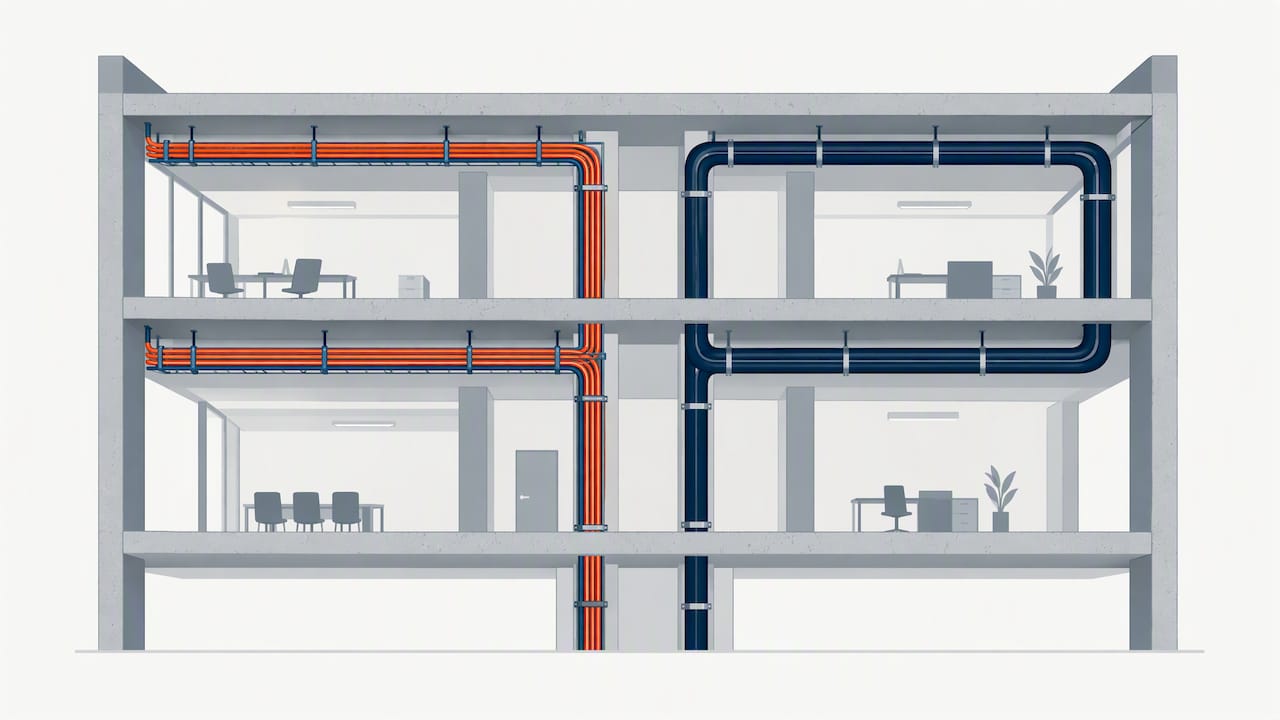
Cat6A’s extra shielding and thicker conductors make it noticeably stiffer and larger in diameter than Cat6, and that difference shows up the moment you start planning pathways. A conduit or cable tray sized for Cat6 may run out of fill capacity faster with Cat6A, and the added stiffness makes pulling long runs through tight bends more labor-intensive.
- Cat6A’s larger diameter reduces how many cables fit in a given conduit or tray.
- Its stiffer jacket requires more care with bend radius during installation.
- Stranded cable suits patch cords, while solid conductor cable belongs in permanent, in-wall runs.
- Ask installers to label every run and leave breathing room in pathways for future additions.
If you’re planning a structured cabling project, these pathway decisions are worth settling before the first cable gets pulled, since redoing conduit fill after the fact costs far more than planning for it up front.
Pro Tip: Keep data cabling at least 12 inches from parallel power runs to cut down on electromagnetic interference, and more if the power circuit carries a heavy load.
4. PoE, Heat Rise, and Dense Cable Bundles
Power over Ethernet standards, 802.3af, 802.3at, and the newer 802.3bt, push increasing amounts of power down the same copper pairs that carry data, and that power generates heat. When dozens of PoE cables are bundled tightly together in a conduit or tray, that heat compounds, which can degrade signal quality and, in extreme cases, affect the cable’s long-term performance.
Cat6A’s larger conductors and improved alien crosstalk handling give it more headroom in these bundled, high-power scenarios compared with Cat6, which is part of why it’s commonly specified for access points and devices drawing higher PoE wattage. This matters more than ever as Wi-Fi 6 and 6E access points often need two 5G or 10G links each to hit full throughput, and many designs call for two Cat6A runs per access point rather than relying on Cat6, according to Fluke Networks’ guidance on cabling for Wi-Fi 6.
- PoE standards (802.3af/at/bt) deliver increasing power over the same copper pairs used for data.
- Bundled PoE cables generate more cumulative heat than isolated runs.
- Cat6A’s conductor size and crosstalk resistance help offset that added thermal load.
Dense Wi-Fi 6/6E deployments often call for two Category 6A links per access point to support full multi-gig throughput, a detail worth confirming before you finalize your Wi-Fi performance plan. Ask any installer to run alien crosstalk and DC resistance testing on bundled PoE runs, and write both into your acceptance criteria before signing off on the project.
5. Cost and a Practical Decision Checklist
Cat6A costs more than Cat6 in both materials and labor, and the gap widens once you factor in the wider conduit, larger patch panels, and extra pulling time its stiffer jacket demands. For many short-run or low-interference environments, Cat6 remains a cost-effective choice that frees up budget for other priorities, as Panduit’s guidance on choosing between Cat6A and Cat6 points out.
Run through this checklist before deciding where each cable type belongs in your project:
- Will any run need to carry 10Gb traffic over 55 meters? If yes, that run needs Cat6A.
- Will cables be bundled densely in shared conduit or trays? Favor Cat6A there to limit alien crosstalk risk.
- Are you installing Wi-Fi 6 or 6E access points that need multi-gig uplinks? Plan for Cat6A, often two runs per AP.
- Will any segment carry high PoE wattage under 802.3bt? Cat6A’s added headroom reduces heat-related risk.
- Is budget or conduit space tight on a short, low-interference run? Cat6 is a reasonable, lower-cost fit.
Many organizations land on a mixed deployment: Cat6A in new construction or high-density zones, Cat6 everywhere else, an approach that lines up with how many campus and enterprise upgrade projects phase their cabling rather than replacing an entire facility at once, according to EdTech Magazine’s coverage of Cat6 and Cat6A transitions. Whatever mix you choose, put testing requirements and performance guarantees into the installation contract, not just the cable spec sheet.
6. Certification and Equipment: What to Require From an Installer
A cable rated for Cat6A performance only delivers that performance if every component in the channel, patch panels, jacks, and patch cords, meets the same standard and the completed run is certified, not just tested piece by piece.
Component certification checks individual parts in isolation, while channel certification tests the entire installed run end to end, which is the only way to confirm the system will actually perform as rated once it’s in the wall. For Cat6A specifically, that certification should include alien crosstalk testing, specifically PS ANEXT and PS AACR-F, following the sampling guidance laid out in Fluke Networks’ alien crosstalk testing resource and the procedures described in IEC 61935-1.
- Insist on channel certification, not just component-level testing, for any Cat6A installation.
- Require PS ANEXT and PS AACR-F alien crosstalk results as part of sign-off documentation.
- Match patch panels, jacks, and patch cords to the same category and standard throughout the channel.
Mixing parts rated to different standards within one channel is a common way installations fall short of their expected speed, even when the cable itself is rated correctly. A network assessment before a cabling project starts can catch these mismatches early, before they get buried behind drywall.
7. Our Take on Choosing Between Cat6 and Cat6A for a Growing Business
Most small and mid-sized businesses don’t need Cat6A everywhere, but they usually need it somewhere, and figuring out exactly where is where a lot of cabling budgets get wasted. We’ve found that future PoE needs and physical constraints, not top-line speed, usually decide the question: a server room with dense bundles or a conference room getting new Wi-Fi 6E access points justifies Cat6A even if the rest of the office runs fine on Cat6.
A targeted upgrade, rather than ripping out an entire building’s cabling, is almost always the more sensible approach. Before hiring an installer, ask for channel certification results, alien crosstalk test data, and a written warranty on the completed run, not just on the cable itself. Those three requirements catch most of the shortcuts that cause problems years down the line.
— Jim O’Connell
FAQ
Is Cat6A overkill for home use?
For most home networks running gigabit internet and standard Wi-Fi, Cat6 covers the need without the added cost and stiffness of Cat6A. Cat6A becomes worth considering in a home only if you’re running multi-gig internet service or planning dense Wi-Fi 6E access points that need faster backhaul.
Is Cat6A worth it over Cat6?
Cat6A is worth the added cost when a run needs to carry 10 Gigabit Ethernet over a full 100-meter channel or when cables will be densely bundled, since its higher frequency rating and improved alien crosstalk handling reduce failure risk in those conditions, per Wikipedia’s entry on Category 6a cable. For short runs or lower-bandwidth needs, Cat6 remains a practical, lower-cost option.
What are the disadvantages of Cat6A?
Cat6A cable costs more than Cat6 in both materials and labor, and its larger diameter and stiffer jacket make it harder to pull through tight conduit and bend radii. It also takes up more space in cable trays, which can force earlier upgrades to pathway infrastructure.
Are Cat6A and Cat6 compatible?
Yes, both use the same RJ45 connector and work on the same network equipment, so you can mix them on a single network without compatibility issues. The practical effect of mixing them is that any segment still using Cat6 will cap out around a 55-meter reliable range for 10 Gigabit Ethernet rather than the full 100 meters Cat6A supports.
Sources
- Category 6 cable – Wikipedia
- Cat6 vs Cat6a vs Cat7 for 10GBASE-T: Which Cable Delivers Best Performance? – FS
- Making sure your cabling plant is ready for Wi‑Fi 6 – Fluke Networks
- Choosing Between Cat6A and Cat6 Cables: Navigating Industry Standards and Applications – Panduit