Use this cloud migration checklist, organized into Prepare, Plan, Migrate, Operate, and Optimize, to produce runbooks, wave schedules, and measurable KPIs before any cutover. Before you touch a workload, you need a validated inventory, a landing zone with IAM and logging in place, a sequenced wave plan, and a tested rollback procedure. Skip any one of these and the migration becomes a guess instead of a plan.
TL;DR:
- Completing a comprehensive inventory and establishing a secure landing zone are essential to prevent guesswork and reduce migration risks.
- The migration team should validate data transfers with checksums, record counts, and encryption, maintaining the source environment in parallel during validation.
- Developing detailed runbooks and rehearsing rollback procedures before cutover minimizes chaos and ensures quick recovery if validation fails.
- Post-migration operations require centralized monitoring, backup verification, and revocation of temporary access to maintain security and stability.
- Early focus on tailored scope, quick wins, and aligning with organizational needs helps teams efficiently execute the migration and plan for ongoing optimization.
Table of Contents
- The one-page cloud migration checklist
- Prepare: readiness assessment and inventory checklist
- Plan: landing zone, security baseline, and the right approach per workload
- Data migration checklist: transfer methods, validation, and encryption
- Pre-migration runbooks and testing checklist
- Migration execution and cutover checklist
- Operate: runbooks, monitoring, backups, and security posture
- Optimize: FinOps, rightsizing, and automation checklist
- Governance, compliance, and multi-cloud risk checklist
- Practitioner lessons and research-backed checks
- Tailoring the checklist to your organization
- How Axio Networks can help with your migration
- FAQ
- Sources
The one-page cloud migration checklist
This is the compressed version you can drop into a project tracker or share with stakeholders who want the shape of the plan without the detail.
- Prepare: inventory apps, data, and dependencies; set KPIs for cost, latency, and compliance; owner: IT manager; exit criteria: signed-off inventory and risk register.
- Plan: design the landing zone, assign a 6 Rs/7 Rs decision per workload, build the wave schedule; owner: architect or vCIO; exit criteria: approved landing zone and wave order.
- Migrate: execute runbooks, validate data, run cutover; owner: migration lead; exit criteria: application smoke tests and data reconciliation pass.
- Operate: confirm monitoring, backups, and access controls are live; owner: operations team; exit criteria: successful restore test and documented handover.
- Optimize: rightsize resources, set a FinOps cadence, automate recurring tasks; owner: finance and IT; exit criteria: cost baseline compared against pre-migration spend.
Suggested artifacts to produce along the way: a living application inventory, a landing-zone design document, a runbook template per workload, and a wave schedule with dependency notes. Start your first wave with low-risk, low-dependency workloads, internal tools or dev environments work well, so the team builds confidence before tackling anything customer-facing.
Prepare: readiness assessment and inventory checklist
The Prepare phase decides whether everything after it goes smoothly or turns into firefighting. Begin by setting concrete objectives: target cost reduction, acceptable latency ranges, uptime commitments, and any compliance requirements the workload must satisfy. Vague goals like “move to the cloud” produce vague migrations.
Next comes inventory, the part most teams underestimate. You need a record of every application, its data stores, upstream and downstream integrations, the business owner responsible for it, current SLAs, and license terms that might restrict portability. A five-phase migration lifecycle like this one, covering Prepare, Plan, Migrate, Operate, and Optimize, only works when the Prepare phase produces a complete and accurate inventory, since every later decision depends on it.
- Catalog applications, data volumes, and integration points with named owners.
- Record current SLAs and any contractual or licensing constraints tied to each workload.
- Assess internal skill gaps against the target cloud platform’s services.
- Screen for data residency and regulatory constraints before any workload is scheduled.
Skill gaps are common and not a reason to delay. If your team has never managed identity federation or a cloud-native backup service, say so now and plan to bring in outside help for the design phase rather than discovering the gap mid-migration. Axio Networks’ IT upgrades and migrations work is one example of the kind of project support teams bring in at this stage.
Pro Tip: Treat your inventory as a living document. Assign someone to update it weekly during Prepare and Plan, since stale inventory data is the single most common cause of surprise dependencies during cutover.
Plan: landing zone, security baseline, and the right approach per workload
Before any production workload moves, you need a landing zone: the account structure, identity and access management, network perimeters, and logging that everything else will run inside. Google Cloud’s guidance on secure infrastructure design treats this foundation as mandatory, not optional, and notes that resource hierarchy, IAM models, and organization policy constraints all need to be defined before workloads arrive.
Landing zone checklist items to confirm before moving anything:
- Account or subscription structure that separates production, staging, and development.
- IAM roles mapped to least-privilege access, with multi-factor authentication enforced.
- Network perimeters, firewall rules, and segmentation between environments.
- Centralized logging and telemetry wired up from day one.
With the foundation set, decide how each workload moves. The 7 Rs framework, rehost, replatform, refactor, repurchase, retire, retain, and relocate, gives you a clear menu. Rehosting is fastest but leaves technical debt in place; refactoring takes longer but pays off for workloads that need to scale. Record the tradeoff for each application: expected effort against expected value, so the decision is documented rather than remembered.
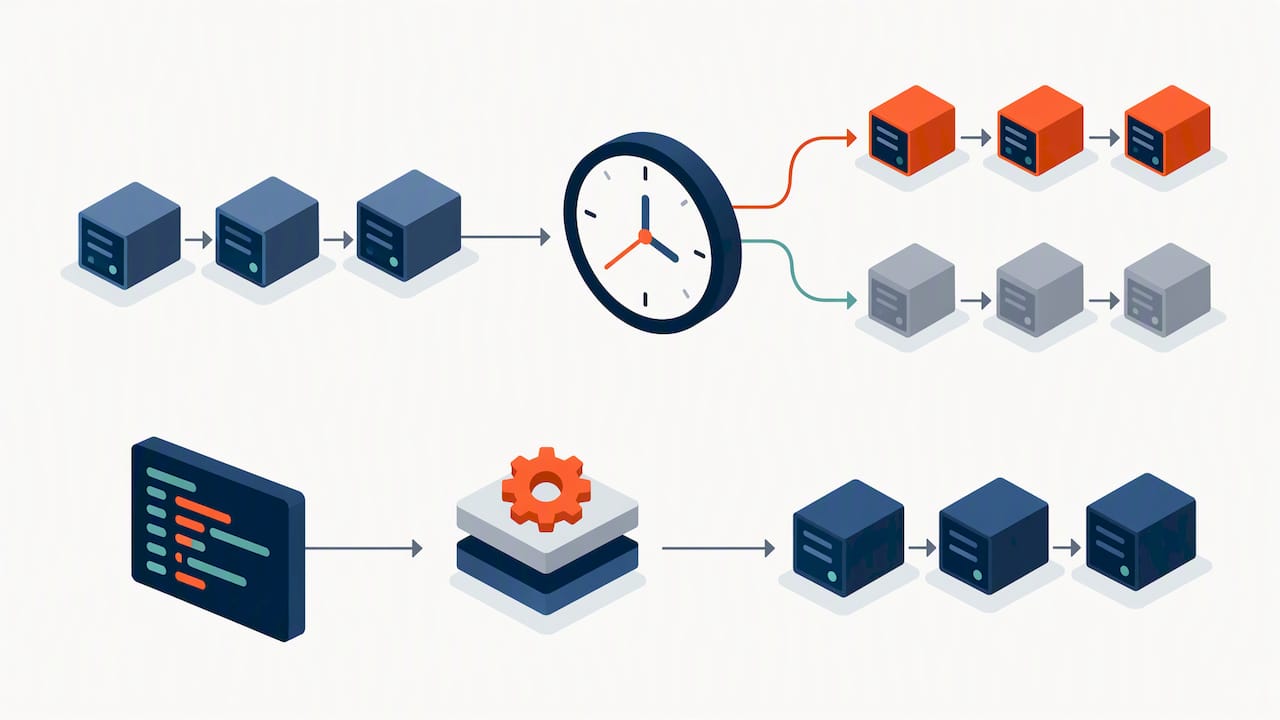
Wave planning follows naturally from this. Map dependencies between workloads, set exit criteria for each wave, and schedule waves so that low-risk applications move first and dependent systems follow in order. Pair this with governance basics: a tagging taxonomy, infrastructure-as-code standards, and a change-control process, so that waves two through ten don’t quietly drift from the standards wave one set.
Data migration checklist: transfer methods, validation, and encryption
Choosing a transfer method depends on data volume, change rate, and how much downtime the business can tolerate. A one-time bulk copy suits static archives. Continuous replication suits databases that can’t go offline for long. Many migrations end up using a hybrid: bulk copy for the bulk of the data, then replication to catch up changes before cutover.
Validation is not optional. Run checksums on transferred files, reconcile record counts between source and target, and sample individual records for accuracy rather than trusting the transfer tool’s success message alone.
- Choose bulk copy, continuous replication, or a hybrid based on data volume and downtime tolerance.
- Run checksum validation and pre/post record counts on every dataset.
- Plan bandwidth and network capacity ahead of the transfer window, not during it.
- Encrypt data in transit and at rest, and log every access during the migration window.
Running the source environment in parallel for a short validation window catches problems before they become permanent. Practitioners commonly keep the legacy environment live for a validation period, often one to two weeks, before decommissioning it, which gives the team a safety net if reconciliation turns up discrepancies after cutover.
Key management matters as much as the transfer itself. Decide who holds encryption keys, how they rotate, and what audit trail captures access to sensitive data during the move. A migration that moves data securely but leaves no record of who touched what will fail a compliance audit even if nothing went wrong technically.
Pre-migration runbooks and testing checklist
A runbook is the difference between a calm cutover and a chaotic one. Every workload needs one before it’s scheduled, and it should include these minimum items:
- Pre-checks confirming the target environment matches the landing zone design.
- Step-by-step cutover instructions with estimated timing for each step.
- Validation checks to run immediately after cutover, tied to specific pass/fail criteria.
- Rollback steps written out in full, not assumed to be “just reverse the cutover.”
- Named owners and contact information for each step, including an escalation path.
Testing has to go beyond a quick smoke test. Build a matrix covering smoke tests, integration tests, performance benchmarks, failover testing, security scanning, and user acceptance testing. Each workload’s runbook should reference which tests it passed and when.
Rehearse the rollback, not just the cutover. Set a time-boxed trigger: if validation checks haven’t passed within a defined window, say two hours, the team executes rollback rather than troubleshooting indefinitely during a live cutover. Keep the DNS and load-balancer changes staged and ready to revert, and have a communication plan drafted in advance so stakeholders aren’t learning about a rollback from a support ticket.
Pro Tip: Write the rollback plan before the cutover plan. Teams that plan cutover first tend to treat rollback as an afterthought, which is exactly when it gets rushed.
Migration execution and cutover checklist
The cutover window is where planning either pays off or doesn’t. Start with a change freeze: no unrelated deployments, no configuration changes outside the migration scope, and a communication sent to stakeholders confirming the freeze window.
- Confirm the change freeze is in effect and communicated to all affected teams.
- Assign clear monitoring and incident triage ownership for the duration of the cutover.
- Choose a traffic-shift pattern, blue/green, canary, or phased, appropriate to the workload’s risk profile.
- Run post-cutover validation checks immediately, against the criteria defined in the runbook.
Blue/green deployments let you shift traffic instantly and roll back just as fast, which suits customer-facing applications where downtime is costly. Canary releases, shifting a small percentage of traffic first, work well when you want to catch problems before they affect everyone. Phased cutover, moving one group or region at a time, suits workloads with natural segmentation, like regional offices or business units.
Whichever pattern you choose, the rollback decision needs an owner and a clear trigger, not a group discussion happening in real time while customers are affected. If validation checks fail or error rates spike past the threshold set in the runbook, the migration lead calls the rollback. That decision should already be written down, not debated in the moment.
Operate: runbooks, monitoring, backups, and security posture
Once the workload is live in the cloud, operations needs a clean handover: dashboards that show the system’s health, runbooks linked from wherever the team actually looks for them, and backup jobs confirmed to be running, not just configured.
- Centralize logging and dashboards so the operations team has one place to check system health.
- Verify backup jobs are running and schedule a restore test, not just a backup-completion check.
- Review IAM assignments for least privilege, confirm MFA is enforced, and rotate any temporary migration credentials.
- Update documentation and runbooks to reflect the production environment, not the migration plan.
Backup verification deserves particular attention because a backup that has never been restored is an assumption, not a safeguard. Axio Networks’ backup and disaster recovery guidance and the operational routine in a simple daily cloud checkup both point to the same practice: a short, repeatable daily or weekly check catches misconfigurations and access issues long before they become incidents.
Temporary credentials created during migration are easy to forget. Build a checklist item specifically for revoking migration-only service accounts and access keys once cutover is confirmed stable, and make sure whoever owns day-two operations knows where the documentation lives.
Optimize: FinOps, rightsizing, and automation checklist
The Optimize phase is where migrations either start paying for themselves or quietly keep overspending. In the first 30 to 90 days after cutover, run a rightsizing pass against actual usage data rather than the estimates used during planning, and evaluate reserved capacity or committed-use discounts for workloads with predictable, steady demand.
- Run a rightsizing and reservation analysis within the first 30 to 90 days post-migration.
- Set a recurring FinOps review cadence covering tagging, cost allocation, and reporting to stakeholders.
- Automate non-production shutdowns on a schedule and deploy changes through infrastructure as code.
- Compare post-migration KPIs against the baseline set during Prepare.
FinOps practice treats cost optimization as ongoing rather than a one-time project, with teams reviewing utilization and billing data on a set schedule instead of only when a bill arrives higher than expected. A crawl-walk-run approach to tagging works well here: start with a handful of high-value tags, cost center, environment, and owner, before building out a full taxonomy.
Automation compounds the savings. Scheduled shutdowns for non-production environments during off-hours and deploying infrastructure through code rather than manual console changes both reduce waste and prevent the configuration drift that creeps in when multiple people touch the same environment by hand.
Governance, compliance, and multi-cloud risk checklist
Governance gets harder, not easier, once more than one cloud provider is involved. Policy-as-code and account guardrails need to apply consistently across every environment, not just the first one you built.
- Define policy-as-code guardrails that apply the same rules across every cloud account.
- Centralize and normalize telemetry so logs from different providers can be searched and correlated together.
- Capture evidence for data residency and compliance audits as part of routine operations, not as a scramble before an audit.
- Plan staffing and compensating controls for the operational load multi-cloud environments add.
NIST’s analysis of multi-cloud environments identifies identity management, telemetry, configuration consistency, data protection, and compliance as the areas where differences between providers create the most friction. Centralized identity federation and a single log-aggregation design, planned early, are what keep those seams from becoming blind spots. Axio Networks’ overview of cloud compliance regulations covers the regulatory side of this same checklist item.
Practitioner lessons and research-backed checks
The five-phase lifecycle and the 7 Rs framework aren’t just organizing tools, they’re decision checkpoints that force a team to commit to a plan instead of improvising mid-migration. NIST’s research on multi-cloud environments is a useful reminder that landing-zone work done early saves far more time than it costs.
Differences in provider services, IAM models, and telemetry formats are among the hardest architectural problems in multi-cloud environments, and they’re best addressed in design, not after deployment.
Keeping the source environment running during validation and using infrastructure as code through CI/CD pipelines for every deployment are the two practices that most consistently separate smooth migrations from messy ones.
Tailoring the checklist to your organization
Scope your first wave to prove value fast, not to prove completeness. Pick one or two low-dependency workloads, run the full checklist end to end, and use that wave as the template for the rest. Rehosting usually wins when timelines are tight or the team hasn’t worked in the target platform before. Refactoring is worth the extra time only when the workload’s growth or performance needs justify it. Whichever you choose, write the day-two documentation as you go, not after the fact: the team running operations next month wasn’t in the room when you made these decisions.
— Jim O’Connell
How Axio Networks can help with your migration
Running this checklist with a small internal team is possible, but it takes time most IT managers don’t have alongside daily operations. Building cybersecurity into every stage of a migration rather than treating it as a separate step is important, especially in the Plan and Migrate phases where landing-zone and IAM decisions get made.
A typical engagement starts with an assessment of your current environment and inventory, moves into migration execution with tested runbooks, and continues into managed operations once the workload is live, covering monitoring, backup verification, and security posture under a flat-rate pricing model that avoids surprise costs. A flat-rate pricing structure is particularly useful for SMBs and midmarket teams who want predictable budgeting without building out an in-house cloud team. If your team needs help scoping a wave plan or wants someone to own the Operate phase afterward, Axio Networks’ cloud services and cloud migration page is the place to start the conversation.
FAQ
What are the 7 R’s of cloud migration?
The 7 Rs are rehost, replatform, refactor, repurchase, retire, retain, and relocate, a framework for deciding how each workload should move. IBM’s breakdown of the framework ties each option to a different balance of timeline, budget, and performance need, and most migrations use several of the seven across different workloads.
What are the 5 phases of cloud migration?
The five phases are Prepare, Plan, Migrate, Operate, and Optimize. This lifecycle structure moves a team from readiness assessment through architecture and execution to ongoing management and continuous improvement after cutover.
What are the 4 R’s of cloud migration?
There’s no single official “4 Rs” standard; it’s typically a shorthand some teams use for a simplified subset of the fuller 7 Rs framework, usually rehost, replatform, refactor, and retire. For a complete decision framework, the 7 Rs cover more migration paths and are the more commonly cited version.
How long should we run the old environment after cutover?
Keep the source environment live for a short validation window, commonly one to two weeks, before decommissioning it. This parallel-run practice gives teams a safety net to catch reconciliation issues that don’t surface until after real traffic hits the new environment.
Does Axio Networks help with Microsoft 365 migrations specifically?
Yes, Axio Networks offers managed Microsoft 365 services as part of its broader managed IT and cloud offerings for small to mid-sized businesses. Pricing is available on request based on scope.
Sources
- Cloud migration checklist
- 7 Rs cloud migration
- Blueprint: secure infrastructure (Google Cloud blog)
- NIST IR 8613: Multi-Cloud Security Challenges