Protective DNS, commonly called DNS filtering, should be part of most businesses’ security stack because it blocks phishing and malware before a connection is made. It works by intercepting risky domain lookups, enforcing content policy, and generating telemetry that speeds up threat detection. The sections below cover how it works, the deployment options available, what to look for in a vendor, and a practical rollout plan.
TL;DR:
- Protecting DNS at the query level can prevent threats like phishing, malware, and command-and-control communication before any content loads, reducing attack opportunities.
- DNS filtering actions include blocking access via NXDOMAIN responses, redirecting to warning pages, or sinkholing to observe infected devices without alerting attackers.
- Deployments should combine cloud, on-premises, and roaming solutions, with careful configuration of encrypted DNS protocols to prevent bypasses and ensure continuous protection.
- When selecting vendors, prioritize threat feed freshness, DGA detection, policy flexibility, DNSSEC validation, and support for SIEM integration over marketing buzzwords.
- Implement a phased rollout with discovery, pilot, enforcement, and operational phases, and consider managed DNS filtering services to ease management and faster threat response for small teams.
Table of Contents
- What DNS filtering actually does to stop threats
- How DNS filtering stops malware, phishing, and DGAs
- Choosing the right deployment: cloud, proxy, or roaming clients
- What to require when comparing DNS filtering vendors
- A multi-week rollout plan for DNS filtering
- Why managed DNS filtering makes sense for small teams
- Get DNS filtering built into your security stack
- Sources
- FAQ
What DNS filtering actually does to stop threats
A standard recursive resolver just answers “what is the address for this domain?” Protective DNS adds a decision layer on top of that lookup, checking every query against threat intelligence, category lists, and behavioral signals before it answers. NIST SP 800-81r3 frames this as DNS acting as a policy enforcement point inside a zero trust architecture, and recommends capabilities like response policy zones, DNSSEC validation, and support for encrypted DNS protocols.
When a query hits a known-bad or policy-restricted domain, the resolver takes one of a few concrete actions:
- NXDOMAIN response: the resolver claims the domain does not exist, quietly stopping the connection attempt.
- Block page redirect: the user lands on a warning page instead of the requested site, useful for policy violations employees should see.
- Sinkholing: the query resolves to a controlled address instead of the attacker’s server, letting security teams observe infected devices without tipping off the attacker.
Categorization engines, allowlists, and denylists determine which of these actions fires, and every query, blocked or not, becomes a telemetry record for later investigation.
How DNS filtering stops malware, phishing, and DGAs
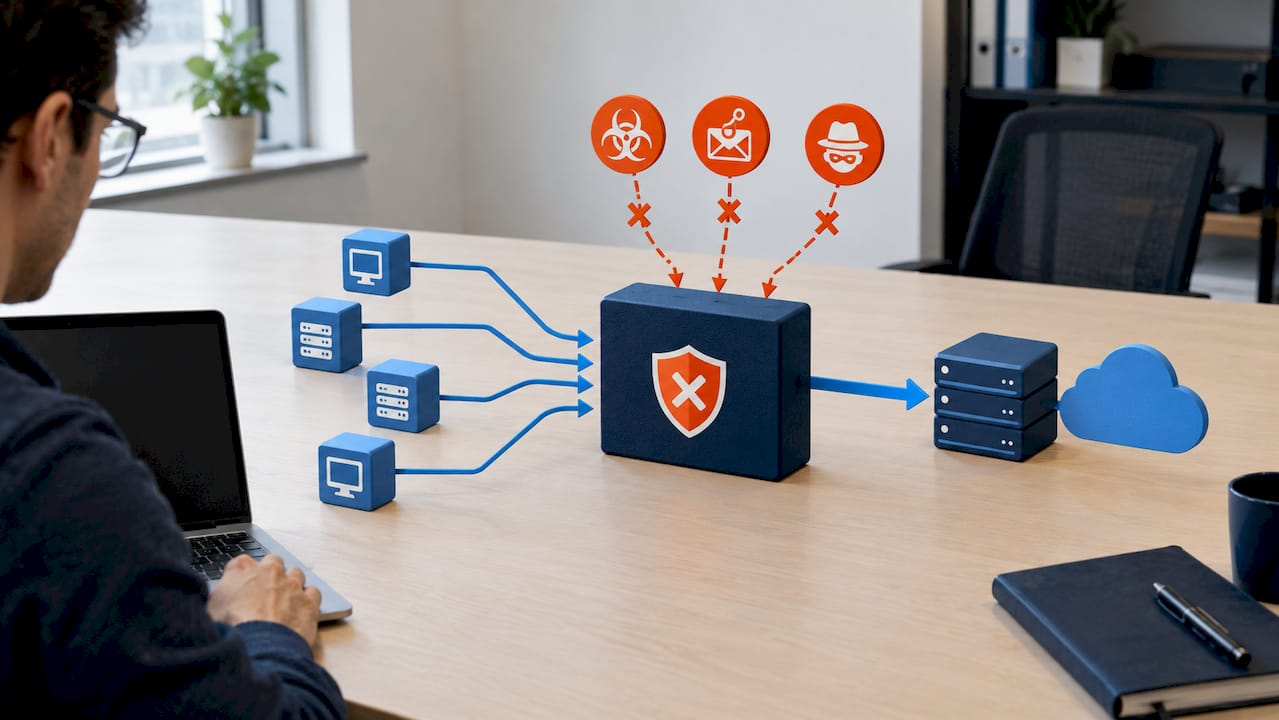
Blocking at the DNS layer stops a threat before any content loads, which matters because phishing pages and malware payloads do their damage only after the connection completes. A credential-harvesting page can’t steal a password if the browser never reaches it, and a ransomware payload can’t download if the domain never resolves.
Malware families that use domain generation algorithms (DGAs) to rotate through thousands of throwaway command-and-control domains are a harder case. Protective DNS providers apply heuristics and pattern recognition to flag these algorithmically generated names even when no static blocklist covers them yet, a capability Selecting a Protective DNS Service lists as a core evaluation category for providers.
- Malware and ransomware: blocked at the download or callback stage, before encryption routines can run.
- Phishing: blocked at the link-click stage, before credentials are ever entered.
- DGA-based command-and-control: flagged through pattern detection rather than static lists alone.
DNS query logs capture connection attempts that other security tools may never see, including early reconnaissance and beaconing activity from compromised devices. Feeding those logs into a SIEM alongside endpoint telemetry lets an investigator trace an incident from the first suspicious query to the device that made it, often cutting hours off root-cause analysis.
Choosing the right deployment: cloud, proxy, or roaming clients
Most organizations mix architectures rather than picking one. The right combination depends on where your users work and what resources they need to reach.
- Cloud resolver redirection: point your network’s recursive DNS settings to a provider’s servers. This is the fastest path to protection for office-based staff and standard internet traffic.
- On-premises proxy or forwarding: keep DNS resolution local for internal-only resources and latency-sensitive applications, forwarding only external queries to the filtering service.
- Roaming and remote endpoints: install lightweight DNS clients on laptops, or route traffic through a SASE or SSE platform, so protection travels with the device off the corporate network.
The complication with all three is encrypted DNS. CISA’s encrypted DNS guidance warns that DNS-over-HTTPS and DNS-over-TLS, now defaults in many browsers and operating systems, can bypass your filtering entirely by routing queries straight to a public resolver outside your control. The fix is configuring browser and OS policies to force traffic to your authorized resolver, and blocking outbound connections to unauthorized DNS servers at the firewall.
Availability matters too. A filtering outage that also takes down name resolution for your whole network is a bigger problem than the threat it was meant to stop, so ask any provider about redundant points of presence and failover behavior before rollout.
Pro Tip: Test encrypted DNS enforcement on a single device before rolling it out network-wide. Some line-of-business apps hardcode a public resolver and will break silently if you block it too aggressively.
What to require when comparing DNS filtering vendors
Vendor marketing tends to converge on the same buzzwords, so evaluation has to come down to specific, checkable attributes rather than feature lists.
- Threat coverage: how current are the threat feeds, and do they include DGA detection and machine learning beyond static blocklists?
- Policy flexibility: can you set different rules per department, and how easily can you add exceptions without waiting on support?
- Operational integration: does the provider expose an API, and can logs export in a format your SIEM already ingests?
- Security controls: does the service validate DNSSEC, and does admin access require multifactor authentication?
- Commercial terms: what’s the pricing model, is a proof-of-concept available, and what does onboarding support actually include?
| Criteria | What to ask for | Why it matters |
|---|---|---|
| Threat coverage | Feed update frequency, DGA detection method | Stale feeds miss new campaigns |
| Policy flexibility | Per-group policy and exception workflow | Reduces help desk tickets from false positives |
| Integration | API access, SIEM export formats | Determines how fast your team can act on alerts |
| Security controls | DNSSEC validation, admin MFA | Protects the filtering layer itself from compromise |
| Commercial terms | Pricing model, PoC availability | Avoids surprise costs after the pilot |
Treat DNSSEC validation and admin MFA as non-negotiable rather than nice-to-have, since a compromised filtering console defeats the purpose of the whole control.
A multi-week rollout plan for DNS filtering
Rolling out DNS filtering does not require a network overhaul, but skipping the discovery step is the most common cause of a rocky launch.
- Discovery (initial days): inventory current DNS flows, identify cloud services and internal-only domains that need exceptions, and map which users work remotely or need roaming protection.
- Pilot (early phase): route a small user group, such as one department or office, to the provider’s resolvers and monitor for false positives before expanding.
- Enforce (mid rollout): block unauthorized DNS traffic at the network edge, typically by restricting outbound port 53 and 853 to your approved resolver, then extend coverage to roaming users through a client or SASE integration.
- Operationalize (later phase): forward logs to your SIEM, set alert thresholds for repeated blocked queries, and schedule a recurring review of policy exceptions and domain allowlists.
Pro Tip: Keep a running exceptions log during the pilot phase. A domain that gets whitelisted under pressure during week two is easy to forget and hard to audit six months later.
CISA’s guidance on DNS infrastructure tampering also recommends enforcing MFA on the accounts that manage your DNS records themselves, a step worth folding into the enforcement phase rather than treating as a separate project.
Why managed DNS filtering makes sense for small teams
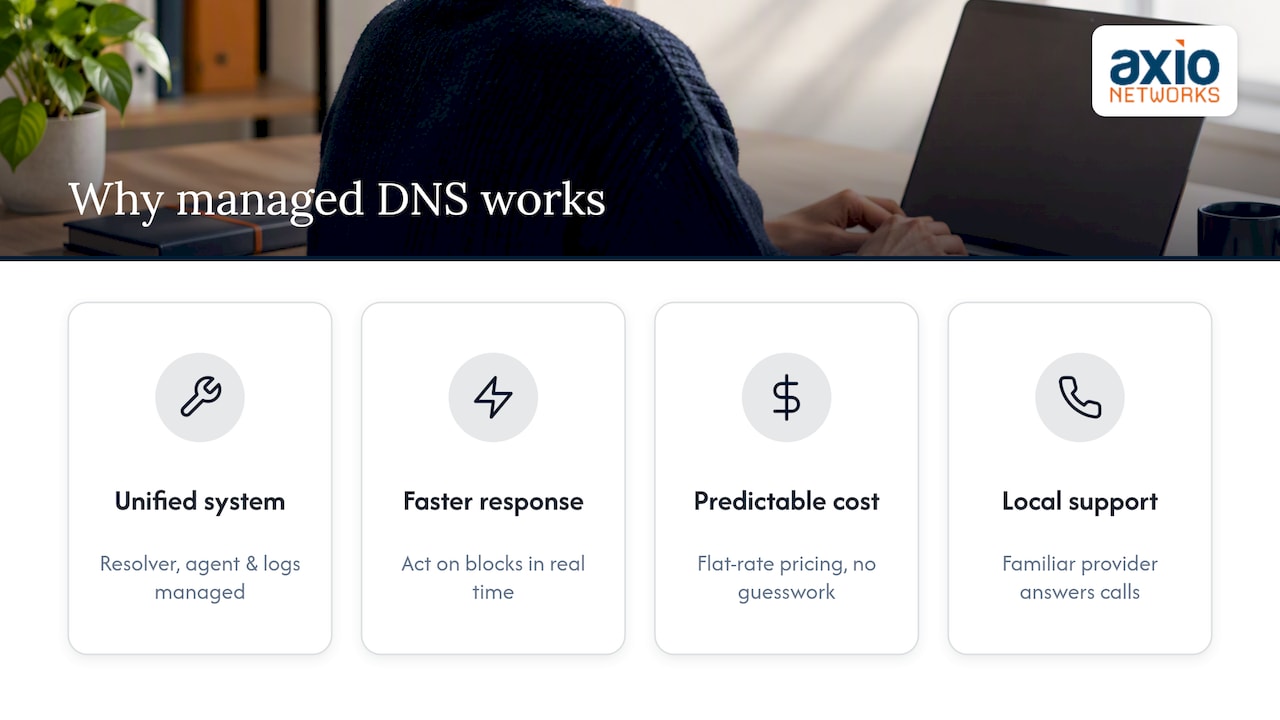
Enforcing DoH controls, deploying roaming clients, and wiring logs into a SIEM are each manageable on their own, but doing all three correctly while running a business is where small IT teams get stretched thin. A managed approach folds DNS filtering into the same security-first design applied across every other layer, so the resolver policy, the endpoint agent, and the log pipeline are managed as one system instead of three separate projects.
The practical payoff is faster response when something does get flagged, since a team already watching endpoint and DNS telemetry together can act on a blocked query instead of discovering it during a quarterly log review. Predictable flat-rate costs also remove the budgeting guesswork that often stalls security projects at small businesses, and local support means someone already familiar with your environment is the one answering the call.
— Jim O’Connell
Get DNS filtering built into your security stack
If reading through DGA detection, DoH bypass risk, and SIEM integration made it clear how much ongoing tuning this control needs, that’s the part Cybersecurity Services from Axio Networks is built to carry. DNS filtering gets deployed as one piece of a security-first design rather than a bolted-on tool, alongside endpoint protection, email security, and SOC monitoring, all billed under one flat-rate plan so there’s no surprise invoice when a new threat feed or integration gets added.
This fits businesses that want the protective value of DNS filtering without dedicating internal staff to managing resolver policy, encrypted DNS enforcement, and log pipelines on top of everything else on their plate. Our local team already supports Managed IT Services for small and mid-sized businesses in the Phoenix metro area, so adding DNS filtering means extending a relationship that’s already in place rather than starting a new vendor evaluation from scratch. Reach out to talk through what a rollout would look like for your network.
Sources
- NIST SP 800-81r3 Final Publication | CSRC
- Encrypted DNS Implementation Guidance
- Selecting a Protective DNS Service
FAQ
Which DNS filtering services are the best?
The strongest services combine current threat feeds, DGA detection, DNSSEC validation, and solid SIEM integration rather than any single standout feature. Selecting a Protective DNS Service outlines these capability categories as the benchmark for comparing providers.
How much does a DNS filter cost?
Pricing varies by vendor and typically depends on user count, feature tier, and support level, so there’s no single industry-standard figure to quote. Businesses working with a managed provider like Axio Networks get DNS filtering folded into a flat-rate services agreement instead of a separate line item, with pricing available on request through Managed IT Services.
What is the best web filtering software for businesses?
There’s no universal best option since the right fit depends on whether you need cloud-only coverage, roaming client support, or SASE integration for a distributed workforce. Evaluate candidates against the same criteria: threat coverage, policy flexibility, DNSSEC validation, and how well logs integrate with your existing SIEM.
What is a business DNS?
A business DNS setup is the domain name resolution infrastructure an organization uses to translate domain names into addresses for its network and users. When paired with Protective DNS capabilities, it also becomes a policy enforcement point that can block malicious or unauthorized domains before a connection completes, as described in NIST SP 800-81r3.