A complete HIPAA compliance checklist covers five areas: the Privacy Rule, the Security Rule’s administrative, physical, and technical safeguards, the Breach Notification Rule, business associate agreements, and documentation retention. Start today by inventorying every system and vendor that creates, receives, maintains, or transmits electronic protected health information, then begin a formal risk analysis grounded in HHS OCR guidance and NIST SP 800-66 Rev. 2.
TL;DR:
- Most organizations need to prioritize ongoing risk analysis, vendor reviews, and system updates rather than relying solely on static documentation.
- Cloud providers and subcontractors are considered business associates if they handle protected health information, regardless of whether they view or decrypt the data.
- The 60-day breach notification deadline applies from discovery, not investigation completion, emphasizing the importance of prompt incident response.
- Regular, documented training, policy updates, and vendor assessments are critical for maintaining continuous compliance and passing OCR reviews.
- Building a culture of compliance through recurring habits is more effective than completing a checklist once and treating it as a one-time project.
Table of Contents
- Who must comply with HIPAA requirements
- Building an audit-ready inventory and risk analysis
- Administrative safeguards: policies, workforce, and incident response
- Physical and technical safeguards: hardening, logging, and encryption
- Privacy Rule checklist: notices, minimum necessary, and patient rights
- Breach notification checklist: timing, content, and reporting thresholds
- Vendor management and business associate agreements
- Documentation, retention, and staying audit ready
- A 90, 180, and 365-day roadmap to compliance
- Who stands behind this checklist and how local support helps
- Why most HIPAA checklists fail in practice
- A practical next step for closing compliance gaps
- FAQ
- Sources
- Authoritative resources for implementation
Who must comply with HIPAA requirements
HIPAA obligations fall into two main categories, and knowing which one applies to your organization determines how much of this checklist you need to implement. A covered entity is a health plan, health care clearinghouse, or health care provider that transmits health information electronically in connection with certain transactions. A business associate is any person or organization that performs a function involving the use or disclosure of protected health information on behalf of a covered entity, such as billing companies, IT vendors, or cloud hosting providers. Subcontractors of business associates inherit many of the same obligations when they also touch protected health information.
Before applying the rest of this checklist, answer these questions to confirm your scope:
- Do you create, receive, maintain, or transmit electronic protected health information directly or on behalf of a client?
- Does a client or partner require you to sign a business associate agreement before accessing their systems or data?
- Do you host, store, or process data for a covered entity, even if you never view the content (a common scenario for cloud providers)?
- Do your subcontractors or downstream vendors also touch that same data?
Cloud providers are a frequent source of confusion. A hosting company can be a business associate even when it never decrypts or views the data it stores, because the obligation attaches to the function performed, not to whether staff can read the content. Edge cases like staffing agencies, answering services, and software vendors with support access to patient data usually qualify as business associates too.
Once you have answered these questions, record the determination in writing: which category your organization falls into, the reasoning, and the date of the decision. This applicability record becomes the foundation for every other checklist item, because it tells you which safeguards, notices, and contracts actually apply to your operation.
Building an audit-ready inventory and risk analysis
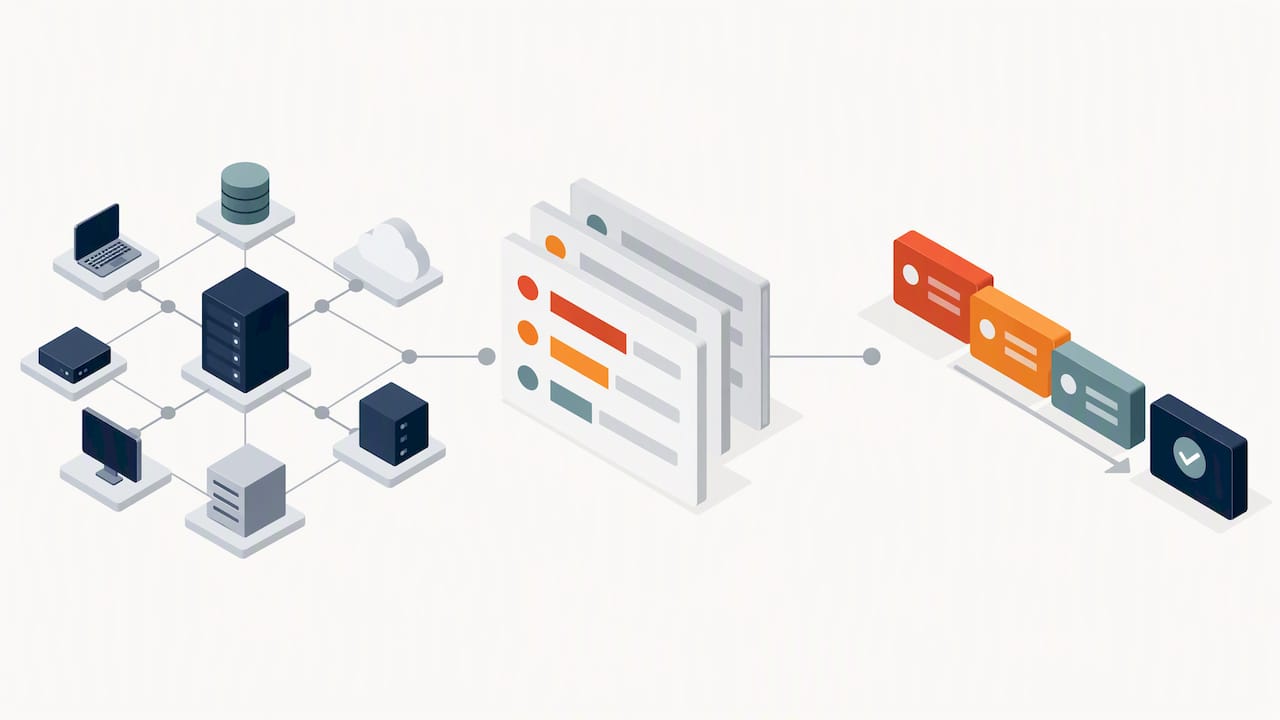
Every other piece of HIPAA compliance rests on knowing where your electronic protected health information lives and how it moves. HHS requires a risk analysis that covers all ePHI the organization touches and does not prescribe one fixed methodology, which means the work has to be sized to your organization rather than copied from a template written for a hospital system or a five-person clinic.
Start with an asset and data-flow inventory that captures:
- Every system, server, and database that stores or processes ePHI, including on-premises and cloud infrastructure.
- Endpoints and mobile devices that access or sync protected health information, including laptops, phones, and tablets.
- SaaS applications and third-party integrations that receive or transmit patient data.
- Removable media such as external drives, backup tapes, or USB devices still in use anywhere in the organization.
- Vendors and subcontractors with any access path to ePHI, even indirect ones like a billing service or an answering service.
Once the inventory exists, move into risk analysis: identify threats (ransomware, insider misuse, lost devices), identify vulnerabilities (unpatched systems, weak access controls, untrained staff), and estimate likelihood and impact for each combination. The output is a risk register, a ranked list of exposures tied to the assets and vendors from your inventory, with a prioritized remediation backlog that tells you what to fix first.
NIST SP 800-66 Rev. 2 is a useful implementation companion here. It translates Security Rule requirements into practical sample questions and mappings, which helps smaller organizations without a dedicated compliance team turn abstract legal language into concrete tasks. HHS also publishes a Security Risk Assessment tool that walks through the same process step by step. Neither NIST nor the HHS tool replaces the legal requirement itself: HIPAA is the governing rule, and these resources are aids for implementing it, not substitutes for judgment about your specific environment.
Pro Tip: Run your risk analysis as a recurring calendar item, not a one-time project. Threats, vendors, and systems change constantly, and an analysis that is three years old will not hold up to an OCR review.
By the end of this step you should have three deliverables sitting in your compliance files: the asset and vendor map, the dated risk register, and a remediation backlog ranked by severity. Everything in the sections that follow assumes these three documents already exist.
Administrative safeguards: policies, workforce, and incident response
The Security Rule’s administrative safeguards are the policies and processes that govern how people, not just systems, handle protected health information. This is where most of the paperwork lives, and it is also where OCR investigations most often find gaps.
Your documented security management process should include:
- A current, dated risk analysis and an accompanying risk management plan that shows how identified risks are being addressed.
- Workforce security procedures covering authorization, role-based access provisioning, and prompt deprovisioning when someone leaves or changes roles.
- A documented sanctions policy for employees who violate security procedures, applied consistently.
- An incident response plan that names who investigate, who decides on reportability, and who executes notification.
- A contingency plan covering data backup, disaster recovery, and emergency mode operation, reviewed on a set cadence.
Workforce training deserves particular attention because it is cheap to implement and heavily weighted in OCR’s expectations. New hires need security awareness training before they touch any system containing ePHI, and existing staff need refreshers whenever policies change materially.
Pro Tip: Keep a signed acknowledgment on file every time an employee completes training or reviews an updated policy. A verbal “yes, everyone was trained” means nothing to an auditor; a dated signature does.
Document every decision your organization makes under this section, not just the actions themselves. If you chose a particular access control model, write down why. If you evaluated a safeguard and decided an alternative approach was more appropriate for your size and risk profile, record that reasoning at the time, not after the fact. Retained evidence, not the existence of a policy document alone, is what demonstrates compliance during a review.
Physical and technical safeguards: hardening, logging, and encryption
Physical and technical safeguards protect the hardware, networks, and data paths that carry electronic protected health information. These controls are often the most technical items on the checklist, and they are also the ones most frequently cited in OCR’s recurring findings.
Physical safeguards to verify:
- Facility access controls that limit who can physically reach servers, workstations, or network equipment storing ePHI.
- Device and media controls governing how hardware is tracked, reused, and disposed of.
- Secure disposal procedures for retired hard drives, old backup media, and decommissioned devices, with a record of what was destroyed and when.
Technical safeguards to verify:
- Unique user IDs for every person accessing a system with ePHI, never shared logins.
- Automatic logoff after inactivity, an addressable specification that most small organizations can implement cheaply.
- Audit controls that log who accessed what data and when.
- Integrity controls that detect unauthorized alteration of ePHI.
- Transmission security, including encryption, for data moving across networks where appropriate.
The January 2026 OCR cybersecurity newsletter identifies system hardening, patching, and access controls as recurring priority areas, alongside encryption, audit controls, and multi-factor authentication where indicated. Unpatched software remains one of the most common vulnerabilities OCR calls out, which makes a disciplined patch management cadence one of the higher-value items on this entire checklist.
Endpoint detection and response tools add a layer of monitoring beyond basic antivirus, catching behavior that signature-based tools miss. A primer on EDR explains how this layer fits into a broader monitoring strategy for organizations handling sensitive data.
Many technical specifications under the Security Rule are “addressable” rather than mandatory, which does not mean optional. When you decide not to implement an addressable specification, you must document the rationale and describe the equivalent alternative measure you put in place instead. Skipping this documentation step is one of the more common gaps found during reviews.
Privacy Rule checklist: notices, minimum necessary, and patient rights
The Privacy Rule governs how protected health information is used and disclosed, separate from the technical controls covered above, and it comes with its own set of required documents and processes.
Core Privacy Rule obligations include:
- Publishing and maintaining a current Notice of Privacy Practices, with a defined process for reviewing and updating it when practices change.
- Applying the minimum-necessary standard to any use or disclosure of protected health information, limiting access to what a role actually requires.
- Conducting periodic role-based access reviews to confirm that permissions still match job function.
- Maintaining documented procedures for individual rights: requests for access to records, requests for amendment, requests to restrict disclosures, and accounting of disclosures.
- Logging and responding to patient complaints about privacy practices, with a record of resolution.
Individual rights requests deserve a defined internal workflow rather than ad hoc handling. When a patient requests access to their records, there is a clock running, and your staff needs a clear, repeatable process: who receives the request, who verifies identity, who pulls the records, and who tracks the response deadline. The same applies to amendment requests and accounting-of-disclosures requests, which carry their own lookback periods that your documentation needs to support.
Privacy Rule documentation, like Security Rule documentation, generally needs to be retained for six years from creation or last effective date, whichever is later. That retention clock applies to the Notice of Privacy Practices versions you have published, your access-review records, and your complaint logs, not just to clinical data itself.
Breach notification checklist: timing, content, and reporting thresholds
When a security incident involves protected health information, the clock on breach notification starts the moment the breach is discovered, not when the investigation concludes, and getting the sequence right matters as much as getting the content right.
Follow this sequence when an incident occurs:
- Open a decision log the moment a potential breach is discovered, recording the date of discovery, the systems or data involved, and every investigative step taken.
- Determine reportability: assess whether the incident meets the definition of a breach under the rule, and document the reasoning either way.
- If it is reportable, prepare individual notices containing a description of what happened, the types of information involved, steps individuals should take to protect themselves, what the organization is doing in response, and contact information.
- Send individual notices without unreasonable delay and no later than 60 days after discovery for breaches affecting 500 or more individuals.
- Report breaches affecting 500 or more individuals to HHS without unreasonable delay and no later than 60 days after discovery.
- For breaches affecting fewer than 500 individuals, report to HHS within 60 days after the end of the calendar year in which the breach was discovered, using the HHS breach-notification portal.
The 60-day notification window for breaches affecting 500 or more individuals applies from the date of discovery, not the date the investigation wraps up, which is a distinction that trips up organizations that wait for a complete forensic report before starting notifications.
Pro Tip: Run a tabletop exercise at least once a year that walks your team through a mock breach from discovery to notification. The first time your incident response plan gets tested should not be during an actual incident.
Preserve every piece of evidence generated during an investigation, including logs, the decision log itself, and copies of notices sent. OCR’s enforcement posture rewards organizations that can show a rehearsed, documented response process, and a well-preserved paper trail is often the difference between a routine review and a prolonged one.
Vendor management and business associate agreements
Every vendor, contractor, or subcontractor that touches protected health information needs a signed business associate agreement in place before they get access, not after. This is one of the most frequently missed items in smaller organizations that add a new software vendor or contractor quickly and treat the contract paperwork as an afterthought.
Start by cross-referencing your asset inventory from earlier in this checklist against your vendor list, and confirm:
- Every vendor with any access path to ePHI, direct or indirect, has an executed business associate agreement on file before access begins.
- Each agreement specifies permitted uses and disclosures, required safeguards, breach notification cooperation obligations, and terms for returning or destroying data at the end of the relationship.
- Agreements require subcontractors of your business associates to flow down the same obligations, so protections do not disappear a layer down the chain.
- Cloud and hosting providers are evaluated as business associates even when they claim not to view your data, because HHS guidance treats the function performed as the trigger, not whether the provider holds decryption keys.
Encryption and “we never see your data” claims from a vendor do not remove the underlying contractual obligation. HHS guidance on security basics makes clear that a cloud provider can be a business associate even without access to the content it stores, so service-level agreements and BAAs still need to specify safeguards, audit rights, and breach cooperation terms.
Review vendor relationships on a regular cadence rather than only at onboarding. Request evidence of a vendor’s own security practices periodically, keep copies of current agreements organized by vendor, and flag any vendor whose agreement has lapsed or whose service scope has expanded beyond what the original contract covered. Store this vendor review history alongside your other compliance documentation for audit purposes.
Documentation, retention, and staying audit ready
Every control described in this checklist is only as good as the evidence that proves it happened, and documentation gaps are among the most common findings when OCR reviews an organization’s compliance program.
Retain these records for at least six years from creation or last effective date, whichever is later:
- Risk analyses and risk management plans, dated and versioned over time.
- Policy and procedure documents, including every prior version with its effective date range.
- Training logs and signed employee acknowledgments.
- Executed business associate agreements and amendments.
- Incident and breach investigation logs, including decisions on reportability.
- Access reviews and records of account provisioning and deprovisioning.
Version control matters as much as retention. An auditor may ask what your access policy said eighteen months ago, not just what it says today, so snapshot every policy update with a clear effective date rather than overwriting the previous version. The same applies to training materials: keep the version employees actually saw, tied to the date they signed off on it.
Pro Tip: Store compliance documentation somewhere with restricted access and an immutable change history, so you can show auditors not just the documents but confirmation that they have not been altered after the fact.
Common gaps worth checking right now: risk analyses that were never updated after a system change, training records with no signed acknowledgment, business associate agreements that expired silently, and policies with no recorded effective date. Each of these is quick to fix once identified, but each one is also a predictable place for a review to stall.
A 90, 180, and 365-day roadmap to compliance
Turning this checklist into action works best with a phased timeline, because trying to close every gap simultaneously usually means none of it gets finished properly.
- Days 1 to 90: Complete the asset and vendor inventory, patch all critical and high-severity vulnerabilities, enable multi-factor authentication on high-risk accounts, and execute business associate agreements with your most critical vendors.
- Days 91 to 180: Roll out a formal security awareness training program for all staff, rehearse the incident response plan with a tabletop exercise, test backup restoration rather than just confirming backups run, and complete reviews of remaining vendor agreements.
- Days 181 to 365: Mature your written policies based on what the first two phases revealed, implement continuous monitoring where feasible, refresh the risk analysis to capture changes made during the year, and run a second tabletop exercise to validate improvements.
Track progress with a small set of KPIs rather than a vague sense of “we’re working on it”: percentage of systems and vendors inventoried, count of outstanding high-risk items from your risk register, percentage of required business associate agreements signed, and completion rate for training and tabletop drills. These four numbers, reviewed quarterly, tell you more about your actual compliance posture than any static checklist ever will.
Who stands behind this checklist and how local support helps
This guide was prepared by Jim O’Connell, drawing on HHS Office for Civil Rights guidance and NIST SP 800-66 Rev. 2 as the governing references throughout.
Organizations without an in-house compliance or security team often find the gap is not knowledge, it is capacity: someone has to own patching, monitoring, vendor reviews, and documentation every week, not just during an annual review. Axio Networks builds cybersecurity into every managed service it delivers rather than treating it as an add-on, operates with a dedicated local team serving the Phoenix metro area, and prices its services on a flat-rate model so clients can budget compliance work without surprise costs. Client response times can vary based on provider and service agreements. A managed provider working this way can support the inventory and monitoring steps described above, help keep business associate agreements current, assist with incident response execution, and maintain the documentation trail auditors expect, which turns this checklist from a one-time project into an ongoing operational habit.
Why most HIPAA checklists fail in practice
Most HIPAA checklists treat compliance as a document-production exercise: write the policies, file the business associate agreements, check the boxes. The organizations that actually hold up under an OCR review treat it differently, as an operational habit that produces evidence continuously, not a binder assembled once and left untouched.
The conventional advice oversells the value of templates and undersells the value of cadence. A risk analysis copied from a template and never updated is weaker evidence than a shorter, rougher one that gets revisited every quarter. Training that happens once at onboarding is weaker than shorter refreshers that happen on a schedule. If you take one thing from this checklist, prioritize the recurring habits over the one-time documents: the inventory refresh, the vendor review, the tabletop exercise. Static paperwork gives you a false sense of completion. A living process gives you something that survives contact with an actual incident or an actual review.
— Jim O’Connell
A practical next step for closing compliance gaps
Working through this checklist alone takes time most small and mid-sized organizations do not have sitting idle, and partial progress on HIPAA compliance still leaves real exposure. A managed service provider that integrates security into all services rather than offering separate products can have the same team handling day-to-day IT and monitoring for the gaps this checklist describes.
Services relevant to closing out this checklist include:
- Regulatory compliance consulting to support risk analysis and documentation.
- SOC monitoring and MDR for continuous audit-control visibility.
- Endpoint security and EDR to harden devices that touch ePHI.
- Backup and disaster recovery to meet contingency planning requirements.
For organizations that want a structured starting point, a HIPAA risk analysis and audit-ready guide from Ciphrix is a useful companion resource alongside this checklist. When you are ready for hands-on help closing the gaps, Managed IT Services from Axio Networks is the place to start a compliance discovery conversation.
This article is general information, not a substitute for advice from a qualified doctor. Consult a qualified healthcare professional about your own circumstances before acting on anything here.
FAQ
What is the HIPAA compliance checklist?
A HIPAA compliance checklist is a structured list of actions and documents covering the Privacy Rule, Security Rule safeguards, Breach Notification Rule, business associate agreements, and retained records that together demonstrate compliance. It typically starts with an inventory of systems and vendors touching electronic protected health information, followed by a documented risk analysis as described in HHS risk analysis guidance.
What are the new HIPAA compliance requirements for 2026?
HHS has not finalized a new HIPAA rule for 2026, but the January 2026 OCR cybersecurity newsletter reinforces system hardening, patching, access controls, and multi-factor authentication as priority areas under the existing Security Rule. Organizations should treat these as sharpened enforcement priorities rather than entirely new obligations.
Is there a free HIPAA compliance checklist available?
HHS publishes free guidance and a Security Risk Assessment tool that organizations can use to structure their own risk analysis, alongside the Security Rule summary and Privacy Rule guidance. These official resources are the right starting point before relying on any third-party template.
What are the HIPAA compliance requirements?
HIPAA compliance requires following the Privacy Rule’s rules on use and disclosure of health information, the Security Rule’s administrative, physical, and technical safeguards for electronic protected health information, and the Breach Notification Rule’s timelines for reporting incidents. It also requires signed business associate agreements with vendors and retaining compliance documentation for six years, as outlined across HHS Security Rule guidance.
Sources
Authoritative resources for implementation
These are the primary references auditors expect organizations to be familiar with when building a compliance program: HHS OCR guidance on risk analysis and the Privacy and Security Rules, NIST SP 800-66 Rev. 2 for practical implementation mappings, the HHS breach-notification rule for timelines and reporting thresholds, and the OCR cybersecurity newsletter for current enforcement priorities. Treat HIPAA regulatory text as the governing authority and these resources as implementation support.