Internet failover means your business has two separate internet connections and a device that watches the first one. When the main line stops carrying traffic, the device moves everything to the backup, usually within seconds and without anyone touching a cable. For a Phoenix-area office that runs on cloud software, card payments and VoIP phones, it is the difference between a short blip and a lost afternoon. It only works well when it is designed, configured and tested as part of the whole network, which is how we build it at Axio Networks.
TL;DR
- Failover needs three things: a second connection from a different provider or technology, a router or firewall with dual-WAN support, and health checks that detect a dead line, not just an unplugged cable.
- Automatic failover switches in seconds, while manual failover leaves you offline until someone steps in. The backup does not have to match your main speed, only carry your critical tools.
- Most failures come from setup, not hardware: weak failure detection, phone systems that do not re-register, and a backup nobody has tested.
- Test twice a year at minimum, plus after any firewall, carrier or phone-system change, and write the results down.
- If you have no in-house IT, have your managed IT provider design and monitor it so it works the day you need it.
Table of Contents
- What internet failover actually does
- Why a second connection is worth paying for
- Choosing the backup connection
- The equipment: what your router or firewall must do
- What your staff will notice when it switches
- How to set up failover, step by step
- How to test failover
- Costs to expect
- Our view: failover is a design decision, not a gadget
- Let us handle it
- FAQ
- Sources
What internet failover actually does
Your office normally sends all traffic through one connection, the primary. A failover setup adds a second connection, the secondary, plugged into a router or firewall that has two internet (WAN) ports. The router sends traffic out the primary. It keeps checking that the primary really reaches the internet. If the checks fail, it changes its default route to the secondary. When the primary recovers, it moves traffic back.
That is also the answer to a question we hear often: yes, a business can use two internet providers at the same time. Two setups are common, and they are not the same thing:
- Failover (primary and standby): only one connection carries traffic at a time. The second sits idle until needed. This keeps every session on one path, which suits VoIP and VPN traffic that dislikes changing routes. SmallNetBuilder’s dual-WAN guide describes this basic mode.
- Load balancing: both connections carry traffic at once, split by a ratio you set. You get more total capacity, but some sites that check whether your source address stays the same (banking portals are the usual example) can misbehave.
For most small and mid-sized offices, plain failover is the right starting point. It is simpler, easier to test and easier to troubleshoot.
Why a second connection is worth paying for
The question is not whether your carrier is reliable. It is what an hour offline costs you. If your phones, point-of-sale system, scheduling software, Microsoft 365 and remote access all depend on one line, a backhoe cutting a cable or a carrier outage stops every one of them. SmallNetBuilder’s author puts it plainly: dual WAN adds cost, so most businesses skip it, but if you depend on the internet for communication or critical applications, the extra expense may easily be worth it.
A simple way to decide is to estimate what one hour offline costs you: wages for staff who cannot work, sales you cannot ring up, appointments you cannot confirm. Compare that with the monthly cost of a backup line. If one outage a year costs more than twelve months of backup service, the answer is clear.
It also matters for security. A business that scrambles during an outage tends to improvise: staff tether laptops to personal phones and bypass the firewall, VPN rules and monitoring. A planned backup keeps traffic behind the same protections.
Choosing the backup connection
The strongest pairing is two connections that do not share a failure point. Two plans from the same carrier on the same cable fail together, because the cut, the outage or the billing problem hits both. Aim for a different provider and, ideally, a different technology.
HighSpeedInternet.com’s guide to backup internet lists the main options:
| Backup type | Strength | Watch for |
|---|---|---|
| Second wired line from a different carrier | Closest to primary speed | Highest cost and longest install lead time |
| LTE or 5G wireless | Quick to deploy; good for single-location offices, shops and restaurants | Speed depends on local cell coverage |
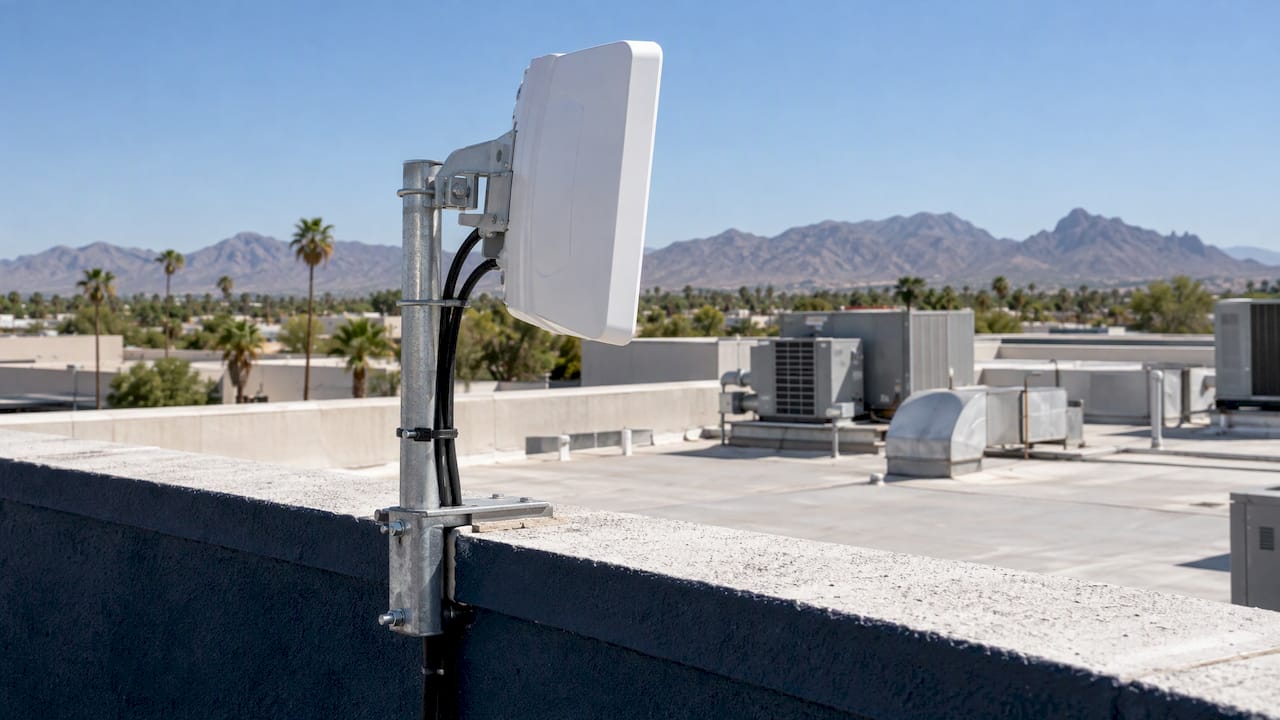
| Fixed wireless | Independent of the buried cable | Needs line of sight to a tower and professional installation |
| Low-earth-orbit satellite | Works where wired and cellular service are weak | Needs a clear view of the sky; weather can affect performance |
For an office in Phoenix, Scottsdale or Tempe with fiber or cable as the primary line, business 5G or fixed wireless is often the practical second path. It arrives on a different network, installs fast and avoids digging.
How fast does the backup need to be?
Less than you think. Backup internet need not match primary speed, only provide enough capacity to keep point-of-sale, VoIP and cloud tools running. Add up what must keep working during an outage: card terminals, phones, email, your line-of-business app, remote access. Video calls and large file syncs are the heavy items. If the backup is metered, you can also pause bulk jobs such as cloud backups while it is active.
Three other things matter more than raw download speed:
- Upload capacity and latency. Voice and video are sensitive to both.
- Data limits. Some cellular and satellite plans slow down or charge after a cap.
- IP addressing. Many cellular connections use carrier-grade NAT, which means you share a public address with other customers. That can block inbound services such as a hosted server, security cameras or some VPN designs. If you need inbound access, ask about a static or public IP before you buy.
The equipment: what your router or firewall must do
You need a router or firewall with at least two WAN ports and proper failover logic. Consumer routers rarely have it. Business-grade firewalls generally do, and a firewall that already handles your security policy is the best place to put it, so the backup path gets the same filtering and logging as the primary.
A few settings decide whether failover works in practice.
Health checks that test the internet, not the cable. A router cannot tell the difference between “modem unplugged” and “modem on, carrier down” by watching the cable. SmallNetBuilder notes that the Ethernet link between router and modem rarely drops even when the internet is down, so the router must probe something beyond it. Its example pings an outside address on a timer and triggers the switch only after several consecutive failures. Probe more than one target, for example a public DNS resolver and your carrier’s gateway, so one unreachable website does not trigger a false switch.
A failure threshold. One missed probe should never trigger failover. A few consecutive misses is a common starting point, tuned later from the logs. If you rely on voice or VPN, add loss and latency thresholds so the router moves when the line is unusable, not only when it is completely dead.
Separate handoffs and no double NAT. Each carrier connects to its own WAN port. Where a carrier’s modem also acts as a router, put it in bridge or passthrough mode so your firewall is the only device translating addresses.
A failback rule. Moving back to the primary the instant it flickers can cause a second outage. Use a hold-down timer so the primary must stay healthy for a few minutes first. If the backup is metered cellular, some offices prefer to switch back manually during a quiet window.
What your staff will notice when it switches
Good failover is fast, but it is not invisible. Your backup line has a different public IP address, and most live connections are tied to the address they started on. Expect:
- Web pages and cloud apps reloading or asking you to retry.
- VPN tunnels dropping and rebuilding.
- Active phone calls dropping, then phones re-registering with the phone system.
- Inbound services, such as a remote desktop gateway, becoming unreachable if the backup sits behind carrier-grade NAT.
Router-based failover typically takes tens of seconds in some setups, while load balancers and SD-WAN (software that steers traffic across links per application) can be faster. The practical lesson: tell your team what to expect, and check that your phone system re-registers on its own. A cloud phone system, such as our cloud phone systems, is easier to bring back quickly because staff phones and softphones simply reconnect over whichever line is live. For remote staff, our piece on staying connected with VoIP covers the calling side.
How to set up failover, step by step
- List what must keep working. Payments, phones, email, your main application, remote access. This sets backup capacity and which traffic gets priority.
- Document your current setup. Record your IP type (static or dynamic), VLANs, port forwards, VPN endpoints and DNS. These drive what breaks after a switch.
- Pick a second path that does not share the first one’s weak points. Different provider, preferably a different technology. Confirm real signal strength at your address if it is wireless.
- Confirm the router or firewall supports dual WAN. Plug each carrier into its own port and put provider gateways in bridge mode.
- Configure health checks, thresholds and failback. Use several probe targets, a few consecutive failures, and a hold-down timer.
- Set priorities for the backup. On a slower or metered link, give voice and payments first call on bandwidth and defer large backups and updates.
- Update your phone and VPN settings. Make sure they re-register and reconnect on their own after an address change.
- Test it, then write a short runbook. Circuit numbers, carrier support lines, device logins and who to call.
Each of these steps is small. The trouble is that they sit across your carrier, your firewall, your phone system and your security policy, and nobody on staff owns all four. That is the gap a managed IT team fills: we handle network infrastructure design and managed network services for small and mid-sized businesses, so the pieces are planned together rather than bolted on after an outage.
How to test failover
The most preventable failure is a backup that has quietly not worked for months. Nobody notices until the day the primary drops, the switch happens, and nothing flows. The cure is a scheduled test:
- Pick a low-impact window, such as early morning or after close.
- Disconnect or disable the primary WAN.
- Time how long traffic takes to move to the backup.
- Check DNS, cloud apps, phones, card payments, remote access and site-to-site VPNs.
- Restore the primary and confirm traffic returns as intended, and only after the hold-down period.
- Record what failed and fix it.
Test at least twice a year, and again after any firewall, carrier or phone-system change. Tell staff beforehand; a test that drops calls without warning teaches people to distrust the process.
Also keep the backup itself alive. Cellular plans can be suspended if unused, SIMs expire, and a fixed wireless antenna can be knocked out of alignment. A monthly check that the secondary link is up and reporting is cheap insurance.
Costs to expect
There is no single price, because the answer depends on the backup type, the speed and the equipment. Business-grade routers or firewalls with dual-WAN support are a one-time cost. The backup line is a monthly one, and a second wired circuit usually costs the most and takes longest to install. Wireless options deploy faster. Ask any carrier for the full monthly price including equipment fees, data caps and whether a static IP costs extra, and compare on those terms, not the headline speed.
Our own services are priced as flat-rate monthly agreements, which keeps the management side of IT predictable. Your carrier charges for the backup line stay separate, so ask for them in writing.
Our view: failover is a design decision, not a gadget
Most businesses we talk to think of failover as a box you buy. In practice it is a decision about how your whole office behaves on its worst day.
The questions that matter are rarely about the router. Does the phone system come back by itself? Does the VPN rebuild? Do the card terminals keep working? Is the backup line protected by the same firewall rules, filtering and monitoring as the main one? A backup that skips your security stack is a hole with a better excuse.
That is why we treat redundancy as part of network design, with security built in from the start rather than added later. Our network redundancy article explains the business-continuity thinking behind it. When a managed team owns the carrier handoffs, the firewall, the health checks and the testing schedule, the backup line is something you can rely on instead of something you hope works.
Our local team in the Phoenix area answers support requests in under 30 minutes on average, and a dropped line is exactly the moment that matters.
Jim O’Connell
Let us handle it
If you run a Phoenix-area business without an in-house IT team, we can plan the backup connection, the firewall configuration, the testing schedule and the monitoring as part of one flat-rate managed IT service. We also cover network and infrastructure work, SOC monitoring and backup and disaster recovery, so your second line, your security and your data protection are designed together.
Talk to us about your office, the tools you cannot afford to lose and how long you can afford to be offline. We will help you map out what the backup needs to carry.
FAQ
What is internet failover?
It is an arrangement where a second internet connection automatically takes over when your main one fails. A router or firewall watches the primary line and moves traffic to the backup, then returns it when the primary is healthy again. Done well, staff see a brief interruption instead of an outage.
Can I use two internet providers at the same time?
Yes, with a router or firewall that has two WAN ports. In failover mode only one line carries traffic and the other waits as standby. In load-balancing mode both carry traffic by a ratio you set. For voice, VPNs and sites that check your source address, failover mode is usually the safer choice.
What does dual WAN failover mean?
Dual WAN means a router with two internet connections. Dual WAN failover is the mode in which the second connection is held in reserve and used only when health checks show the first has stopped working. When the primary recovers and stays healthy for a set time, traffic returns to it.
How fast does failover switch?
Automatic failover generally moves in seconds, though router-based setups can take longer than load balancers or SD-WAN. Active calls, VPN sessions and file transfers usually need to reconnect because the backup has a different public IP. Manual failover leaves you offline until someone intervenes.
How often should I test it?
At least twice a year, and after any firewall, carrier or application change. Test in a quiet window, check phones, payments and remote access, then confirm traffic returns to the primary. Record the results so the next test starts from facts.
Sources
- A Guide to Backup Internet for Business, HighSpeedInternet.com
- How To Set Up Your Dual-WAN Router, SmallNetBuilder
- How to Create a Backup Internet Connection for Your Business, Fusion Connect