Intune device management lets you configure, secure and update every laptop, phone and tablet your team uses from one cloud console, whether those devices sit in your Phoenix office or a kitchen table in Mesa. You enroll a device, assign it policies and apps, and Intune keeps checking that it still meets your rules. This guide covers what Intune does, how enrollment works, where Autopilot and Group Policy fit, what to configure first, and when a small business should hand the job to a managed provider.
TL;DR
- Intune is Microsoft’s cloud service for managing devices and apps. It handles full-device management (MDM) and app-level protection (MAM), and it works on Windows, iOS, Android and macOS.
- Registering a device for single sign-on is not the same as enrolling it. Only enrollment delivers your security policies.
- Autopilot gets a new Windows PC ready out of the box. Intune runs it afterward. Most businesses use both.
- Intune admin accounts are a high-value target. Protect them with MFA and role-based access before anything else.
- Intune is a good fit for a 10-person or 200-person company, but the setup decisions matter more than the tool.
Table of Contents
- What Intune device management actually does
- Registration vs. enrollment: the step people miss
- How to enroll devices in Intune
- Autopilot vs. Intune: they do different jobs
- Intune vs. Group Policy
- What Intune costs and how it is licensed
- Set it up in the right order
- Secure Intune itself
- Perspective: why device management is a security job first
- When to run Intune yourself and when to hand it off
- How Axio Networks can help
- FAQ
- Sources
What Intune device management actually does
According to Microsoft’s Intune documentation, Intune is a cloud-based endpoint management service that secures and manages your organization’s devices and apps. You use it to enroll, configure, secure and update devices, deploy and protect apps, and control which users and devices can reach company data.
In plain terms, it answers five questions a business owner cares about:
- Who has company data on which device? Every enrolled device appears in one inventory.
- Is each device configured safely? Disk encryption, screen locks, firewall and password rules are pushed as policy.
- Are devices patched? Update rules keep operating systems current. Microsoft documents how to manage device operating system versions with Intune.
- What happens when a laptop is lost? You can lock or wipe it remotely, or remove only company data from a personal phone.
- Can an unsafe device get into email and files? Through Conditional Access, it can be blocked automatically.
MDM and MAM: two levels of control
Intune supports two approaches, and Microsoft notes they are often used together for both company-owned and personal devices.
| MDM (device management) | MAM (app protection) | |
|---|---|---|
| What you control | The whole device: settings, apps, data | Only company apps and the data inside them |
| Best for | Company-owned laptops and phones | Personal phones used for work (BYOD) |
| Employee reaction | Expected on company hardware | Easier to accept on a personal phone |
| Typical action on exit | Wipe or retire the device | Remove company app data only |
This is also the honest answer to the question employees ask most: what can my employer see? With app protection on a personal phone, the company manages its own apps and data, not your photos or personal messages. Whatever you configure, tell your team in writing what is and is not visible. A short, plain policy prevents most of the resentment that follows a rushed rollout.
Registration vs. enrollment: the step people miss
The most common Intune support ticket is “I can sign in, but nothing is applied.” The cause is usually that the device was registered but never enrolled.

Microsoft’s page on Entra registered devices lists device management, such as Intune, as a separate capability from registration. Registration gives a device an identity so the user gets single sign-on. Enrollment is what brings it under management and applies your policies.
Two things must be true for enrollment to deliver policies:
- The user has an Intune license assigned.
- For Apple and Android devices, the platform setup is complete. For iPhones and Macs that includes an Apple MDM push certificate.
If you skip either, staff will register their phones, see email working, and assume everything is fine. You will have no policy on the device. Explain the difference during rollout, because a user who clicks “just let me in” on a prompt may stop before enrollment finishes.
How to enroll devices in Intune
The right path depends on who owns the device and what it runs.
Windows PCs
There are three common routes:
- Automatic enrollment at sign-in. When a user signs in to a work account on a PC joined to Microsoft Entra ID, the PC enrolls itself, provided automatic MDM enrollment is switched on for that user.
- Autopilot. For new company PCs, the device is registered with Microsoft ahead of time, so the user unboxes it, signs in and gets a configured machine.
- Manual enrollment. A user adds a work account through Settings. This suits one-off cases.
iPhone, iPad and Mac
Company-owned Apple devices are best enrolled through Apple’s business enrollment programs so you can make management mandatory. Personal iPhones are usually handled with app protection and user-initiated enrollment. Either way, the Apple push certificate must be in place first, and it must be renewed on schedule. Put the renewal date on a shared calendar with a named owner.
Android
Android offers different modes for company-owned and personal devices, and the option you pick changes what Intune can control. Decide ownership first, then pick the mode.
Autopilot vs. Intune: they do different jobs
People search for “Autopilot vs Intune” as if they were rivals. They are not. Autopilot is the provisioning step for Windows, and Intune is the management layer that does the ongoing work.
A comparison of Autopilot and Intune is easy to find, but the practical summary is short:
| Autopilot | Intune | |
|---|---|---|
| Role | Gets a new Windows device ready for the user | Manages settings, apps, updates and compliance over the device’s life |
| When it acts | First sign-in and setup | Every day after |
| Platforms | Windows | Windows, macOS, iOS, Android and more |
| Typical use | New hires, replacement laptops | Everything after day one |
For a 25-person firm, the payoff of Autopilot is concrete. A new hire’s laptop can ship straight from the reseller to their home, and the first sign-in installs Microsoft 365 apps, security tools and the right policies. Nobody on your side has to image a machine.
Intune vs. Group Policy
If your office runs an on-premises Windows server with Active Directory, you probably use Group Policy today. You do not have to choose overnight.
A Microsoft community answer on moving from Group Policy to Intune describes a hybrid approach as the usual first stage. Devices joined to both on-premises Active Directory and Entra ID can receive Group Policy and Intune policies side by side, while you migrate settings gradually. Intune also includes a Group Policy Analytics tool to compare your existing GPOs with what Intune can do.
Where the two differ in practice:
- Reach. Group Policy generally needs a device to reach your domain controller. Intune reaches devices wherever they have internet.
- Platforms. Group Policy is Windows only. Intune covers phones and Macs too.
- Security link. Intune reports device health to Entra ID, so access decisions can use it.
Microsoft’s own guidance in that Q&A thread on device policies is that hybrid Group Policy setups are possible but lack the scalability and security of a cloud-first design. For a business with remote or hybrid staff, that points to Intune.
What Intune costs and how it is licensed
Published figures vary by source and change over time, so check Microsoft’s current price list before budgeting. As one example, an independent 2026 pricing breakdown says Intune Plan 1 is included with Microsoft 365 Business Premium, E3 and E5, among other bundles. If your company already pays for one of those, you may already own Intune and not be using it.
Things to count before you decide:
- Licenses per user, not per device. Check how many devices each user will enroll.
- Add-ons. Advanced features such as Remote Help, Cloud PKI and Endpoint Privilege Management sit in Plan 2 or the Intune Suite, according to Microsoft’s community guidance.
- Setup time. Policy design and testing cost more than the license in most small deployments.
- Ongoing administration. Someone has to own updates, app packaging and alerts.
Set it up in the right order
Microsoft’s planning guide stresses that a successful deployment starts with planning, and it flags the MDM authority setting as a decision to get right early. Here is the order we recommend for a small business.
- Inventory what you have. List every laptop, phone and tablet, who uses it, and who owns it.
- Decide what you are protecting. Email, files in SharePoint and OneDrive, line-of-business apps. Rank them.
- Choose your management model per device type. Full MDM for company hardware, app protection for personal phones.
- Lock down the admin side first. Use MFA and separate admin accounts, and give each admin only the role they need.
- Build a small set of baseline policies. Disk encryption, screen lock, firewall on, supported OS versions, and automatic updates.
- Pilot with a handful of users. Include one skeptic and one traveler.
- Turn on Conditional Access. Require compliant devices for email and files. Microsoft documents the grant control that requires a device to be marked compliant, which blocks access when a device falls out of compliance.
- Roll out in waves, and publish a one-page guide for staff.
- Review monthly. Check non-compliant devices, stale devices and expiring certificates.
If you also run a mix of older tools, some work will be about retiring them. If a project needs custom application integration beyond device management, enterprise systems engineering teams handle that kind of build work.
Secure Intune itself
Intune is powerful because one console can push settings and software to every device. That is also why attackers want it. CISA describes how adversaries use centralized software deployment tools to execute commands and move laterally across a network.
Practical consequences:
- Require MFA for every account with an Intune role.
- Use role-based access so a help desk technician cannot change tenant-wide policy.
- Keep admin accounts separate from daily email accounts.
- Review who holds admin roles every quarter.
The same logic applies to any outside IT provider you hire. CISA’s guidance on risk considerations for MSP customers advises you to know what access your provider has, require MFA for all access, and keep independent, offsite backups of critical data and configurations. Ask any provider, including us, to show you exactly how this is handled.
Perspective: why device management is a security job first
Most small businesses come to us asking about Intune because of a specific irritation: a lost phone, a new hire who needs a laptop yesterday, or an insurance questionnaire asking about device encryption. Those are fair reasons, but we treat Intune as a security control first and an IT convenience second.
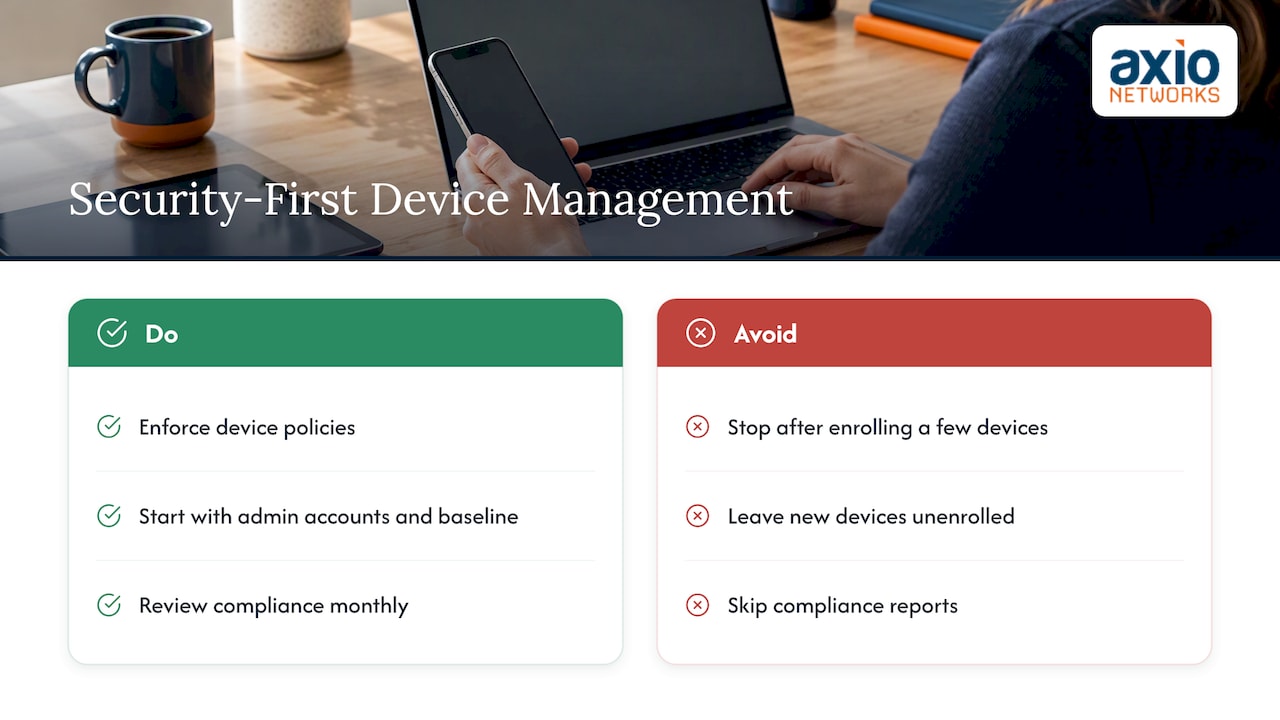
That is how we run every service at Axio Networks: security is part of the design, not an add-on. A device policy that is never enforced is paperwork. A Conditional Access rule that blocks an unpatched laptop from email is protection. So when we set up Intune, we start with the admin accounts and the baseline, then bring in apps and convenience features.
We also see the same mistake often. A company buys licenses, enrolls a few devices, and stops. Six months later half the fleet is unmanaged because new devices were never enrolled and nobody checked the compliance report. Intune rewards a monthly habit more than a perfect initial build. Our local team in the Phoenix area does that review as part of a flat monthly agreement, so there are no surprise bills when a laptop needs attention.
— Jim O’Connell
When to run Intune yourself and when to hand it off
You can run Intune in-house if you have someone who enjoys the work and has time for it. For a small business that usually means an operations manager with some technical background, plus a willingness to learn Entra ID and Conditional Access.
Handing it to a provider makes sense when:
- You have no dedicated IT person, and the owner is the default help desk.
- You must meet security requirements from a client, insurer or regulator.
- You have a mix of Windows, Mac and mobile devices.
- You are migrating from an old server and Group Policy setup.
- You want someone to answer the phone when a device fails to enroll.
Our overview of what managed IT is and how it benefits small businesses explains the model if you are new to it. For teams working away from the office, our guide to cybersecurity for remote teams covers the habits that complement device policy.
How Axio Networks can help
We manage Microsoft 365 for small and mid-sized businesses in the Phoenix metro area, including the identity, device and security settings that Intune depends on. Our managed Microsoft 365 service sits inside our broader managed IT services, which are delivered on a flat monthly rate, with endpoint protection and monitoring built in. If you want to see where your devices stand today, talk to our team and we will walk through your current setup.
FAQ
What can my employer see with Intune on my phone?
That depends on how the device is enrolled. On a personal phone with app protection, the company manages its own apps and the data inside them. On a company-owned device with full management, the company has much broader control over settings and apps. Ask your employer for their written policy so you know which applies to you.
Is Intune a good fit for a small business?
Yes, if you use Microsoft 365 and want consistent security across laptops and phones without running a server. It works for a handful of users or a few hundred. The key is a clear plan for enrollment, baseline policies and ongoing review, which many small teams hand to a managed provider.
Do I need Autopilot to use Intune?
No. Autopilot is a provisioning option for Windows devices, and you can enroll existing PCs without it. It becomes valuable when you buy new laptops regularly or have remote hires, because the device configures itself at first sign-in.
Can Intune replace Group Policy?
Over time, for most settings, yes. Many companies run both during a transition, using hybrid-joined devices. Intune’s Group Policy Analytics can show which of your existing policies have equivalents.
Sources
- What is Microsoft Intune? (Microsoft Learn)
- Manage device operating system versions with Intune (Microsoft Learn)
- What are Microsoft Entra registered devices? (Microsoft Learn)
- Intune vs. Autopilot: What Each One Actually Does
- Group Policy vs Intune policies (Microsoft Q&A)
- Applying device policies in Entra ID without Intune (Microsoft Q&A)
- Microsoft Intune pricing and costs in 2026
- Planning guide to move to Microsoft Intune (Microsoft Learn)
- Conditional Access grant controls (Microsoft Learn)
- Supply chain compromise via software deployment tools (CISA)
- CISA Insights: Risk Considerations for MSP Customers