IT asset lifecycle management is the practice of tracking every laptop, server, firewall, license and phone system from the day you request it to the day it is securely retired. Done well, it cuts surprise replacement bills, closes security gaps and gives you a budget you can predict. This guide walks through the five stages, shows where small businesses most often lose control, and explains what to do at each step.
TL;DR
- Every asset moves through five stages: request, procurement, deployment, maintenance and retirement. Record each change the moment it happens, not at the next audit.
- Security, not hardware failure, is usually the real retirement trigger. A device that no longer gets vendor patches is a liability even if it still runs.
- Disposal is part of the lifecycle: wipe data, document it, and use a certified recycler.
- A small business does not need an in-house team to do this, but it does need one owner, one inventory and a refresh calendar.
Table of Contents
- What IT asset lifecycle management covers
- The five stages, and what to do at each
- Why security, not breakage, decides when to retire
- Secure disposal: the stage that creates the most risk
- Building the inventory that makes it all work
- What lifecycle management looks like in dollars
- Common mistakes we see
- Our perspective: security belongs inside the lifecycle
- How Axio Networks can run this for you
- FAQ
- Sources
What IT asset lifecycle management covers
IBM describes IT asset management as the end-to-end tracking and management of IT assets so each one is properly used, maintained, upgraded and disposed of at the end of its life. The lifecycle is the timeline that sits inside that definition.
For a company with 20 to 200 employees, “assets” means more than hardware:
- Endpoints: laptops, desktops, tablets, phones.
- Infrastructure: servers, switches, firewalls, wireless access points, cabling.
- Software and subscriptions: Microsoft 365 licenses, line-of-business apps, security tools.
- Data-bearing items: backup drives, copiers with hard disks, USB media.
The point is not a tidy spreadsheet. IBM and NIST-aligned guidance frames the real objective as lowering total cost of ownership. Lifecycle management moves IT from break-fix to a proactive model, where usage and performance data inform purchases and warranty renewals, which extends asset life and reduces cost.
The five stages, and what to do at each
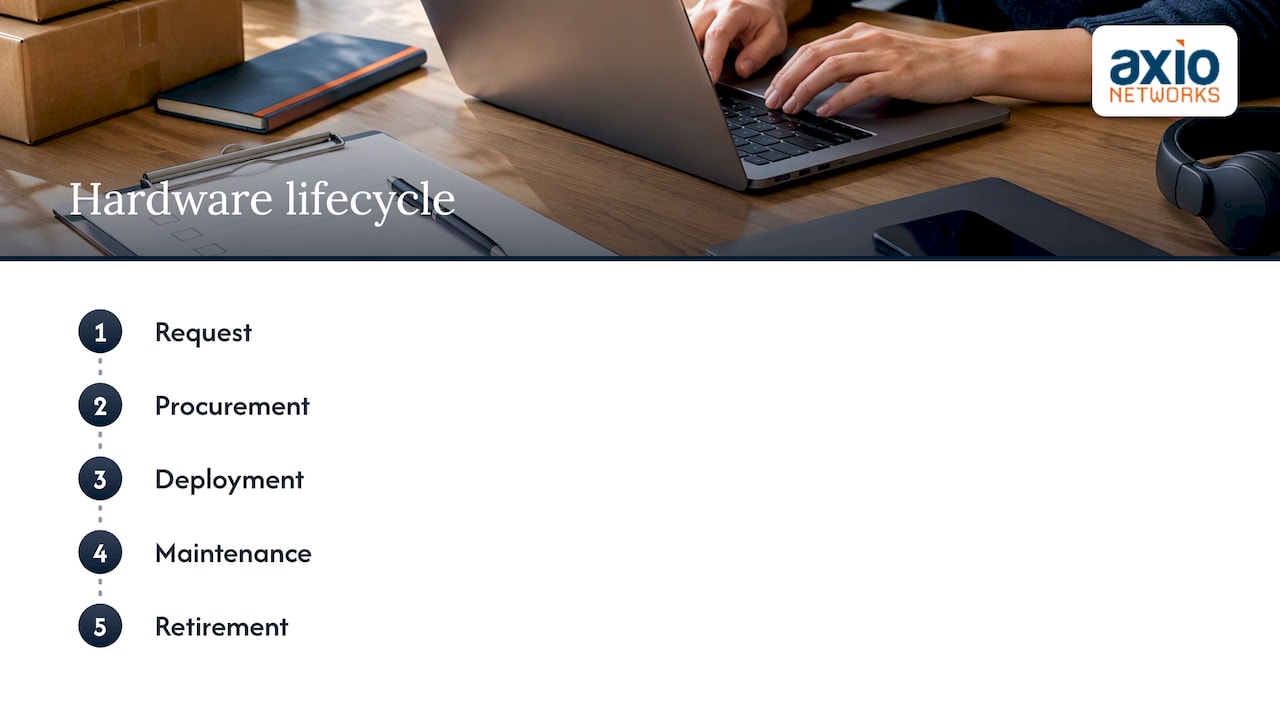
The five-stage hardware model is request, procurement, deployment, maintenance and retirement. Here is how each plays out in a small or mid-sized business.
Stage 1: Request
Every new device starts with a need. The failure here is informal: someone buys a laptop on a company card and IT hears about it months later.
Set a simple rule. New hires, replacements and upgrades go through one request channel, whether that is a help desk ticket or a form. Each request should capture who it is for, what role they have, and which standard configuration applies. Standard configurations are the cheapest decision you will ever make: fewer models means fewer spare parts, faster imaging and simpler support.
Stage 2: Procurement
Buying is where lifecycle cost is locked in. Compare total cost over the expected life, not sticker price. A business-class laptop with a three-year warranty and a standard image often costs less over its life than a cheaper consumer model that needs more repairs.
At purchase, record:
- Serial number and model
- Purchase date, vendor and price
- Warranty start and end dates
- Assigned license keys or subscriptions
- The planned retirement date
That last field is the one most companies skip, and it is what turns an inventory into a refresh plan. If you would rather not manage vendor quotes and ordering yourself, our IT procurement service handles hardware and software sourcing for Phoenix-area businesses.
Stage 3: Deployment
Deployment is where “ghost” assets are born. Practitioners point out that the most common failure in lifecycle management happens between stages, for example when a device moves from storage to a user and nobody records it. The fix is to capture each transition when it happens.
A good deployment checklist:
- Image the device with your standard build and encryption on.
- Enroll it in management and endpoint protection before it leaves the bench.
- Assign it to a named user and location in the inventory.
- Confirm backups and multi-factor authentication work for that user.
- Record the handoff, with a date.
Security belongs in this stage, not after it. An unmanaged laptop with no endpoint protection is a gap from its first day. Our endpoint security and EDR service covers that layer for the devices you deploy.
Stage 4: Maintenance
This is the longest stage and the one where visibility pays off. Maintenance includes patching, firmware updates, warranty claims, repairs, reassignments and license true-ups.
Two habits matter most:
- Patch on a schedule, and prioritize known exploits. We cover how in our guide to endpoint security best practices for SMBs.
- Treat the inventory as a live system. CISA’s guidance warns that organizations often fail because they treat an inventory as a one-time project. A mature program ties into IT service management and change workflows so every move, add or change updates the asset record.
That guidance is written for operational technology, but the principle carries over directly to an office network. Wherever you track assets, the record has to change when the asset does.
Maintenance is also where service agreements matter. If you rely on a vendor for repairs or support, make sure the response commitments are actually enforceable. This piece on how to avoid unenforceable service level agreements is written for service managers, but the drafting lessons apply when you read your own provider contracts.
Stage 5: Retirement
Retirement covers decommissioning, data destruction, and disposal or resale. Most small businesses do this badly because it is nobody’s job.
We cover it in depth below, because it is where the legal and security stakes are highest.
Why security, not breakage, decides when to retire
Most owners replace hardware when it fails. That is the expensive way to do it, and increasingly the risky one.
Practitioners note that assets that can no longer receive vendor firmware or security patches should be treated as insecure and prioritized for decommissioning, even if they still work. A ten-year-old firewall running fine is not a healthy firewall if its maker stopped patching it.
CISA has made the same point at the national level. In February 2026 it issued Binding Operational Directive 26-02, which requires federal civilian agencies to deal with end-of-support edge devices. The directive binds federal agencies, not private companies, but the reasoning applies to any business: unsupported devices at the network perimeter are attractive targets because known flaws never get fixed, and a device you have not inventoried is one you cannot retire.
The same applies to software. Operating systems and server platforms have published end-of-support dates, and they belong in your lifecycle calendar next to hardware warranty dates. Two examples we have written about:
- What bridging Windows 10 actually costs for businesses still running it.
- Why Windows Server 2016’s end of support should drive your cloud migration plan.
A simple retirement trigger list
Retire or replan an asset when any of these is true:
- The vendor no longer ships security updates for it.
- Its operating system or firmware is at or near end of support.
- Warranty has lapsed and repair cost is rising.
- It cannot run your current security tooling.
- It has been idle or unassigned for a defined period, such as 90 days.
Secure disposal: the stage that creates the most risk
A retired laptop is a box of customer and employee data. Treat disposal as a security task first and a recycling task second.
The EPA says that proper disposal requires secure data destruction to prevent unauthorized access to information, and it encourages businesses to use recyclers certified under the R2 or e-Stewards standards. Those standards require documented procedures for data sanitization and environmentally safe handling. The EPA also notes that recycling one million laptops saves the energy that more than 3,500 US homes use in a year.
A disposal workflow that holds up
- Pull the asset from service in the inventory first. Mark it “pending retirement” so nobody redeploys it by accident.
- Confirm the data is backed up or intentionally discarded. Do not wipe a device before you know what it held.
- Remove accounts, licenses and management enrollment. Free the license for reuse.
- Sanitize or destroy the storage. Choose wiping or physical destruction based on the sensitivity of the data and whether the device will be resold.
- Hand off to a certified recycler. Ask for a certificate of destruction or recycling and file it against the asset record.
- Close the record. Note the date, method and certificate number.
Copiers, printers, phones and network gear store data too. They are the items most often forgotten. For more detail, see our article on five ways to implement secure IT asset disposition in a small business, and for the data side, navigating data lifecycle management.
Building the inventory that makes it all work
All five stages depend on knowing what you own. CISA’s Cyber Essentials starter kit tells organizations to maintain inventories of hardware and software assets so they know what is in play and at risk from attack. Its broader definition of an inventory is an organized, regularly updated list of systems, hardware and software.
Fields worth tracking
| Field | Why it matters |
|---|---|
| Asset tag and serial number | Unique identity, warranty claims |
| Owner and location | Accountability, offboarding |
| Purchase date and cost | Depreciation, budgeting |
| Warranty end date | Renewal or replacement decision |
| OS or firmware version | Patch and end-of-support tracking |
| Security tools installed | Coverage gaps |
| Data classification | Disposal method |
| Planned retirement date | Refresh budget |
Discover, don’t just list
Typing devices into a spreadsheet misses what people plug in on their own. Use network discovery and your management tools to find what is actually connected, then reconcile it against the list. The differences are your shadow IT and your ghosts.
What lifecycle management looks like in dollars
The benefit is predictability. Instead of three laptops dying in one quarter and a firewall failing in the next, you spread replacements across years.
Here is a simple method with no vendor numbers required:
- Count assets by category.
- Assign each a planned service life, based on your own experience and warranty terms.
- Divide the count by the service life to get units to replace per year.
- Multiply by your standard configuration cost.
If you run 40 laptops on a four-year cycle, you replace about 10 a year. Plug in your own purchase price. The result is a line item you can put in the budget in January, rather than an emergency in July. A fixed refresh budget is also easier to defend to a partner or board than a string of one-off purchases.
Do the same for software. Unused licenses are a quiet leak, and we show one example in our post on auditing Microsoft 365 Copilot usage to avoid licensing waste.
Common mistakes we see
- One-time inventory. It is out of date within a quarter.
- No owner. If everyone is responsible, nobody is.
- Ignoring software and subscriptions. Licenses and end-of-support dates drive cost and risk too.
- Skipping the disposal record. Without a certificate, you cannot show what happened to the data.
- Replacing only on failure. You pay more and carry more risk in the meantime.
- Treating security as a separate project. Patching, monitoring and retirement are the same process seen from different angles.
Our perspective: security belongs inside the lifecycle
We work with small and mid-sized businesses around Phoenix and Scottsdale, and the pattern is consistent. Most of them do not have an asset problem. They have a visibility problem. Someone bought equipment, someone left, and the record never caught up.
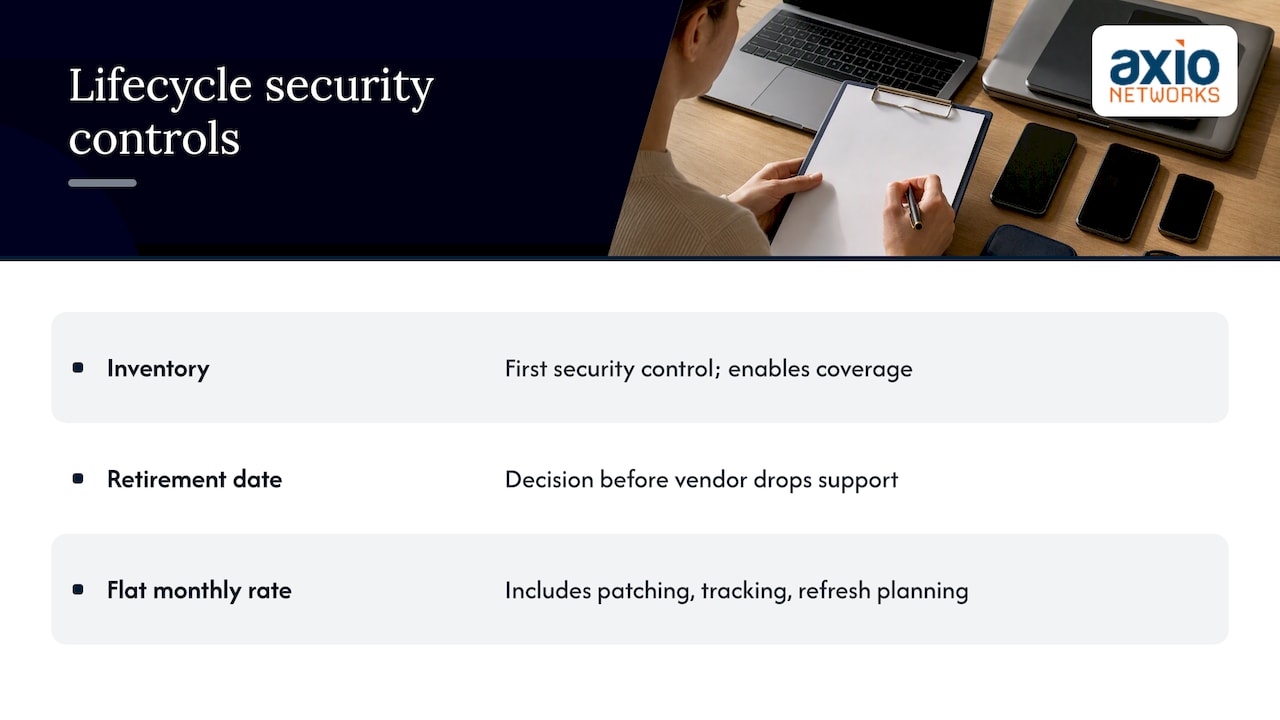
That is why we build security into every service rather than selling it as an add-on. An inventory is the first security control, because monitoring, patching and endpoint protection can only cover what you know exists. A retirement date is a security control too, because it forces the decision before a vendor drops support and decides for you.
Our approach is a flat monthly rate, so lifecycle work such as patching, tracking and refresh planning is part of how we run your environment, not a surprise invoice. If you run lean, the best thing you can do this quarter is name one owner for the inventory and put a retirement date on every device that lacks one.
— Jim O’Connell
How Axio Networks can run this for you
If you do not have in-house IT staff, lifecycle management is the kind of work that slips. Our managed IT services include help desk, proactive monitoring and planning, with security designed in, for a flat monthly fee. We can also handle backup and disaster recovery before a device is wiped, and SOC monitoring across the endpoints you keep. To see what that would look like for your office, start from our Managed IT Services page.
FAQ
What are the stages of IT asset lifecycle management?
A common model has five stages: request, procurement, deployment, maintenance and retirement. Some frameworks split them differently, for example adding planning or separating disposal, but they cover the same ground. What matters is that every stage updates the same inventory record.
How often should a business replace laptops and servers?
There is no universal number. Base it on warranty terms, vendor support dates and whether the device can run your current security tools. Many businesses set a fixed cycle by device type and then retire sooner if a vendor ends support. Put the planned retirement date in the inventory at purchase.
What is the safest way to dispose of old business computers?
Back up what you need, remove accounts and licenses, sanitize or destroy the drives, and hand the equipment to an R2 or e-Stewards certified recycler, as the EPA recommends. Keep the certificate with the asset record. If the device held regulated data, such as health or payment information, ask your compliance advisor which destruction method applies.
Can a small business do this without an IT department?
Yes, if one person owns the process and the inventory updates when equipment changes hands. Many small businesses hand the tracking, patching and refresh planning to a managed IT provider, so it happens consistently rather than when someone has time.
Sources
- What Is IT Asset Management (ITAM)? IBM
- Hardware Lifecycle Management: The 5 Stages Explained
- CISA Orders Federal Agencies to Strengthen Edge Device Security
- Foundations for OT Cybersecurity: Asset Inventory Guidance, CISA
- CISA Cyber Essentials Starter Kit
- Certified Electronics Recyclers, US EPA