An IT service level agreement (SLA) is the part of your contract that turns “we’ll take care of it” into numbers: how fast your provider responds, how fast problems get fixed, how much uptime you can count on, and what happens when they miss. A good one is short, specific and written with your business in mind. A bad one is a page of uptime percentages with exclusions that swallow the promise.
This guide is for owners and managers of small and mid-sized businesses who are signing, renewing or questioning an IT support or managed IT contract. It covers the clauses that matter, realistic ticket-priority examples, the arithmetic behind uptime figures, the SLA vs. OLA difference, and the help desk metrics worth tracking afterward.
TL;DR
- An SLA is a documented contract that defines expected service: uptime, response times, resolution targets and the remedy (usually service credits) when the provider falls short.
- Response time is not resolution time. Insist on both, by priority level, with the business-hours clause spelled out.
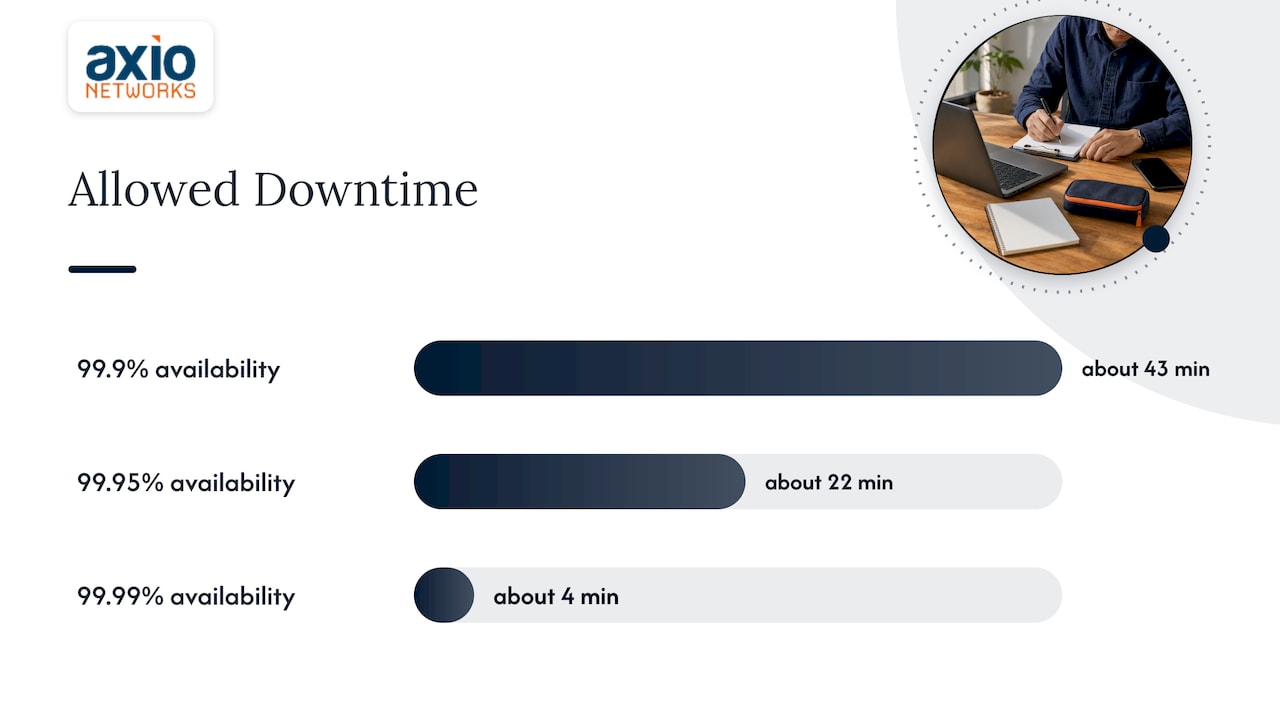
- 99.9% sounds perfect but allows about 43 minutes of downtime in a 30-day month, and exclusions can make real-world uptime lower still.
- Credits are rarely automatic. Check the claim process and deadline before you sign.
- Ask how the provider backs the SLA internally. That is what an OLA is for.
Table of Contents
- What an IT service level agreement actually covers
- Response time vs. resolution time
- IT support SLA examples: P1 to P4 priorities
- Uptime percentages, translated into minutes
- SLA vs. OLA: the internal half of the promise
- Where SLAs let small businesses down
- Help desk KPIs and metrics worth tracking
- A checklist before you sign
- Our perspective: an SLA should describe how we already work
- How Axio Networks can help
- FAQ
- Sources
What an IT service level agreement actually covers
At its core, an SLA is a commitment between a provider and a customer on quality, availability and responsibilities. NIST’s glossary describes it as defining the provider’s specific responsibilities and setting customer expectations. In practice, a useful IT support SLA includes:
- Scope: which systems, users, locations and services are covered, and which are not.
- Support hours: when the help desk is staffed, and what happens after hours.
- Ways to open a ticket: phone, email, portal, chat.
- Priority levels: a definition of each, so everyone agrees what counts as an emergency.
- Response and resolution targets for each priority.
- Escalation path: who gets involved when a target is about to be missed.
- Availability targets for managed infrastructure or hosted services.
- Exclusions and customer responsibilities.
- Reporting and review: how performance is measured and how often you see it.
- Remedies: what you receive when a target is missed.
The Rework SLA guide adds a point worth borrowing: each metric should be defined once, with its unit, the system of record, and when the clock starts and stops. Without that, two sides can look at the same ticket and disagree about whether the target was met.
Response time vs. resolution time
This is the distinction most disputes grow from.
- Response time is how long it takes the provider to acknowledge your request and start working on it.
- Resolution time is how long it takes to restore service or fix the problem.
A 15-minute response promise tells you someone will pick up quickly. It does not tell you when the server will be back. Resolution depends on the cause, third-party vendors, internet carriers, replacement hardware and access to the affected systems, so a mature SLA often commits firmly to response and communication intervals, and sets resolution as a target by priority.
When you compare proposals, look for all three of these:
- A response target for every priority level.
- A resolution (or restoration) target for at least the top two levels.
- An update interval, for example how often you hear from a technician while a critical issue is open.
IT support SLA examples: P1 to P4 priorities
Most IT support SLAs sort tickets into four priority levels. The Rework guide gives typical example targets, which we reproduce here as illustrations, not as a standard you can expect from any provider:
| Priority | Typical meaning | Example response | Example resolution |
|---|---|---|---|
| P1 | Business-critical system down | 15 minutes | 4 hours |
| P2 | Major function impaired | 1 hour | 1 day |
| P3 | Single user affected | 4 hours | 3 days |
| P4 | General request | 1 day | 5 days |
Three things to check around a table like this:
The definitions. The same source advises defining exactly what qualifies for each level to prevent “priority inflation,” where every ticket gets filed as urgent. “Email is down for the whole office” is P1. “My monitor flickers” is not. Write those examples into the contract.
The clock. These targets are usually scoped to business hours, for instance 8 am to 6 pm local time, with different rules after hours. Ask whether the clock runs 24/7 for P1 or only during the working day. Rework’s guidance calls this one of the most common points of contention.
The baseline. The same guidance stresses that targets should come from your historical data and the provider’s real capacity, not copied from generic benchmarks. A promise nobody can keep is worse than a modest one that is met every time.
Uptime percentages, translated into minutes
Availability clauses look precise and are often misread. Microsoft’s guidance on reading an SLA frames a percentage as an engineering signal about allowed downtime, not a promise of perfection. For a 30-day month (43,200 minutes):
| Availability | Allowed downtime per month |
|---|---|
| 99.9% | about 43 minutes |
| 99.95% | about 22 minutes |
| 99.99% | about 4 minutes |
The 99.95% and 99.99% figures come from Microsoft’s page; the 99.9% line is the same arithmetic (0.1% of 43,200 minutes).
Then read the exclusions. Providers typically leave out scenarios such as customer-side configuration errors or pre-announced maintenance, so the uptime you experience can be lower than the number on the page. Your own internet provider’s outages are another common carve-out.
Also resist the urge to average. If your line-of-business app depends on several services, the same Microsoft guidance cautions against casually combining their SLAs, because real failures are rarely independent. Treat any single vendor’s percentage as a statement about that component, not about your whole business.
SLA vs. OLA: the internal half of the promise
An SLA is the external commitment to you. An operational level agreement (OLA) is an internal agreement between the provider’s own teams, for example the network engineers, the help desk and the security analysts, setting how they work together so the SLA can be met. ManageEngine’s explainer makes the point that an SLA without supporting OLAs tends to be an empty promise, since nobody internally is accountable for the pieces. BMC describes OLAs the same way: they align support teams to deliver what the external SLA promised.
| SLA | OLA | |
|---|---|---|
| Between | Provider and customer | Teams inside the provider |
| Purpose | Sets what you can expect | Sets how teams hand off and support each other |
| You see it? | Yes, it’s in your contract | Usually not, it’s an internal document |
| Typical content | Response, resolution, uptime, remedies | Hand-off times, ownership, escalation between teams |
You will rarely get to read a provider’s OLAs. You can still ask: when a ticket needs a security analyst or a network engineer, how does it get handed off, and how fast? A confident answer suggests the internal plumbing exists.
Where SLAs let small businesses down
The default, provider-written agreement
NIST’s cloud risk guidance warns that the main trap is accepting a default SLA written from the provider’s side, and advises customers to involve their own procurement and technical experts and negotiate terms that fit (NIST, Chapter 7). The same chapter says an SLA is a risk management tool and should cover security and privacy responsibilities, not just uptime. For a business handling client financial data, health records or payment cards, that point is not optional.
Credits instead of outcomes
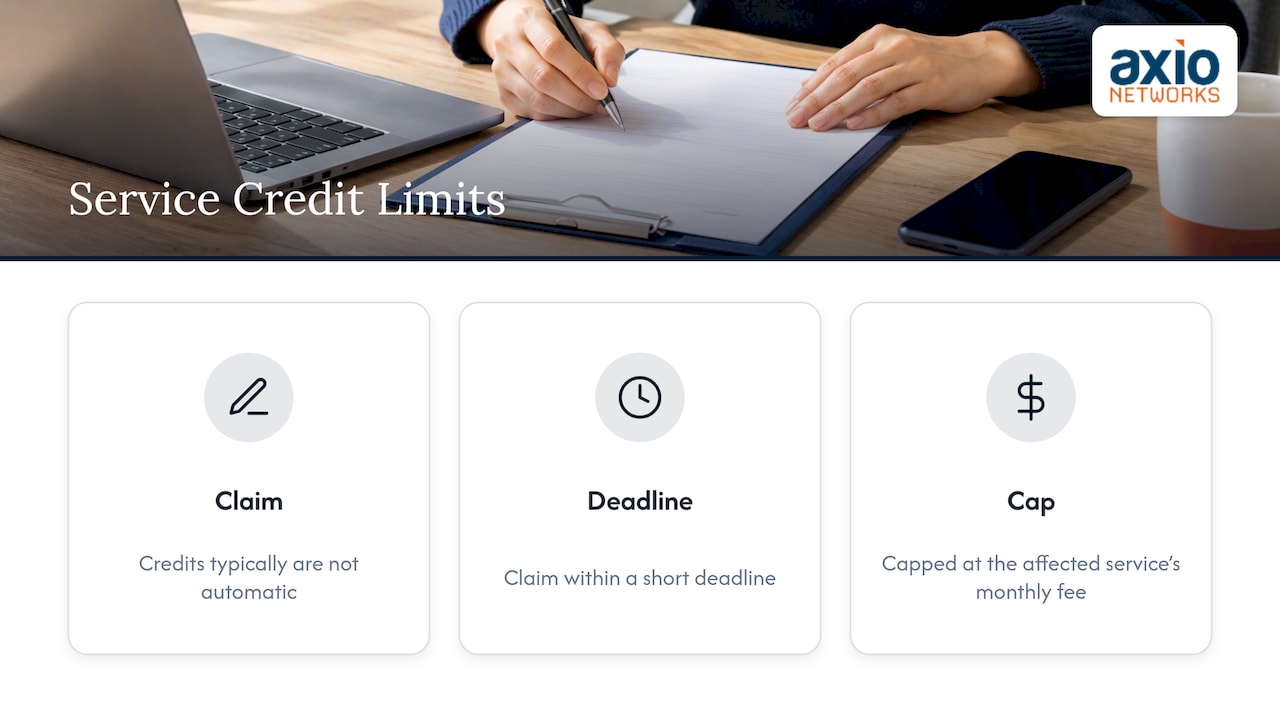
An SLA is rarely a guarantee that things will work. It is a framework for compensation when narrowly defined failures occur. Microsoft’s guidance notes that credits are typically not automatic and have to be claimed within a short deadline, and AWS describes credits capped at the monthly fee for the affected service. Ask three questions: Who has to notice the miss? How do I claim? How long do I have?
Credits also do not cover what an outage costs you. If an hour of downtime stops ten employees from billing, a small credit against a monthly fee is not the point. Reliability comes from the provider’s design and discipline; the SLA makes it measurable.
Silence about after-hours
Many small businesses work evenings, weekends or across time zones. If your SLA only covers weekday business hours, an overnight ransomware alert or a Saturday server failure waits until Monday. Ask what P1 looks like at 9 pm. If your customers also call after hours, an after-hours call answering layer can make sure nothing is dropped while your IT escalation path wakes up.
Help desk KPIs and metrics worth tracking
An SLA you never measure is just a document. Ask your provider for a monthly report built from a short list of metrics:
- First response time: how long from ticket creation to the first real action by a technician.
- Time to resolution: by priority, measured against your SLA targets.
- SLA attainment: the percentage of tickets in each priority that met the target. Watch P1 and P2 closely, because averages across all tickets hide the ones that hurt.
- First contact resolution: how often the issue is fixed without a hand-off.
- Reopened tickets: a signal that problems were closed rather than solved.
- Escalation rate: how often tier-one cannot solve it.
- Recurring issues: the same user, device or application showing up repeatedly. Fixing the root cause cuts the ticket volume and is where a proactive provider earns its fee.
- User satisfaction: a short survey after closure.
For a company with 20 to 100 employees, a one-page monthly summary and a quarterly review are enough. If a provider cannot show you these numbers, the SLA is a promise they are not tracking.
A checklist before you sign
- Are priority levels defined with examples that match how your business works?
- Does every level have both response and resolution targets, and an update interval for P1?
- Are support hours explicit, including after-hours and holiday coverage and how the clock runs?
- What is excluded, and who decides whether an outage falls into an exclusion?
- What are the remedies, and is the claim process realistic?
- Does the SLA address security responsibilities, such as who monitors, who responds to an incident and who notifies whom?
- How is performance reported, and how often do you meet to review it?
- What are the exit rights if targets are missed repeatedly?
- Does pricing include what the SLA promises? Flat-rate agreements are meant to avoid surprise costs, so confirm whether after-hours escalations or emergency work are covered or billed separately. Our guide to flat-rate IT support clauses goes through what to look for.
Our perspective: an SLA should describe how we already work
We built Axio Networks for small and mid-sized businesses in the Phoenix metro area, and the first thing we tell prospects about SLAs is that a number on paper is only as good as the operation behind it. Our average response time is under 30 minutes, and we would rather you judge that by watching how a provider handles your first few tickets than by a headline figure.
The second thing is that uptime is not the whole story. We design security into every service we deliver, so patching, endpoint protection, email filtering and monitoring are part of how we run your environment, not an add-on you discover is missing after an incident. An SLA that says nothing about security responsibilities leaves the most expensive failure unaddressed.
The third is predictability. We work on flat-rate pricing so the cost of IT support is steady and you are not nervous about calling the help desk. When pricing is fixed, both sides care about the same thing: fewer incidents. If you are comparing providers, ask each one to put response targets, after-hours handling, exclusions and reporting in writing, and compare those pages side by side.
— Jim O’Connell
How Axio Networks can help
If you are reading an SLA right now and unsure what it should say, we are glad to walk through it with you. Our managed IT services cover help desk, remote and on-site support, network and server administration and Microsoft 365 management, with cybersecurity services built in, including SOC monitoring. For common questions about how agreements and pricing work, see our managed IT FAQ, or get in touch to talk through your situation.
FAQ
What is a good response time for an IT support SLA?
There is no universal number, but common examples run from about 15 minutes for a business-critical outage up to a business day for general requests. What matters is that the target is tied to defined priority levels and to a stated clock, such as business hours or 24/7. Ask a provider to show its actual performance against those targets, not just the promise.
What is the difference between SLA and OLA?
An SLA is the commitment a provider makes to you as a customer. An OLA is an internal agreement among the provider’s own teams that defines how they cooperate to meet that commitment. You normally sign the SLA and never see the OLA, but the OLA is what makes the SLA achievable.
What does 99.9% uptime mean in an SLA?
It means roughly 43 minutes of allowed downtime in a 30-day month. Exclusions such as scheduled maintenance or issues on your side may not count toward that figure, so read the definitions of downtime and the claim process closely.
Can I negotiate an IT SLA as a small business?
Yes, and you should. NIST advises customers not to simply accept a default provider-written SLA but to bring their own technical and procurement expertise to the table. Focus on priority definitions, after-hours coverage, security responsibilities and reporting, which cost a good provider little to put in writing.
Sources
- What is SLA? Service Level Agreement Explained, AWS
- How to Read a Service-Level Agreement, Microsoft Learn
- SLA (Service Level Agreement): Meaning, Examples & Template, Rework
- Chapter 7: Managing Risk in the Cloud, NIST
- service level agreement (SLA), NIST CSRC Glossary
- SLA vs OLA: Definitions, differences, and drafting tips, ManageEngine
- What Is an Operational Level Agreement (OLA)?, BMC