Network segmentation means splitting your network into separate zones and controlling what can travel between them. For a small or midsized business, the most useful first move is simple: put guests, staff computers, servers, cameras and other connected gadgets in different zones, then allow only the traffic each one needs. Done well, one infected laptop or one compromised smart camera stays a small problem instead of becoming a company-wide outage.
This guide covers what to separate, how VLANs and firewalls make it work, how zero trust fits in, and how to roll it out without interrupting the business.
TL;DR
- Segmentation limits how far an attacker can move once inside. The FTC lists it among the basics of reasonable data security.
- Start with four zones: staff and business devices, servers and data, guests, and IoT or building systems. Add more only when you can manage them.
- VLANs create the zones. A firewall or Layer 3 device with default-deny rules between them is what makes the separation real.
- Plan in order: inventory, group, map traffic, set rules, test, document. Then review on a schedule.
- Zero trust is the next step, not a replacement. Segmentation is the foundation it builds on.
Table of Contents
- What network segmentation does for a small business
- What to separate: devices, users and systems
- How VLANs create the zones
- Rules between zones: default deny
- Where zero trust fits
- A rollout plan that does not break the office
- Testing, monitoring and review
- Common mistakes to avoid
- Our perspective
- How Axio Networks can help
- FAQ
- Sources
What network segmentation does for a small business
A flat network is one where every device can talk to every other device. It is easy to set up and easy to break. Malware that lands on a front-desk PC can reach the file server, the accounting system and the backup console, because nothing stands in the way.
Segmentation puts walls inside the building. Cisco describes it as dividing a network into smaller segments and controlling traffic between them, which helps limit unauthorized lateral movement, contain threats and support least-privilege access. CompTIA adds practical benefits you will notice in a small office: a smaller attack surface, better access control, less congestion, and a smaller scope for compliance audits.
The FTC puts it in plain terms. Its Start with Security guide tells businesses to segment the network, noting that not every computer needs to communicate with every other one.
Three outcomes matter most to a business owner:
- Containment. An incident hits one zone, not everything.
- Control. Staff, vendors and visitors reach only what their role requires.
- Clarity. When something odd happens, you know which zone to look at.
What to separate: devices, users and systems
There is no universal map, but most offices of 10 to 200 people land on the same handful of zones. Think about two questions for each device: how much damage could it do if compromised, and how much damage could be done to it?
| Zone | What belongs there | Why it is separate |
|---|---|---|
| Corporate | Staff laptops, desktops, business phones | Daily-use devices face email, web and USB risks, so they are the most likely entry point |
| Servers and data | File servers, line-of-business apps, databases, backup targets | Highest-value assets; only specific ports and users should reach them |
| Guest | Visitor and customer Wi-Fi | Unmanaged devices should get internet access and nothing else |
| IoT and building systems | Cameras, smart TVs, thermostats, badge readers, printers | These devices are often hard to patch and should not see your data |
| Payment systems | Card terminals and POS | Keeping them isolated can reduce the scope of compliance work |
| Management | Switch, firewall and access point admin interfaces | Only IT administrators should reach the controls that run the network |
| Voice | VoIP phones | Keeps call traffic prioritized and away from general traffic |
Two extra groups deserve a decision. Personal phones should join the guest zone or a restricted staff-device zone, not the corporate zone. Contractor and vendor laptops should get their own restricted access, since they are outside your patching and policy control. Our guide on securing your supply chain covers third-party risk in more depth.
If you take card payments or run an online store, isolating payment systems pays off twice: less exposure and less to audit. The same logic runs through cybersecurity for e-commerce businesses, where customer and payment data are the prize.
How many zones is enough?
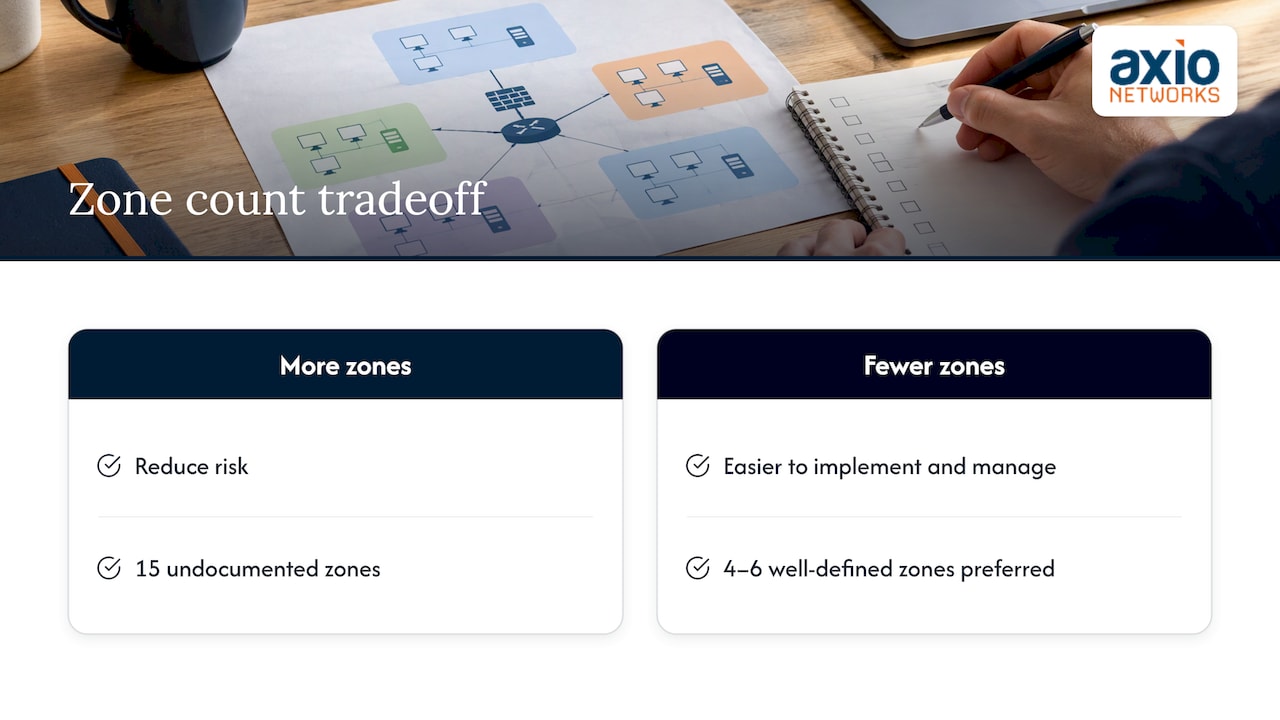
NIST’s guidance for small manufacturers makes a point that applies to every small shop. More security zones reduce risk, but fewer zones are easier to implement and manage, so pick the number your team can actually maintain. Four to six well-defined zones beat fifteen that nobody documents.
How VLANs create the zones
A VLAN (virtual LAN) is a logical network carved out of your physical switches. Devices on the same VLAN behave as if they share a dedicated switch, even when they are plugged into the same hardware as everyone else.
According to Meraki’s documentation on 802.1Q tagging, VLANs work with subnetting to keep traffic from different networks separated across shared links, and switches tell VLANs apart using tagged (trunk) and untagged (access) ports. Access ports connect end devices such as PCs and printers. Trunk ports carry several VLANs between switches, access points and the firewall.
One point trips up many first-time builds: a VLAN on its own does not stop devices from talking across zones. Traffic between VLAN-separated subnets must pass through a Layer 3 device such as a firewall or routed switch, as Meraki notes. That device is where you write the rules. Without rules, you have organized the network, not secured it. Our explainer on how VLANs improve network security goes further into the mechanics.
VLAN best practices that prevent real problems
- Match trunk settings on both ends. Meraki recommends the same encapsulation, allowed VLANs and native VLAN on each side of a trunk, which helps avoid issues such as VLAN hopping.
- Allow only the VLANs a trunk needs. Do not let every VLAN ride every link.
- Keep user VLANs off the management VLAN. A guest or staff device should never reach switch or firewall admin pages.
- Leave unused switch ports disabled or assign them to a dead-end VLAN, so a stranger who plugs in gets nowhere.
- Use clear names and numbering, such as 10 for corporate, 20 for servers, 30 for guest. You will thank yourself during an outage.
- Pair each VLAN with its own subnet and its own firewall policy. One VLAN, one subnet, one rule set is easy to reason about.
Wi-Fi follows the same pattern. Create separate SSIDs for staff, guests and devices, and map each to its VLAN. Guest Wi-Fi with internet-only access is the single quickest win in most offices.
Rules between zones: default deny
Zones only protect you if the traffic rules between them are tight. The approach that holds up in standards is default-deny: block everything between zones, then permit specific flows.
Guidance on ISO 27001 control 8.22 recommends documenting each allowed flow, including protocol, port, direction, business purpose and owner, enforcing it with firewalls or ACLs, and reviewing and pruning the ruleset regularly. CISA’s baseline for critical infrastructure says the same thing about IT and operational technology boundaries: connections should be denied unless explicitly allowed, for example by IP address and port. You do not run a power plant, but the principle scales down well.
In a typical office the first rule set looks like this:
- Guest to anything internal: deny. Guest to internet: allow.
- IoT to internal zones: deny. IoT to internet: allow only what the vendor needs.
- Corporate to servers: allow only the specific ports for the file share, the line-of-business app and printing.
- Servers to corporate: deny new connections initiated from the server side, except for specific services you can name.
- Anything to management: deny, except from named administrator devices.
- Payment systems: allow only to the payment processor and nothing else.
A “permit any” rule written to fix a one-off problem is the most common way segmentation quietly dies. Every rule needs an owner and a reason.
Where zero trust fits
Zero trust treats no user, device or connection as trusted by default. Segmentation is how you put that into practice on the network. AWS’s SMB guidance lists micro-segmentation among the core components, alongside strong identity management, multifactor authentication and continuous monitoring, and says segmenting the network into smaller zones is a step you can take without a complete overhaul.
The difference between the traditional approach and the zero trust one is granularity. CISA explains that traditional networks use coarse segments that reflect physical layout and business needs, often with security focused on the perimeter. Microsegmentation divides those boundaries further and uses more than network-layer controls to enforce and monitor them. CrowdStrike frames the same split: macro-segmentation is usually built on internal firewalls and VLANs, while microsegmentation moves the perimeter closer to each resource.
For most small businesses, the sensible order is:
- Build clean VLAN-based zones with default-deny rules.
- Add identity controls such as multifactor authentication, and endpoint protection on every device.
- Tighten access around your most sensitive applications, down to individual workloads where it is worth the effort.
Our piece on zero trust for small business shows how to take that second and third step at a realistic pace.
A rollout plan that does not break the office
The risk in segmentation projects is not the design. It is the Monday morning when the accounting software cannot find its database. A staged plan avoids that.
NIST’s guidance on security segmentation for small manufacturers offers a six-step approach: identify assets, assess risk and create zones, determine each zone’s risk level, map communications between zones, determine security controls, and document a logical architecture diagram. It was written for manufacturing, but the sequence works for any office. Here is how it translates:
- Inventory everything with an IP address. Include printers, cameras, phones, guest devices and forgotten servers. You cannot place what you have not found.
- Group by function and risk. Use the zone table above as a starting draft.
- Map who talks to whom. Which workstations need the file server? Which app talks to which database? Log traffic for a week or two before you write rules if you can.
- Design the rules. Default deny, with each allowed flow documented.
- Plan the change. Back up device configurations first, pick an after-hours window, and prepare a rollback. Firewall deployment guidance from ITU Online stresses staging, testing and validating real application behavior rather than only checking that a ping works.
- Migrate in waves. Start with guest Wi-Fi, then IoT, then servers, then staff devices. The earliest waves carry the least business risk and build confidence.
- Test, document and hand over. Keep the network diagram and flow table current.
Similar steps appear in Cisco’s process: group resources into segments, define permitted communication, enforce policy and keep refining it as devices, apps and identities change. Segmentation is a living control, not a project with a finish line.
Testing, monitoring and review
A rule that looks right in the firewall console may not behave right on the wire. Test both. Practical guidance on CIS safeguards recommends validating the configuration and the behavior: confirm the rules match your allowlist, then show that disallowed traffic is actually blocked, and keep the results as evidence.
A simple test routine:
- From a guest device, try to reach a file server, a printer and the firewall admin page. All should fail.
- From an IoT device, try to reach the corporate zone. It should fail.
- From the corporate zone, scan the server zone and confirm only documented ports respond.
- Check that vendor remote access reaches only the systems it is meant to reach.
For monitoring, guidance on segregation controls expects cross-zone firewall logs and alerts on new inbound rules, overly broad address ranges and new VPN tunnels, plus periodic review of the flow list and rulebase. Set a recurring review, quarterly for most small teams, and retest after any change to the firewall, switches or Wi-Fi. If you handle payment card data, your compliance framework may require formal segmentation testing on a set schedule, so confirm the current requirements with your assessor.
Common mistakes to avoid
- VLANs without firewall rules. Separation on paper, open in practice.
- Skipping the inventory. Unknown devices end up in the wrong zone or break when you move others.
- Too many zones too soon. Complexity is its own risk.
- Forgetting Wi-Fi. Staff phones on the corporate SSID undo the design.
- No documentation. The person who built it leaves, and nobody dares touch it.
- Treating segmentation as the whole defense. Pair it with patching, multifactor authentication, backups and endpoint protection. Our checklist on endpoint security best practices covers the device side.
Our perspective
Most small businesses we meet in the Phoenix area did not choose a flat network. It grew that way: a router from the first office, a few switches added with each hire, a camera system installed by a vendor, and nobody ever drawing the map.
We design security into every service we deliver, and segmentation is a good example. It is not a product you buy once. It is a set of decisions about who and what should reach which system, kept current as your staff, vendors and software change. That is why we treat it as part of managed IT rather than a one-off install, and why our flat-rate model fits: the review, the rule changes and the monitoring are part of the work, not surprise line items.
If you do one thing this quarter, separate guests and IoT from everything else, and write down what each remaining zone is allowed to reach. That alone shrinks the damage from the most common ways attackers get in.
Jim O’Connell
How Axio Networks can help
We plan, build and manage segmented networks for small and midsized businesses across the Phoenix metro area, from the first asset inventory through VLAN design, firewall policy, Wi-Fi and ongoing monitoring. Our network and infrastructure team designs and cables the environment, and our managed network services keep rules, firmware and documentation current afterward.
If you want to know where your network stands first, a cybersecurity assessment maps your current exposure, and our cybersecurity services add endpoint protection, email security and SOC monitoring around the segmented design. Talk to our team about a plan that fits your size and budget.
FAQ
Is network segmentation worth it for a business with fewer than 50 employees?
Yes. Small offices often hold customer records, payment data and financial files, and the FTC lists segmentation among its basic data security lessons. You do not need a complex design: separating guests, IoT devices, servers and staff devices gives most of the benefit.
Is a VLAN the same as network segmentation?
No. A VLAN is one tool for creating segments on switches and Wi-Fi. Segmentation also includes the firewall or Layer 3 rules that control traffic between those segments. VLANs without such rules separate devices logically but do not restrict what they can reach.
What is the difference between segmentation and microsegmentation?
Traditional segmentation divides the network into broad zones, usually with VLANs and internal firewalls. Microsegmentation applies policies at the level of individual workloads or applications. Most small businesses start with the broad zones and add finer controls around their most sensitive systems.
How long does it take to segment a small business network?
It depends on how many sites and devices you have and how well you know your traffic. Most of the time goes into the inventory and traffic mapping, not the configuration. Migrating in waves, guests first and servers later, keeps the business running throughout.
How often should we review our segmentation rules?
Review the rulebase on a regular schedule, quarterly for most small teams, and retest after any change to firewalls, switches or Wi-Fi. Remove rules nobody can explain and update your network diagram each time.
Sources
- Cisco: Network segmentation guide
- CompTIA: What Is Network Segmentation and Why Does It Matter?
- FTC: Start with Security, A Guide for Business
- NIST: Cybersecurity Risk Mitigation for Small Manufacturers
- Meraki: Fundamentals of 802.1Q VLAN Tagging
- Iseoblue: ISO 27001 Control 8.22
- CISA: Cross-Sector Cybersecurity Performance Goals, Common Baseline
- AWS: Zero Trust security for SMBs
- CISA: Microsegmentation in Zero Trust, Part One
- CrowdStrike: What is Network Segmentation?
- NIST: Security Segmentation in a Small Manufacturing Environment
- Daydream: CIS Safeguard 13.4
- Daydream: ISO 27001 Annex A 8.22
- Cybersecurity for e-commerce success