A ransomware recovery plan exists to restore your last known good state and keep critical operations running. Early in an incident, focus on isolating infected systems, verifying offline backups, and invoking the recovery runbook while contacting forensics and law enforcement as appropriate. CISA and NIST guidance both support this sequence.
TL;DR:
- Keep infected devices powered on but isolated, because rebooting can erase volatile memory; capture representative system images, memory, and logs before remediation.
- Separate encrypted backup copies from production credentials, preserve offline golden images and license keys, and test restores from isolated copies before trusting them.
- Restore into a clean recovery VLAN, prioritizing identity services and systems tied to safety, revenue, legal duties, or essential dependencies; verify each tier before proceeding.
- Report early to the FBI and CISA, and notify insurers and outside counsel before public statements or ransom decisions, regardless of payment choices.
- Run tabletop, partial restore, and full offline restore drills; record recovery times, decision authority, communication flow, and unresolved findings after each exercise.
Table of Contents
- What should your first-hour recovery checklist look like?
- How do you build backups that survive a ransomware event?
- What do you do in the first 24 hours to contain the attack?
- How do you decide what to restore first?
- How do you rebuild systems without reinfecting them?
- Who do you tell, and when?
- How often should you test the plan?
- What belongs in the ransomware recovery runbook?
- Why tested recovery belongs inside managed operations
- How we help you get ready for ransomware recovery
- FAQ
- Sources
What should your first-hour recovery checklist look like?
Speed matters less than order. Teams that improvise in the first hour tend to destroy evidence or reconnect infected machines to the network. Work through these steps in sequence, with a named owner for each:
- Detect and confirm (incident commander): validate the alert, declare the incident, and open an out-of-band channel.
- Isolate (recovery lead): disconnect affected hosts and segments without powering them off.
- Preserve evidence (forensic lead): capture system images and memory from representative systems.
- Notify (communications lead): alert the response team, executives, and law enforcement contacts.
- Verify backups (recovery lead, ongoing): confirm that offline copies are intact and untouched.
Three decision points deserve a pre-agreed answer before an incident:
- Law enforcement: report to the FBI, CISA or MS-ISAC regardless of how you decide on payment, and ask whether a decryptor already exists.
- External forensics: engage outside responders when scope is unclear or your team lacks memory-capture experience.
- Business continuity procedures: switch to manual or degraded operations the moment a revenue or safety system is down, not after restoration fails.
If you want a deeper walkthrough of the immediate aftermath, our guide on first steps for business recovery after a cyberattack covers it step by step.
How do you build backups that survive a ransomware event?
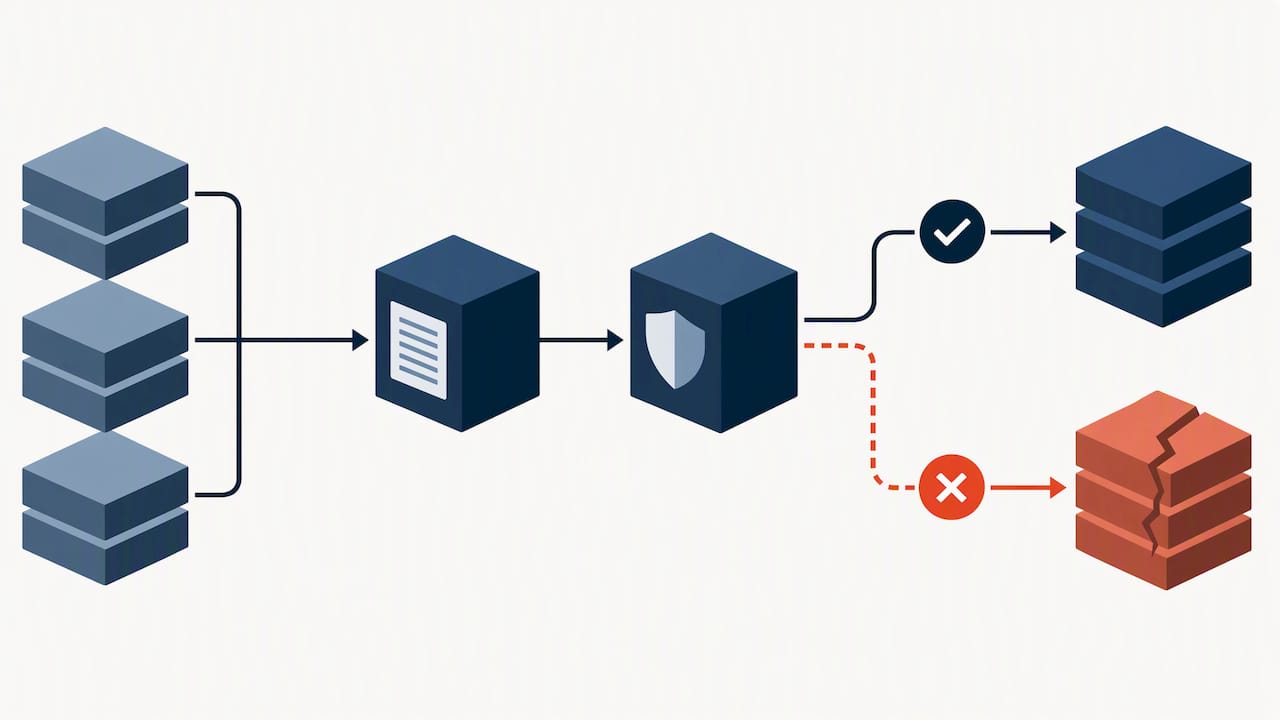
Having backups is not enough. Attackers go after backup consoles and credentials early, so your backup architecture has to assume the production environment is already compromised. CISA and NIST guidance calls for offline, encrypted backups and routine restoration testing, plus a communications plan that exists in hard copy.
Build the architecture around these rules:
- Keep backup copies offline or logically isolated, with credentials that are not shared with the production domain.
- Use immutable (write-once) storage where it fits, and keep it encrypted and tested.
- Maintain golden images, install media and license keys offline, and escrow critical software so a rebuild never waits on a vendor portal.
- Document restore verification exercises and record the achieved recovery time against your RTO and RPO assumptions.
- Back up identity infrastructure, configuration exports and runbooks, not just file shares and databases.
Trade-offs you will have to decide:
- Frequency versus cost: more frequent backups shrink your RPO but multiply storage and retention costs.
- Snapshots versus full images: snapshots restore quickly but can share a failure domain with the source, while full images are slower but easier to isolate.
- Complexity versus speed: a layered scheme with several copy types is more resilient but slower to restore under pressure unless the steps are scripted.
Pro Tip: Schedule regular restore tests that start from the offline copy, using documented steps and someone who did not build the backup system.
Before restoring anything, verify the integrity of your backups so you do not reintroduce encrypted or tampered data. NIST’s data integrity guidance adds that you need a verified last-known-good determination, supported by logging and corruption testing, before any restore begins. Our overview of cloud backup and disaster recovery shows how this architecture looks in practice, and our guide to a proactive five-step ransomware defense covers the prevention side.
What do you do in the first 24 hours to contain the attack?
Containment and forensics happen in parallel, and the order matters. CISA’s guidance is to isolate infected systems first, then triage, then capture images and memory. Avoid rebooting infected devices, because a reboot destroys the volatile memory that often holds encryption keys, process details and attacker tooling. Keep devices powered on in an isolated state, or hibernate them, instead.
Follow this containment sequence:
- Identify impacted systems from EDR alerts, ransom notes and file extension changes.
- Isolate hosts using EDR network containment, switch port shutdowns or VLAN moves.
- Capture forensic images and memory from representative systems before remediation.
- Collect logs and EDR telemetry from the earliest sign of compromise forward.
- Move coordination to out-of-band channels, because email and chat may be monitored or down.
- Contact federal law enforcement and ask about available decryptors, as the joint CISA and MS-ISAC checklist directs.
Containment tactics, from least to most disruptive:
- Quarantine hosts through your EDR console.
- Move affected machines into an isolated VLAN.
- Disconnect at the switch level.
- Temporarily reduce network exposure by blocking remote access paths.
Log sources to pull immediately:
- EDR telemetry and detection history
- Firewall and web proxy logs
- VPN authentication and session records
- SIEM alerts and authentication events from domain controllers
- Email gateway logs for the initial delivery vector
Initial forensic artifacts include memory captures, disk images of representative systems, the ransom note, sample encrypted files and any suspicious binaries. Hash and label each item and log who handled it, since insurers and counsel will ask. Our guide on how to minimize ransomware damage adds more containment detail.
How do you decide what to restore first?
Restoring everything at once is the fastest way to reinfect the environment. Staged restoration lets you prove each layer is clean before the next one depends on it. CISA and NIST guidance emphasizes prioritizing critical systems for restoration and verifying backup integrity before each restore.
Start with a current critical-asset list. Rank every system by what failure costs you:
- Health and safety: anything whose outage puts people at risk.
- Revenue: order entry, billing, production and customer-facing platforms.
- Legal obligations: systems that hold records you are required to retain or report on.
- Dependencies: identity, DNS, DHCP and networking, which almost everything else needs.
A simple rubric scores each system on impact (1 to 5), dependency (how many other systems need it first) and ease of restore. High impact with low dependency and easy restoration goes first. Identity services usually rank early regardless of their own impact score, since nothing else authenticates without them.
Stage the work like this:
- Build a clean recovery VLAN with no route back to the compromised network.
- Restore into that VLAN and validate images before any user touches them.
- Set rollback and retest checkpoints after each tier.
- Decide per system whether to rebuild or restore: rebuild anything with signs of persistence or with a golden image available, and restore only when the backup is verified clean and the system is too complex to reconstruct.
Document the rubric scores in your runbook so nobody is arguing priorities during the incident.
How do you rebuild systems without reinfecting them?
Rebuilding from known-good sources beats cleaning an infected system. CISA and NIST advise maintaining golden images of critical systems that can be rapidly redeployed using infrastructure-as-code. The templates themselves must also be protected, since an attacker who alters them poisons every rebuild.
Practical rebuild steps:
- Keep tested golden images and IaC templates, with offline copies of the templates and installers.
- Rebuild from those sources rather than from the compromised hosts.
- Isolate known-good domain controllers and rebuild the rest of the directory around them.
- Script the krbtgt password reset and privileged account cleanup. Microsoft’s incident response guidance includes preserving known-good domain controllers, resetting the krbtgt password and restricting privileged sign-ins during containment.
- Validate before reintroduction: review logs, run integrity checks, scan endpoints on the recovery VLAN, and pilot with a small group of users.
Cloud and on-prem rebuilds differ. In the cloud, you can redeploy from templates quickly but must rotate access keys and review role assignments, because stolen tokens survive a rebuild. On-prem, hardware, firmware and licensing add steps. Use immutable cloud storage with care: it protects retained data, but you still need to confirm the data was clean when it was written.
Pro Tip: Store your krbtgt reset script and identity recovery steps with the offline runbook, and rehearse them periodically in a lab domain.
Who do you tell, and when?
Technical recovery is only half the incident. The FTC notes that U.S. states and territories have breach-notification laws that demand prompt action when personal information is exposed, so your plan must cover business impact and notification, not just restoration.
Build the notification sequence into the runbook:
- Internal: incident commander and executives immediately, then staff through a controlled message once scope is clear.
- Law enforcement: report early to the FBI, CISA or MS-ISAC.
- Insurer and outside counsel: engage both before making statements or ransom decisions, since policies often require prompt notice. NIST’s profile recommends keeping contacts for legal counsel and response resources current and considering cyber insurance.
- Customers, partners and regulators: according to state law and counsel’s guidance, with FTC and state breach-notification rules as the reference points.
Your holding statement should confirm that an incident occurred, say that you are investigating, name a contact channel and promise updates. Leave out attack vectors, affected system names and recovery timelines that could help the attackers or create commitments you cannot keep.
How often should you test the plan?
Untested backups are a hope, not a control. Practitioners regularly discover during real incidents that backups are incompatible or corrupt, which is why regular, realistic restoration drills are central to the guidance. Aim for a rhythm like this:
- Tabletop exercises with executives and communications staff in the room.
- Partial restore drills covering a tier of critical systems.
- A full restore drill run from offline copies into an isolated network.
- A post-exercise review after each exercise, with owners and dates for every finding.
Validate five things each time: restoration accuracy, recovery time against your target, communications flow, third-party dependencies such as your ISP or backup vendor, and who actually holds decision authority. Track simple KPIs: time to isolate, time to first clean restore, percent of critical systems restored within target, and open findings from the last drill.
Pro Tip: Keep exercise evidence (dates, attendees, results, fixes) in one folder. Auditors and cyber insurers increasingly ask for it.
What belongs in the ransomware recovery runbook?
A runbook has to work when the network, email and your best engineer are all unavailable. The Microsoft recovery plan resource organizes recovery around secure backups, implementation checklists, member accountabilities and timelines. Include these fields:
- System identifiers, owners, dependencies and restore priority
- Backup locations, credential custody and step-by-step restore instructions
- Expected restore times, measured in your last drill rather than guessed
- Offline and printed copies, stored with the golden image media
- Cross-checked contacts for law enforcement, forensics vendors, counsel, your insurer and executives, verified regularly
- A decision authority matrix naming who approves ransom or payment decisions, restoration priorities and public statements
Treat the runbook as a living document. Assign an owner, review it after every exercise and every major infrastructure change, and make sure two people can reach the offline copy at any hour.
Why tested recovery belongs inside managed operations
I have seen the same pattern in post-incident reviews: the plan existed, but nobody had run it, and the person who understood it was on vacation. A recovery plan that lives in a binder decays. One that is embedded in daily operations, with monitoring, patching, backup checks and drills owned by a team that does them every week, stays current because it is exercised constantly. Our response capabilities, security-first design and pricing model exist so recovery readiness is a standing part of operations, not a project you fund after an incident. Turn your plan into living documentation, and exercise it until the steps feel boring.
— Jim O’Connell
How we help you get ready for ransomware recovery
We fold recovery into the managed services you already rely on, so the plan above becomes something that runs rather than something that sits in a folder. Backup & Disaster Recovery helps protect your data. SOC Monitoring & MDR and Endpoint Security & EDR shorten detection and containment, and our Malware & Ransomware Recovery team works through the playbook with you when an incident hits.
Ready to find out whether your backups, runbook and response contacts would hold up? Contact us through our Managed IT Services team, and we will walk through your plan with you.
FAQ
What is the best method to recover from a ransomware attack?
Isolate infected systems, preserve evidence, then restore from verified clean backups into a separate recovery network. CISA’s checklist directs responders to determine impacted systems, isolate them, capture forensic images and triage systems for restoration. Restoring only after backup integrity is confirmed prevents reinfection.
How often should a disaster recovery plan be updated?
Update it after every exercise and major infrastructure change. Check contact lists regularly. A plan that no longer matches your systems fails when you need it most.
What should a ransomware recovery plan include?
It should include a defined incident recovery plan, a strategy for out-of-band communications and a verified backup and restoration strategy, as CISA and NIST guidance describes. Add a prioritized asset list, rebuild procedures, a decision authority matrix, notification steps and a testing schedule.
Is it possible to recover files after ransomware without paying?
Often yes, when you hold clean, tested backups that attackers could not reach. Paying does not guarantee recovery. Ask law enforcement whether a decryptor exists, since the CISA checklist recommends that consultation.