SSO centralizes access, while MFA strengthens identity verification, so the strongest pattern is one sign-in point with phishing-resistant MFA enforced there. CISA reports that MFA can block 100% of automated bots and 99% of bulk phishing attacks, and NIST SP 800-63B sets the assurance levels that tell you which methods qualify.
TL;DR:
- IdP logout does not always end app sessions, so test whether logging out of the identity provider ends them and set short lifetimes to limit exposure from stolen cookies.
- NIST requires phishing resistant cryptographic authenticators at AAL3, while SMS, email codes, and push approvals remain vulnerable to interception, phishing, or approval fatigue.
- For smaller organizations, secure administrators first, then email and file storage, followed by the most used SaaS apps; enforce MFA at the identity provider.
- Inventory apps that cannot join federation or support MFA, migrate them in phases, and assign each exception an owner and retirement date.
- Create at least two emergency administrator accounts with securely stored hardware keys, and rehearse recovery before rollout to prevent lockout.
Table of Contents
- What is single sign-on and how does it work?
- What is multi-factor authentication and how does it work?
- How do the key differences between SSO and MFA compare?
- Why should you use SSO and MFA together?
- How do you implement SSO with phishing-resistant MFA?
- Why we treat SSO and MFA as one control
- How we help you roll out SSO with MFA
- FAQ
- Sources
What is single sign-on and how does it work?
Single sign-on (SSO) lets people authenticate once and reach many applications without logging in again. A central identity provider (IdP), such as Microsoft Entra ID or Okta, verifies who the user is. Each connected application, called a relying party, trusts the IdP’s answer instead of keeping its own passwords.
The trust handoff runs on federation protocols. SAML is the older, XML-based standard common in enterprise software. OpenID Connect (OIDC), built on OAuth 2.0, is the modern option and fits web and mobile apps well. Either way, the IdP issues a signed assertion or token, and the app accepts it.
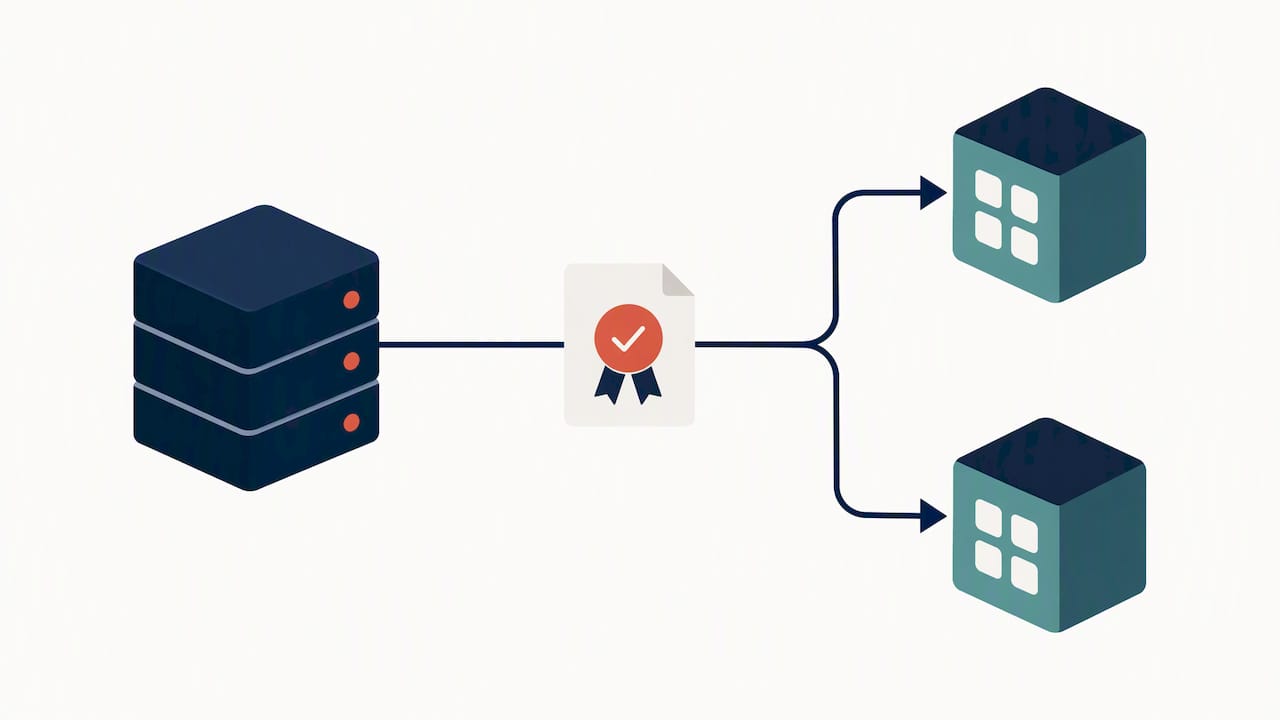
Session handling is where details matter. After sign-in, the IdP sets a session, usually through a cookie, and each app creates its own session too. If the IdP session lasts for days, a stolen cookie works for days. Single sign-off, where logging out of the IdP ends downstream sessions, helps, but not every app supports it, so test it instead of assuming it.
For IT teams, SSO pays off in several concrete ways:
- Centralized provisioning: new hires get access to every approved app from one directory entry.
- Fast revocation: disabling one account cuts off access everywhere the IdP reaches.
- Fewer passwords: users juggle one credential instead of dozens, which reduces reuse and reset tickets.
- Consistent policy: you set password and session rules once, not per app.
- Better visibility: sign-in logs land in one place for review.
The tradeoff is risk concentration. Because one login opens many doors, a compromised SSO password exposes every connected app. CISA and ESF guidance makes the same point: federation simplifies enforcement but concentrates risk in the IdP. That is why SSO by itself is a convenience and management tool, not a complete security control.
What is multi-factor authentication and how does it work?
Multi-factor authentication (MFA) requires proof of identity from more than one category of evidence. The three categories are something you know (a password or PIN), something you have (a phone or security key), and something you are (a fingerprint or face scan). CISA’s guidance stresses that the factors must come from different categories, so two passwords do not count.
Methods vary widely in strength, from weakest to strongest:
- SMS and email codes: better than a password alone, but codes can be intercepted, relayed or phished.
- Authenticator app codes: stronger than SMS, yet a user can still be tricked into typing a code into a fake site.
- Push approvals: convenient, but exposed to approval fatigue when attackers spam prompts.
- FIDO2 security keys and passkeys: a phishing-resistant option, because they cryptographically bind the login to the real site.
- Biometrics: useful as a local unlock for a passkey or key, not as a standalone remote credential.
A 2026 CISA recommendation: phishing-resistant methods such as FIDO2 security keys and device-bound passkeys cryptographically bind authentication to the session, which makes them superior to SMS or email one-time passcodes.
NIST frames this through Authentication Assurance Levels. NIST SP 800-63B lists permitted authenticators at AAL1 through AAL3 and requires phishing-resistant cryptographic authenticators for the highest level, AAL3. Its authenticator resources explain that multi-factor cryptographic authenticators use public-key cryptography to protect authentication secrets.
Start with administrators and privileged accounts, because a takeover there does the most damage. Our own walkthrough on why MFA is one of the best ways to protect your accounts covers the basics for teams that are just getting started.
How do the key differences between SSO and MFA compare?
SSO answers “which apps can this person reach after one login?” MFA answers “is this person really who they claim to be?” They solve different problems, which is why choosing between them is the wrong frame.
- Primary purpose: SSO centralizes and simplifies access. MFA raises confidence in the identity behind a login.
- Scope: SSO spans many applications through federation. MFA applies at each authentication event it is attached to.
- What it protects: SSO protects against password sprawl and orphaned accounts. MFA protects against stolen or guessed credentials.
- What it leaves exposed: SSO alone leaves a single password guarding everything. MFA alone leaves each app with its own prompts, policies and gaps.
- User experience: SSO removes repeated logins. MFA adds a step, though phishing-resistant methods such as passkeys are usually faster than typing codes.
- Management load: SSO shrinks admin work through central control. MFA adds enrollment, recovery and device-loss procedures.
A common misconception is that SSO replaces the need for MFA. It does not. SSO without MFA is a critical vulnerability, because one compromised credential can expose many apps at once. The reverse also holds: MFA without SSO works, but it multiplies prompts and inconsistent policies across your apps.
A short checklist for decision-makers:
- Apply MFA at the gateway, meaning the IdP, not app by app.
- Use SSO to federate every app that supports it.
- Watch session risk: lifetimes, unusual locations and token theft.
- Keep a list of apps that cannot join SSO, and treat them as exceptions to fix.
Why should you use SSO and MFA together?
Security experts consistently recommend centralizing access with SSO and layering phishing-resistant MFA at the entry point. One strong checkpoint protects every downstream app, and users see far fewer repeated prompts, which also reduces MFA fatigue.
Here are the situations where the pairing earns its keep:
- SaaS applications. Federate CRM, accounting, HR and collaboration tools to one IdP, then require MFA once there. Every connected app inherits the protection.
- Remote access and VPN. Tie VPN authentication to the IdP so remote logins face the same strong check as cloud apps.
- Privileged accounts. Give administrators security keys and tighter session limits than regular staff.
- Email and file stores. Mailboxes and shared drives hold your most sensitive data, so they should never sit outside the SSO and MFA perimeter.
- Contractors and guests. Issue temporary federated access that expires, instead of shared passwords.
Contextual, risk-based policies keep this from becoming a nuisance. CISA’s Enduring Security Framework notes that the most mature identity architectures change MFA requirements based on signals such as device health, location and user behavior. A managed laptop on the office network might get a quiet check, while an unknown device from a new country gets the full challenge.
For small and mid-sized businesses, prioritize in this order: administrators, then email and file storage, then your most-used SaaS apps, then everything else. You do not need a large identity team to start. Our small business guide to implementing MFA walks through scope, passkeys and what tends to break during rollout.
How do you implement SSO with phishing-resistant MFA?
A phased rollout beats a big-bang cutover. Follow these steps in order.
- Inventory first. List every application, flag admin and privileged accounts, and mark high-value systems such as payroll, email and finance. CISA’s fact sheet urges organizations to identify systems that do not support MFA so they can be fixed or migrated.
- Enforce MFA at the IdP. Require it for every sign-in at the IdP, not app by app, and move toward FIDO2 keys and passkeys. Treat SMS and email codes as last-resort fallbacks. Our post on why SMS codes are no longer enough explains the upgrade path.
- Add contextual policies. Reduce unnecessary prompts for healthy, managed devices and raise the bar for risky sign-ins.
- Use modern protocols. Prefer OIDC or SAML, set short session lifetimes, and turn on single sign-off wherever apps support it.
- Plan for legacy apps. Use connectors or adapters, move them in phases, and keep a documented exception list with an owner and a retirement date.
- Test break-glass recovery. Create at least two emergency admin accounts protected by hardware keys stored securely, and rehearse recovery before you need it.
- Operationalize. Send sign-in logs to monitoring, alert on impossible travel and repeated prompt denials, write an incident response runbook for stolen sessions, and train staff to reject unexpected approval requests.
Common pitfalls deserve a read before you launch, and our guide on common MFA mistakes and how to avoid them covers the usual ones. Credential theft is the threat behind most of this work, so our piece on advanced protection for business logins is a useful companion. For a real-world look at what compromised accounts cost, this account security incident analysis shows how fast a takeover can snowball.
Finally, remember that identity controls are only part of the picture. Secure sharing of sensitive files matters too, and this guide to secure document sharing covers how to choose a solution that fits behind your SSO and MFA setup.
Why we treat SSO and MFA as one control
Most identity incidents I have seen come from a gap between the two, not from either tool failing. A company turns on SSO for convenience, skips strong MFA because users complain, and ends up with one password guarding everything. Others buy hardware keys but leave a dozen apps outside the IdP. The cure is boring and effective: one front door, one strong lock, and a short, honest list of exceptions. Our security-first design means we build identity protection into every managed engagement, and we plan rollouts around people, not just policy.
How we help you roll out SSO with MFA
Getting identity security right takes planning, testing and steady monitoring, and you should not have to carry that on your own. Our local Phoenix-area team designs and manages SSO and phishing-resistant MFA as part of our Managed IT Services, with security built in from the start and flat-rate pricing so there are no surprise bills.
- Cybersecurity Services: assessment, policy design and rollout, backed by our responsive support.
- Managed Microsoft 365: MFA and conditional access configured for the platform your team already uses.
- SOC Monitoring & MDR: monitoring for risky sign-ins and token theft.
- Endpoint Security & EDR: device health signals that feed your contextual policies.
Book an assessment through our cybersecurity team and we will map your apps, find the gaps and give you a phased plan.
FAQ
Is SSO a form of MFA?
No. SSO lets you sign in once to reach many apps, while MFA requires evidence from different factor categories. SSO can carry an MFA check, but without one it is still a single-factor login, and CISA recommends phishing-resistant MFA for stronger protection.
What are the downsides of multi-factor authentication?
MFA adds a step to sign-in, requires enrollment and recovery procedures, and weaker forms such as SMS codes or push approvals can still be phished or abused through prompt fatigue. Phishing-resistant keys and passkeys avoid most of these problems while staying fast for users.
Can you give me an example of single-factor authentication?
A username and password alone is the classic example, because both elements are something you know. A PIN by itself or a single security question also counts. Adding a second factor from a different category, such as a security key, turns it into MFA.
What are the three types of multi-factor authentication?
The three factor categories are something you know, such as a password; something you have, such as a phone or security key; and something you are, such as a fingerprint. CISA’s guidance says MFA must combine factors from different categories.