If your business takes credit or debit cards, you are expected to meet the Payment Card Industry Data Security Standard (PCI DSS). The short version of the checklist: confirm what your merchant agreement requires, work out your merchant level, choose the right Self-Assessment Questionnaire (SAQ), close the gaps against the 12 requirements, submit your attestation and scan results, and repeat every year. This guide walks through each step in plain language, with the questions an owner or office manager actually asks along the way.
TL;DR
- Every business that accepts card payments must comply with the 12 PCI DSS requirements, and non-compliance can bring fines.
- Your merchant level depends on annual card transaction volume. Most small businesses are Level 4 and validate with an SAQ, not an on-site audit.
- SAQ A fits merchants that fully outsource card handling to a compliant third party. SAQ D is the catch-all for everyone else, and it is much longer.
- Since March 31, 2024, PCI DSS v4.0 requires quarterly vulnerability scans, annual penetration testing and change detection on payment pages.
- The cheapest route to compliance is usually shrinking your scope: keep card data off your own systems.
Table of Contents
- Who needs this checklist
- Step 1: Read your merchant agreement and name your processor
- Step 2: Find your merchant level
- Step 3: Choose the right SAQ
- Step 4: Shrink your scope before you start fixing things
- Step 5: Work through the 12 requirements
- Step 6: Complete the SAQ, scans and attestation
- Step 7: Keep it going all year
- Common mistakes we see
- Our perspective: compliance is a side effect of good security
- How Axio Networks helps Phoenix-area businesses
- A one-page PCI compliance checklist to print
- FAQ
- Sources
Who needs this checklist
PCI DSS is not a law. It is a contractual standard set by the card brands and enforced through the bank or processor that handles your card payments (your acquirer). That matters, because the first place to look for your obligations is your own merchant agreement, not a statute.
In practice the standard applies to a dental office running cards at the front desk, a Scottsdale boutique with a point-of-sale terminal, a contractor taking deposits through an invoicing app, and an online store with a checkout page. The size of the business changes how you prove compliance, not whether you must comply.
Step 1: Read your merchant agreement and name your processor
Start with the paperwork. You need to know three things:
- Who your acquirer or payment processor is.
- What validation they require from you (an SAQ, scans, an attestation form, or all three).
- Whether they run their own compliance portal, which many do.
This is also the step NerdWallet puts first: review your contract, determine your merchant level, find and complete the right SAQ, then repeat each year. Write down every place a card number can enter your business: terminals, a website checkout, phone orders typed into a virtual terminal, paper forms, email, and any software that stores cards on file.
Step 2: Find your merchant level
Card brands sort merchants into four levels by annual transaction volume. A common summary puts Level 1 above 6 million transactions, Level 2 at 1 to 6 million, Level 3 at 20,000 to 1 million, and Level 4 under 20,000. Brands differ slightly on the details, and your acquirer can assign a level or ask for more validation than the minimum, so treat the table below as a guide and confirm the final answer with your processor.
| Level | Typical annual transactions | Usual validation |
|---|---|---|
| 1 | Over 6 million | On-site assessment by a Qualified Security Assessor (QSA) |
| 2 | 1 to 6 million | Usually an SAQ, sometimes more |
| 3 | 20,000 to 1 million | SAQ plus quarterly network scans |
| 4 | Fewer than 20,000 | SAQ, with scans if your setup requires them |
Larger merchants often need a QSA on site, while smaller ones typically complete an SAQ. Most businesses we talk to in the Phoenix area sit in Level 3 or 4, which is good news: you can usually do the paperwork in-house.
Step 3: Choose the right SAQ
The SAQ is where small businesses most often go wrong. There are several versions, each matching a way of taking payments. Two sit at the ends of the range, and they are the ones owners ask about most.
SAQ A: the lightest option
Per the PCI Council’s SAQ instructions and guidelines, SAQ A is for card-not-present merchants (online or phone/mail order) that fully outsource all account data functions to a PCI-compliant third party. Your own systems never store, process or transmit card data. A typical example is a checkout page where the processor’s hosted payment page or embedded form collects the card number.
SAQ D: the catch-all
The same document describes SAQ D as the questionnaire for merchants that do not fit the descriptions of any other SAQ type. It covers essentially the full set of requirements, which means hundreds of questions and real evidence behind each answer. You land here if card data touches your own servers, if your website collects card numbers directly, or if your setup mixes several payment channels in ways no simpler form covers.
Which one are you?
The deciding factor is how your payment page is built. Redirecting customers to the processor’s own page, loading a processor-hosted form in an iframe, and building your own form that posts card data to your server are three different situations, and they do not all qualify for the same SAQ. A checklist of merchant duties when you outsource payment handling explains how those choices map to the questionnaire and what to put in your provider contracts.
If you are unsure, ask your processor which SAQ they expect and why. Do not pick the shorter form because it looks easier. An SAQ you were not eligible for can be rejected, and an attestation you cannot support is a liability.
Step 4: Shrink your scope before you start fixing things
Every system that stores, processes or transmits card data, and every system connected to it, is in scope. Scope drives cost. The most effective step on this checklist is making the scope smaller.
- Use hosted payment pages or client-side tokenization so card numbers never reach your servers. Stripe advises prioritizing integration methods of this kind because they keep card data off your systems and reduce the PCI DSS burden.
- Use PCI-listed point-to-point encrypted terminals instead of software that runs on office PCs.
- Stop writing card numbers on paper, in spreadsheets or in email. If you must take them by phone, enter them straight into a virtual terminal.
- Separate the payment network (terminals, registers) from guest Wi-Fi and office computers.
Note that some hosted commerce platforms say they cover PCI compliance by default for brands on their platform, as Shopify states. That covers the platform’s own infrastructure. You still have your own responsibilities, such as your account security and any other way you take cards, so read what your provider takes on in writing.
Step 5: Work through the 12 requirements
The 12 requirements are grouped into six goals: secure networks, cardholder data protection, vulnerability management, access control, monitoring and testing, and an information security policy. Here is the checklist, with what to verify for each. SAQ A merchants will have far fewer items apply, but reading the whole list shows what your processor is doing for you.
Build and maintain a secure network
1. Install and maintain network security controls. Firewalls on every office network that touches payment systems, with rules reviewed on a schedule and a current network diagram.
2. Change vendor defaults. Replace default vendor passwords and settings on routers, terminals, servers and software before they go into use.
Protect cardholder data
3. Protect stored account data. The best answer is not to store it. If you do, know where, why and for how long, and make it unreadable.
4. Encrypt transmission over open networks. Card data that crosses the internet or Wi-Fi must be encrypted in transit.
Maintain a vulnerability management program
5. Protect systems from malware. Current anti-malware or endpoint protection on all in-scope computers, with automatic updates and logs.
6. Develop and maintain secure systems and software. Patch operating systems, firewalls and payment software promptly. If you run an e-commerce site, this includes your site platform and plugins.
Implement strong access control
7. Restrict access by business need to know. Staff see card data only if their job requires it, as NerdWallet’s summary puts it.
8. Identify users and authenticate access. Unique IDs for every person, no shared logins, strong passwords and multi-factor authentication where the standard calls for it.
9. Restrict physical access. Lock terminals, back-office rooms and any paper that holds card data. Keep a list of devices and inspect terminals for tampering.
Monitor and test networks
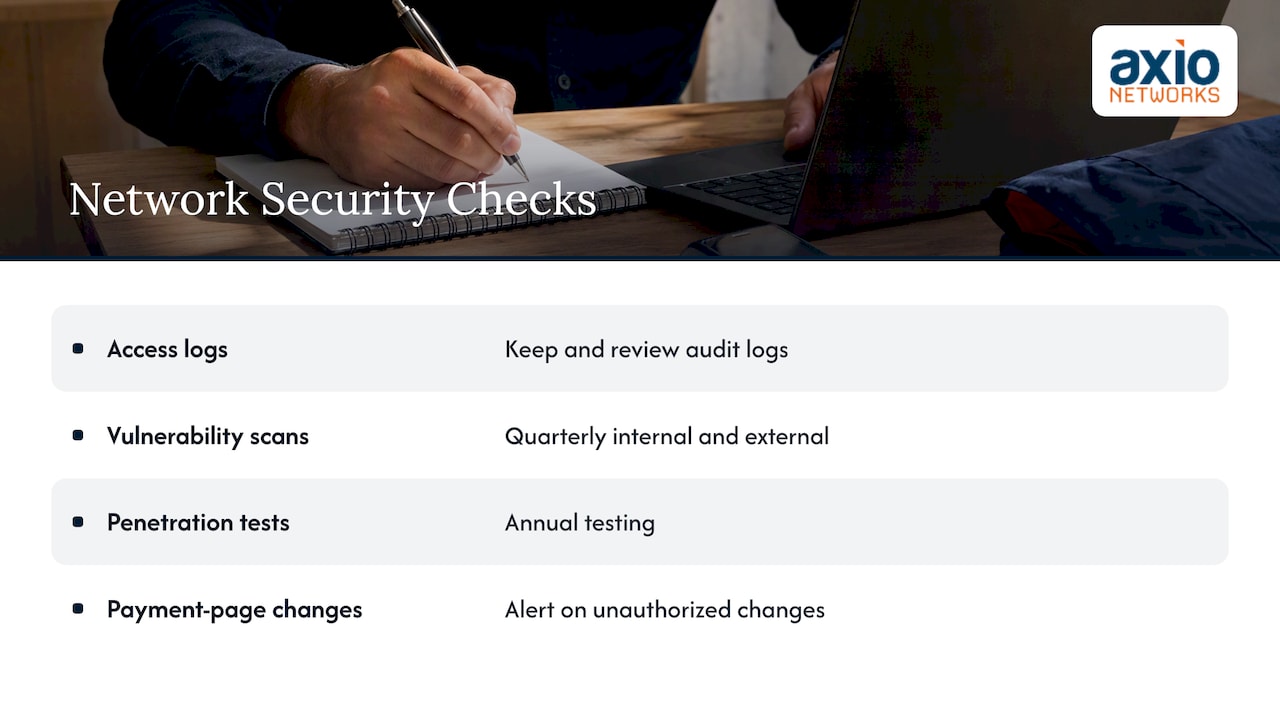
10. Log and monitor all access. Keep audit logs of access to systems in scope, and review them. This is where most small offices have nothing in place.
11. Test security regularly. PCI DSS v4.0 calls for quarterly internal and external vulnerability scans, annual penetration testing and change-detection mechanisms that alert on unauthorized changes to payment pages. Our write-up on what vulnerability scans miss compared with penetration tests explains why you need both.
Maintain an information security policy
12. Support information security with policies and programs. A formal, written policy, an incident response plan, staff training and a list of the service providers that touch your card data.
Step 6: Complete the SAQ, scans and attestation
Once the controls are in place, you document them:
- Complete the SAQ that matches your setup, answering honestly and keeping the evidence (configurations, screenshots, policies, logs).
- If your processor or level requires it, run quarterly external scans through an Approved Scanning Vendor (ASV). Stripe notes that Level 3 and 4 merchants on its platform must complete quarterly ASV network scans and submit assessment documents for review.
- Sign the Attestation of Compliance. This is the entity’s declaration that it is eligible to complete an SAQ and its attestation to the self-assessment results.
- Submit everything to your acquirer or through its portal.
Smaller businesses can usually complete an SAQ themselves, which answers the common question of whether you can do PCI compliance on your own. The caveat is that the SAQ is a self-declaration. If you are not sure that a requirement is met, an outside review is cheaper than finding out after a breach.
Step 7: Keep it going all year
PCI compliance is an annual cycle, not a one-time project. A workable calendar for a small business looks like this:
| When | What to do |
|---|---|
| Every quarter | Run external (and, if required, internal) vulnerability scans and fix what they find |
| Every month | Apply patches, review user accounts and remove departed staff, check backups and logs |
| Every year | Redo the SAQ and attestation, test your incident response plan, run penetration testing, retrain staff, review service providers |
| Any time things change | New terminal, new website checkout, new software or new office network: re-check scope and SAQ type |
The cost of skipping this can be real. Failing to maintain compliance can lead to serious problems, including fines, and a breach on top of non-compliance is the worst combination.
Common mistakes we see
- Choosing SAQ A without checking eligibility. If your own web server touches card data, the lighter form may not apply.
- Treating the processor’s compliance as yours. Your provider’s certificate does not cover your Wi-Fi, your staff passwords or your back-office PC.
- Flat networks. Terminals, guest Wi-Fi and the office file server on one network put everything in scope.
- No logging. Many small offices cannot show who accessed what, and requirement 10 asks for exactly that.
- Forgetting the payment page. Under v4.0, scripts running on your checkout page are part of the picture, and unauthorized changes must be detectable.
- One-time effort. Passing in January and letting patches lapse until next January.
Our perspective: compliance is a side effect of good security
We see PCI compliance from the IT side every week, and our view is simple: the standard reads like a list of things a well-run business already does. Firewalls, unique logins, patching, monitoring, tested backups and a written plan are not exotic. They are the baseline, and the businesses that struggle with PCI are usually the ones that never had that baseline.
That is why we build security into every managed service rather than selling it as an add-on. When endpoint protection, patching, monitoring and backups are already running under a flat monthly agreement, most of requirements 1, 5, 6, 8 and 10 are evidence you collect rather than projects you start. The paperwork gets lighter every year.
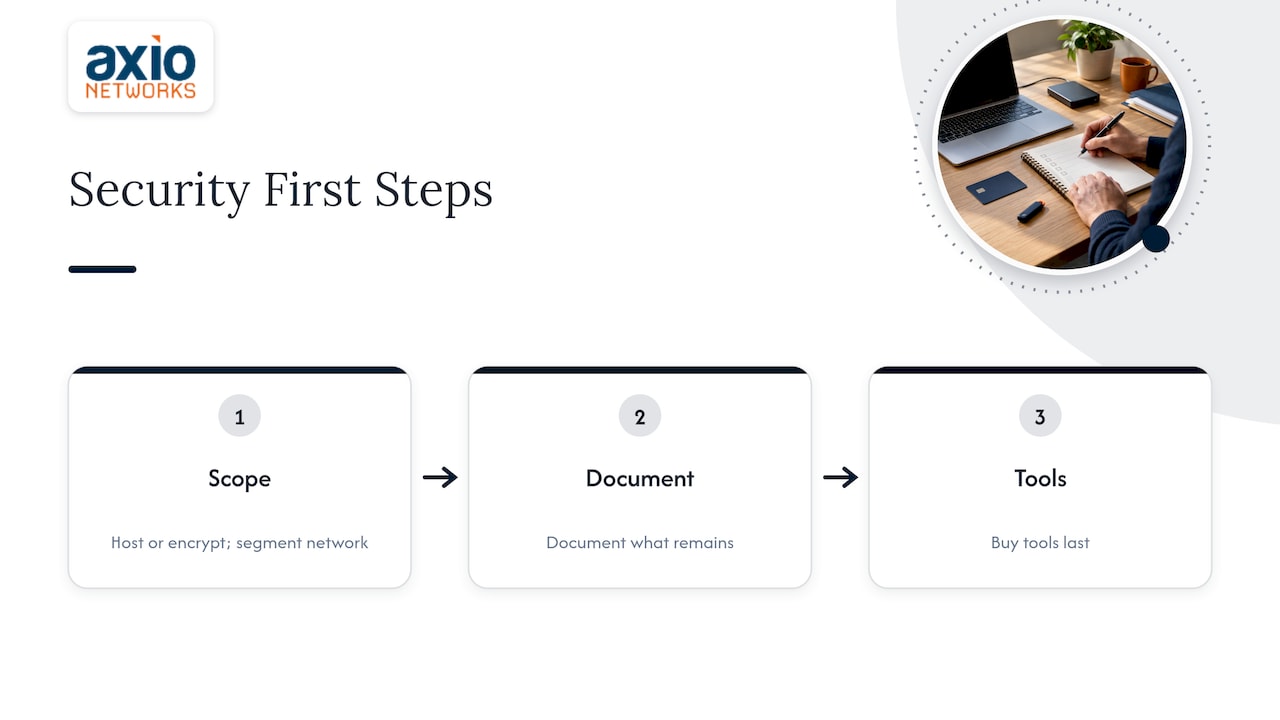
Our advice to small businesses: cut your scope first, document second, and buy tools last. Move card handling to a hosted or encrypted terminal setup, segment your network, and then see what is left. For a Phoenix-area office, that is often a short list.
— Jim O’Connell
How Axio Networks helps Phoenix-area businesses
If you would rather not carry this alone, we handle the technical side of PCI for small and mid-sized businesses in the Phoenix metro area. That includes network segmentation and firewall management through our managed IT services, endpoint protection, 24/7 SOC monitoring for the logging requirement, and backup and disaster recovery. You can see how we work on compliance in how we support HIPAA, PCI and SOC 2 compliance and on our IT compliance solutions page. To talk through your setup, start at axionetworks.com.
A one-page PCI compliance checklist to print
- [ ] Merchant agreement reviewed, acquirer and validation requirements noted
- [ ] Every channel where card data enters the business listed
- [ ] Merchant level confirmed with your processor
- [ ] SAQ type chosen and confirmed as eligible
- [ ] Scope reduced: hosted pages, tokenization, encrypted terminals
- [ ] Payment network separated from guest and office networks
- [ ] Default passwords changed, unique IDs and MFA in place
- [ ] Anti-malware and patching running on in-scope systems
- [ ] Logs collected and reviewed
- [ ] Quarterly scans completed, annual penetration test done
- [ ] Written security policy and incident response plan
- [ ] Staff trained on handling card data
- [ ] SAQ and Attestation of Compliance signed and submitted
- [ ] Calendar reminders set for the next cycle
FAQ
What is a PCI compliance checklist?
It is a working list of the steps needed to meet the 12 PCI DSS requirements and prove it to your processor. It covers finding your level, choosing an SAQ, securing networks and systems, testing them, and submitting your attestation each year.
What is the difference between SAQ A and SAQ D?
SAQ A is for card-not-present merchants that outsource all card data functions to a compliant third party. SAQ D applies to merchants that do not fit any other SAQ description and covers nearly the full standard. Moving to a hosted payment page is often the way to qualify for SAQ A.
Can I do PCI compliance myself?
Often yes, for smaller businesses. You complete the SAQ and sign the attestation yourself, and you may need quarterly ASV scans depending on your level and processor. If your setup is complex or you cannot verify a control, get an IT provider to check it first.
Do small businesses really need to comply?
Yes. Every business that accepts card payments must meet the requirements, whatever its size. What changes is the validation: small merchants typically complete a questionnaire rather than a full on-site audit.
How often do I need to repeat PCI compliance?
Every year, with quarterly scans where they apply. You should also re-check your scope whenever you change terminals, software, your website checkout or your network.
Sources
- What Is PCI Compliance? 12 Requirements & Guide, NerdWallet
- Payment Card Industry Data Security Overview, NCOSC
- PCI Compliance Guide, J.P. Morgan
- Self-Assessment Questionnaire Instructions and Guidelines, PCI DSS v4.0.1
- PCI Quick Reference Guide, PCI Security Standards Council
- PCI DSS v3.2.1 Quick Reference Guide
- What is PCI DSS compliance? Stripe
- PCI Compliance Checklist, Shopify
- PCI compliance outsourcing: merchant duties and contract checklist