Break-fix means you call an IT technician after something fails and pay for that repair. Managed services means you pay a provider a recurring fee to monitor, maintain, secure and support your technology so fewer things fail in the first place. For a solo operator with a couple of laptops, break-fix can be enough. For a business whose revenue stops when the network, email or line-of-business software stops, managed services is usually the better fit. The rest of this guide shows how to decide.
TL;DR
- Break-fix is pay-per-incident: no commitment, but unpredictable bills and no one watching your systems until they fail.
- Managed IT is a recurring fee with a defined scope, covering monitoring, maintenance, security and support under a service agreement.
- Break-fix fits very small, low-dependence businesses. Managed services fits businesses where downtime is expensive or security matters.
- Managed services does not remove your risk. Your provider gets privileged access, so vet them like any critical supplier.
- Before switching, list your critical systems, define what the provider is responsible for, and read the scope and exclusions closely.
Table of Contents
- What break-fix IT support actually is
- What managed IT services include
- Managed services vs. break-fix: the differences that matter
- When break-fix still makes sense
- When managed IT is the better fit
- The part most comparisons skip: managed does not mean risk-free
- How to evaluate a provider before you sign
- Moving from break-fix to managed services
- Our perspective
- What this looks like with Axio Networks
- FAQ
- Sources
What break-fix IT support actually is
Break-fix is the oldest model in IT support. Something stops working, you call a technician or a shop, they diagnose it, and you pay for the labor and any parts. Industry descriptions of the model, such as this overview of break-fix, describe it as one-time, reactive work with no ongoing support or maintenance attached.
Billing usually runs hourly, per incident, or on time and materials. Forbes Technology Council notes that support starts after a failure and that little preventive maintenance is built in.
That is not automatically bad. You pay only when you use it, and there is no contract to sign. The cost is that the provider earns money when your systems break, while you lose money when they do. Those incentives point in opposite directions.
What it looks like in a typical week
Picture a 12-person office. On Monday morning the file server will not mount. You call your break-fix technician, who is booked until the afternoon. By then the team has lost half a day. The fix takes two hours, you get an invoice, and nobody checks why the server failed or whether the backup that should have protected you was even running.
Nothing in that story is dishonest. It is simply what reactive support means: the work begins after the damage.
What managed IT services include
A managed service provider (MSP) is, in TechTarget’s definition, a third party that remotely manages a customer’s IT infrastructure and end-user systems for a defined set of day-to-day services. The same source lists typical offerings such as infrastructure management, staff support, cybersecurity software, access management, compliance and risk support, monitoring, patch management and scheduled maintenance.
Red Hat frames the shift this way: responsibility for maintaining systems and anticipating IT needs moves to the provider, commonly under a service level agreement (SLA) and a monthly subscription.
In practice, a managed relationship for a small or mid-sized business tends to cover:
- A help desk your staff can reach for everyday problems
- Remote monitoring and patching of servers, workstations and network gear
- Endpoint and email security
- Backup and disaster recovery
- Microsoft 365 administration
- Regular planning and budgeting conversations about upgrades
If you want the longer definition, our page on what managed IT services are walks through it, and our overview of proactive versus reactive IT support covers the same split from the support angle.
Managed services vs. break-fix: the differences that matter
Most comparisons stop at billing. Billing matters, but it is the visible part of a deeper difference in who is responsible for preventing problems.
| Break-fix | Managed services | |
|---|---|---|
| How you pay | Hourly, per incident, or time and materials | Recurring monthly fee |
| When work starts | After something fails | Continuously, before and after failures |
| Maintenance and patching | Usually extra, often skipped | Typically built into the scope |
| Security | Bought separately, if at all | Often bundled, depending on the provider |
| Budget | Variable and hard to forecast | Predictable |
| Accountability | Fix the ticket, then done | Defined by the SLA, scope and exclusions |
| Commitment | None | Service agreement |
The comparison above follows the pattern described by Forbes Technology Council: break-fix has no monthly commitment but brings unpredictable costs and more downtime exposure, while managed services improve budget predictability and make proactive maintenance possible. TMC Insight adds that a fully managed arrangement can transfer a wider operational scope, which may include help desk, infrastructure, cloud, backup, endpoint monitoring and cybersecurity.
Cost: variable versus predictable
Break-fix looks cheaper on a quiet year and far more expensive on a bad one. A failed server, a ransomware event or a botched migration can produce a single invoice larger than a year of monthly fees, and you cannot plan for it.
Managed services trade that variance for a fixed number. The flat monthly fee is not necessarily lower than what you would spend on repairs in a good year. What you buy is the ability to budget, and a provider whose own costs rise when your systems are unstable.
We publish a guide to what managed IT services cost for small businesses if you want to see how flat-rate pricing is structured.
Downtime: waiting versus watching
With break-fix, your downtime clock starts when something breaks and keeps running until a technician is available. With managed services, monitoring can flag a failing disk, an expired certificate or a missed patch before users notice. Forbes Technology Council says managed services may reduce avoidable downtime through this kind of monitoring and maintenance. Note the word “may”: no provider prevents every outage.
Accountability: ticket versus outcome
Break-fix accountability ends when the invoice is paid. Managed accountability is written into an SLA. Red Hat’s view is that SLAs make managed services accountable by defining functionality, support, disaster recovery and downtime expectations.
The catch is that an SLA is only as good as its scope. Providers differ widely on what is included, so the exclusions list matters as much as the headline promise.
When break-fix still makes sense
We sell managed services, and we will still tell you break-fix is a reasonable choice in some cases. According to Forbes Technology Council, it may suit a solo operator or very small company with simple systems, low technology dependence and tolerance for variable costs. The same piece cautions that managed services can mean a higher upfront cost and less flexibility, because you enter a service agreement, and may be excessive for a very small business.
Break-fix is probably fine if all of these are true:
- You have a handful of devices and no servers
- Your work lives in a few cloud apps that manage themselves
- A day of downtime is an annoyance, not a loss
- You hold no regulated or sensitive customer data
- You are comfortable with an occasional surprise bill
If even one of those is false, the case for managed services gets stronger quickly.
When managed IT is the better fit
The same source says managed services fit better when systems are operationally important, when you need continuous monitoring or security, when outages are costly, or when internal staff lack the coverage and expertise. In the Phoenix area, that describes a lot of businesses we see:
- Professional services firms that bill by the hour and cannot afford a day of idle staff
- Healthcare and medical-adjacent practices with compliance obligations
- Construction, trades and property businesses with distributed staff working on laptops and phones
- Growing companies with a part-time “IT person” who is really an office manager
A useful test: estimate what one full day of outage costs you in wages and lost revenue. If that number is bigger than a month of managed fees, the economics already lean toward managed.
The part most comparisons skip: managed does not mean risk-free
Handing IT to a provider reduces some risks and creates others. CISA’s guidance for MSP customers says outsourcing can reduce cost and improve capability for smaller organizations, but it also introduces third-party attack surfaces and does not remove your own risk-management responsibilities. CISA has also warned that a compromise of an MSP can cascade across customer networks.
That is not an argument against managed services. It is an argument for choosing a provider that treats its own security as seriously as yours. Because an MSP typically holds privileged access to your systems and data, the principle behind cybersecurity and third-party risk applies to it as much as to any other vendor. Our own write-up on vendors as a security risk goes deeper on this.
How to evaluate a provider before you sign
CISA suggests treating an MSP like a critical technology supplier. Its 2023 fact sheet for small and medium-sized businesses offers a specific use case for vetting providers with critical access to your systems or data. CISA’s risk guidance says to weigh cost, efficiency, reliability, security, operational disruption, data confidentiality and availability, vendor financial health and possible legal or regulatory costs.
Turned into questions you can ask in a sales meeting:
- What exactly is in the monthly fee? Ask for a written list of what is covered and what triggers extra charges, such as projects, after-hours work or hardware.
- What does the SLA promise? Look for response times, escalation paths and how disaster recovery is defined.
- How do you secure your own access to my systems? Ask about multi-factor authentication, logging and how technician access is controlled.
- Who holds the backups, and how often are restores tested?
- What happens if we leave? You should be able to get your documentation, credentials and data back.
- How do you handle incidents? You want a defined procedure, not improvisation.
If you want a sharper checklist on contract language, our piece on flat-rate IT support clauses to demand covers the wording to look for.
Moving from break-fix to managed services
The switch is less disruptive than most owners fear when it is done in order. CISA’s guidance for organizations considering outsourcing is to assess critical assets, responsibilities, service and security requirements, vendor health, and risks and costs, and to define access, logs, backups and incident and continuity procedures. Here is that translated into a sequence.
- Inventory what you have. Devices, servers, cloud accounts, licenses, network gear and who uses what.
- Rank what you cannot lose. Which systems, if down for a day, hurt most?
- Add up what break-fix cost you. Pull the last 12 to 24 months of repair invoices, plus staff time lost.
- Define the split of duties. Decide what the provider owns and what stays with you.
- Agree on scope in writing. Include backups, security tooling and incident procedures.
- Start with an assessment. A good provider will review your environment and flag gaps before monthly service begins.
Expect the first few weeks to be the busiest. That is when the provider documents your environment, closes patch gaps and sets up monitoring. After that, the number of surprises should drop.
Our perspective
We have heard the same story from many Phoenix-area business owners: break-fix felt cheap until the one bad week. What we have learned is that the pricing model shapes the behavior of the provider. When we are paid a flat monthly rate, every ticket we avoid is a ticket we do not have to work, so we put effort into monitoring, patching and tightening security before problems reach you.
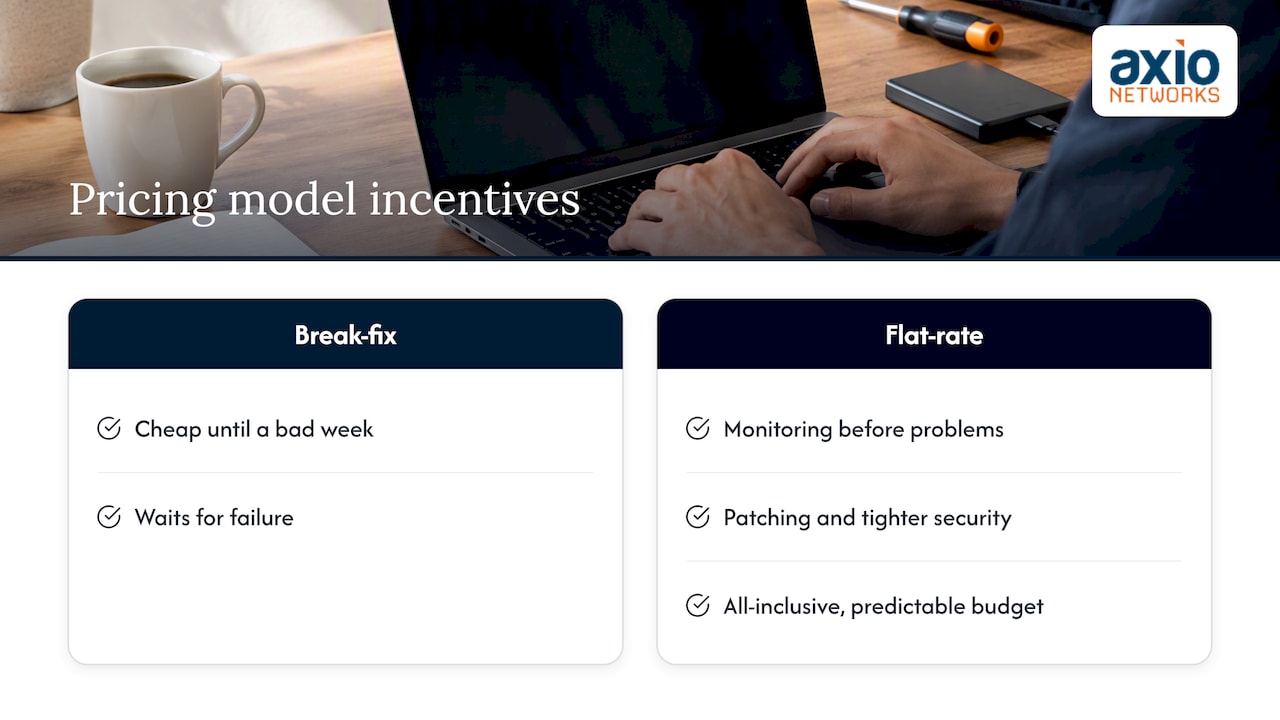
That is also why we build security into every service rather than selling it as an add-on. An unpatched laptop is both a support problem and a security problem, and treating them separately is how gaps appear. We also think flat-rate pricing should mean what it says: an all-inclusive structure that removes surprise costs so you can budget with confidence.
Our honest advice is this. If you are a one-person shop with simple needs, you may not need us yet. If people depend on your systems to get paid, waiting for failure is the most expensive way to run them.
— Jim O’Connell
What this looks like with Axio Networks
We provide flat-rate managed IT and cybersecurity for small and mid-sized businesses across the Phoenix metro area, including Scottsdale, with a local team and an average response time under 30 minutes. Our managed IT services include help desk, remote and on-site support, and network and server administration. They sit alongside managed Microsoft 365, backup and disaster recovery and SOC monitoring. If you are comparing options, talk to our team and bring your last year of repair invoices. We will show you where a managed arrangement would and would not pay off.
FAQ
Is break-fix cheaper than managed services?
In a quiet year it often is, because you pay only for work you use. In a bad year it frequently is not, since one major failure or security incident can cost more than months of fees. Forbes Technology Council describes break-fix costs as unpredictable, which is the real issue for budgeting.
What are the main benefits of managed IT?
The commonly cited ones are predictable budgeting, proactive maintenance, access to specialized skills and less internal workload. Security monitoring and defined SLAs are the other big draws. We cover them in more depth in our guide to the benefits of managed IT services.
Does an MSP take over all of my cybersecurity responsibility?
No. CISA states that outsourcing does not remove your own risk-management duties, and the provider becomes another party with access to your systems. Ask what is covered, who holds what access and how incidents are handled.
Can I start with break-fix and move to managed IT later?
Yes, and many businesses do. The move works best when you inventory your systems first, agree on scope in writing and let the provider assess your environment before monthly service begins.
Sources
- Forbes Technology Council: Break-fix versus managed service
- CISA Insights: Risk Considerations for Managed Service Provider Customers
- CISA Insights: Guidance for MSPs and Small- and Mid-sized Businesses
- CISA: Assisting SMBs in assessing vendors and suppliers
- TechTarget: What is a Managed Service Provider (MSP)?
- Red Hat: What are managed IT services?
- TMC Insight: How SMBs can compare IT support options
- Kaseya: What is the break/fix model?